Jun 12, 2015 7:10 PM UTC
Question

Forms 2.0 - How to I add extra spaces between lines?

Hi there,

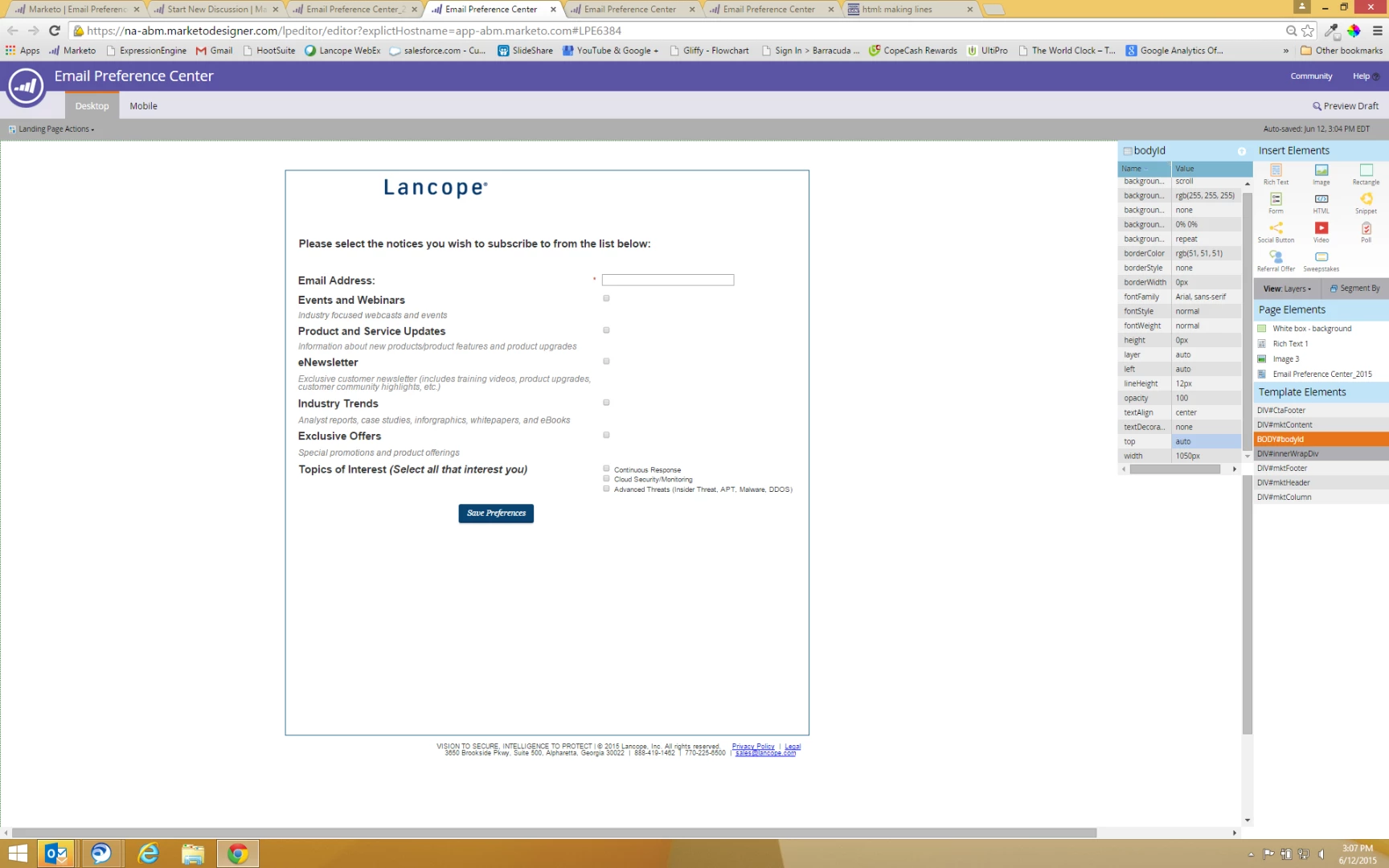
I am in the process of creating an email preference center...I would like an extra space between the field names for example, Email Address and Events and Webinars. How can I do that?

Also, Is there anyway to make the 'Topics of Interest' options listed under the field name versus to the right? It looks odd all the way out there.

Thank you!

Mandy
This post is no longer active and is closed to new replies. Need help? Start a new post to ask your question.

3 replies

Jun 12, 2015 8:33 PM UTC

Have you tried adding Rich Text sections with blank space? Add a Rich Text to a Form - Marketo Docs - Product Docs

Translate
SanfordWhiteman
User Group Leader
User Group Leader
Jun 12, 2015 10:45 PM UTC

Just add a margin with CSS:

.mktoFormRow {

       margin-bottom: 20px !important;

}

Translate
Jun 19, 2015 6:27 PM UTC

@Mandy, Sanford is correct. You can add custom CSS at the form level to change the form field/label spacing. Here's a brief bit of info on how to get to the place to edit the CSS: Edit the CSS of a Form Theme - Marketo Docs - Marketo User Manual

You'll want to copy and paste the following in the Edit Custom CSS area:

.mktoFormRow {

       margin-bottom: 20px !important;

}

Hope this helps!

-Jackie

Translate