Facing Issue to approve the Email while using the Base64 velocity script as a token in the Email
Hey,
I want to Encode the Email address which is passes through URL to Non-Marketo Landing page.
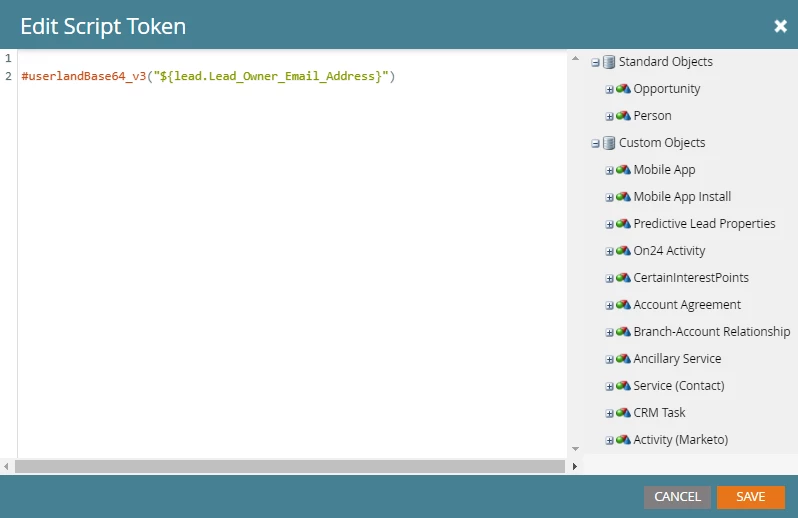
I added below Email script in the my Tokens and used this token in the Email Template within the same program.
#set ($string = ${lead.Lead_Owner_Email_Address})
#userlandBase64_v3("$string")
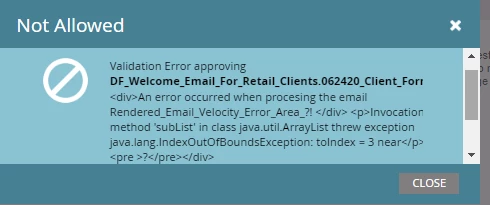
While adding this My token in the Email is shows the correct preview with encoded value as per my expectation. But when I am trying to approve the Email it shows the below Validation Error Message:
----
Validation Error approving DF_Welcome_Email_For_Retail_Clients.062420_Client_Form_CRS — <div>An error occurred when procesing the email Rendered_Email_Velocity_Error_Area_?! </div> <p>Invocation of method 'subList' in class java.util.ArrayList threw exception java.lang.IndexOutOfBoundsException: toIndex = 3 near</p> <div><pre >?</pre></div>
-----
If I replace the Attribute ${lead.Lead_Owner_Email_Address} with static Email address like abc@gmail.com, it approves the email without error.
Would anyone be able to help me here? We would need to Approve the email in order to use it in smart campaign.
I added this script from this link: https://nation.marketo.com/t5/Product-Blogs/Base64-ing-a-String-in-Velocity-without-using-Reflection/ba-p/242251
Attached the screenshots of the script and errors.