Cory_Gabor1
Level 3
July 12, 2018
Solved

Email Reminders Sent before Upcoming Deadline Date

Good afternoon,

I have a request to set up a campaign using a "Lock Expiration Date" field. They want a reminder sent out 3 days prior to this date, 1 day prior to this date, and the day of the date.

What would be the best route to go here?

Would it have to be pretty similar to the way birthday campaigns work in Marketo; batch campaign/campaign is requested/wait until next anniversary?

Thanks!
This post is no longer active and is closed to new replies. Need help? Start a new post to ask your question.
rachel2-2Accepted solution
Level 8
July 12, 2018

Two methods for this.

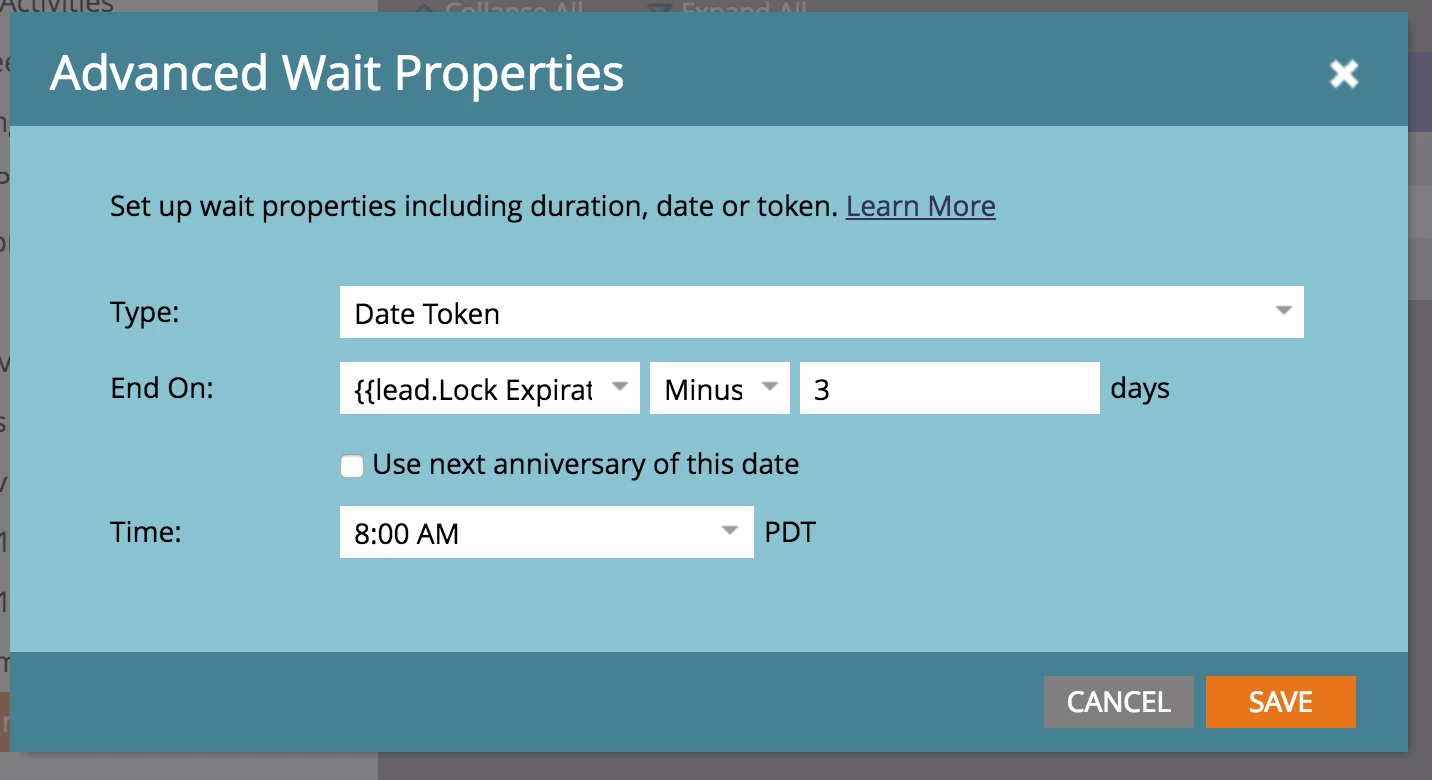
Method one: use a Advanced Wait Steps

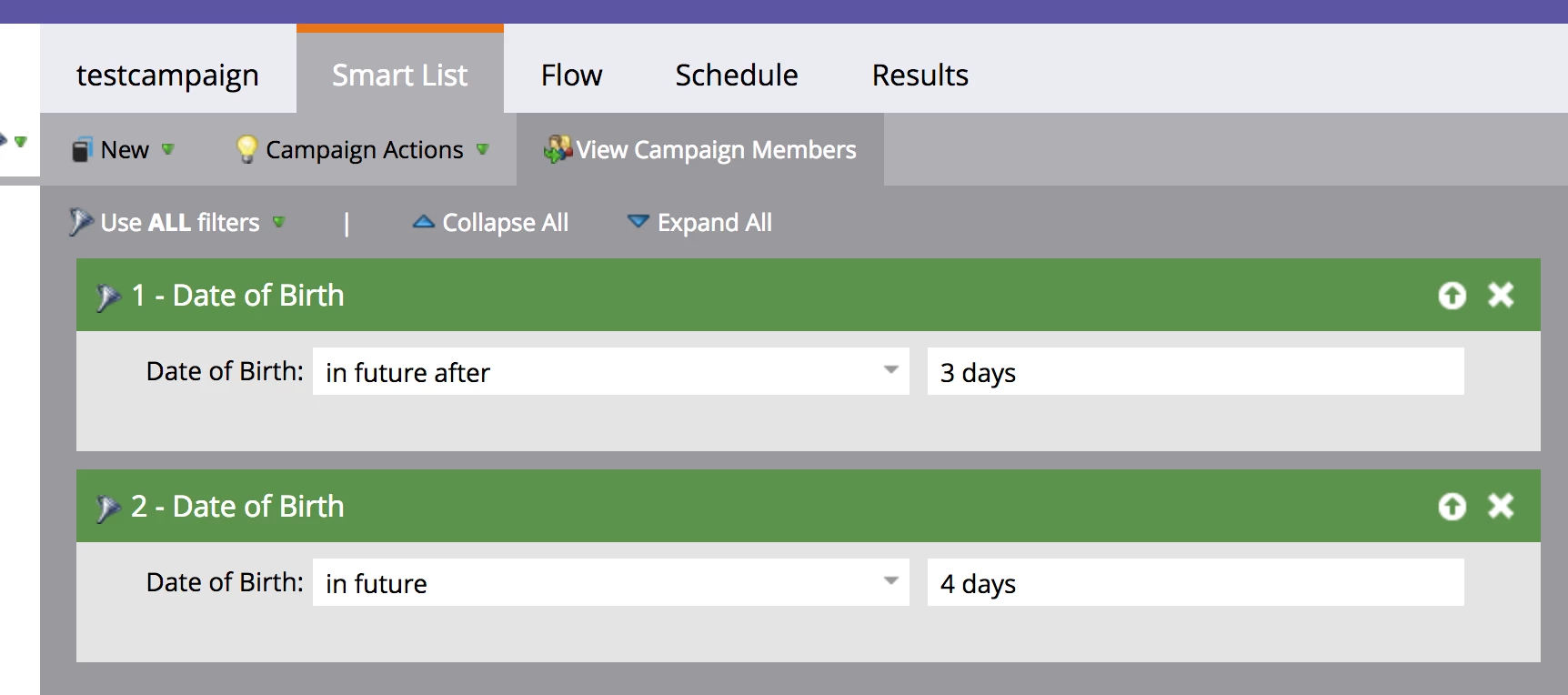
Method two: use a Smart Campaign for each email. Using birthday as an example. This campaign identifies anyone who has a birthday in the next 4 days, but no less than 3 days from now, giving you anyone with a Lock Expiration Date 3 days out.

Personally, I'd go with Method #2.

6 replies

rachel2-2Accepted solution
Level 8
July 12, 2018

Two methods for this.

Method one: use a Advanced Wait Steps

Method two: use a Smart Campaign for each email. Using birthday as an example. This campaign identifies anyone who has a birthday in the next 4 days, but no less than 3 days from now, giving you anyone with a Lock Expiration Date 3 days out.

Personally, I'd go with Method #2.

Translate
Cory_Gabor1
Level 3
July 12, 2018

Thanks for the help Rachel! I didn't realize I could use the "minus" under the advanced wait step.

Translate
Cory_Gabor1
Level 3
July 12, 2018

Hi Rachel,

Can you confirm this set up?

Smart List:

Flow:

Translate
Level 8
July 13, 2018

This looks good to me! Make sure to set it so people can only run through once a day or so in case the lock expiration date is typed in wrong and then corrected or something like that.

Translate
Cory_Gabor1
Level 3
July 13, 2018

Will do, thank you!

Translate