
Grégoire_Miche2
Level 10
Jun 16, 2016 2:09 PM UTC
Investigating

Email editor 2.0: using a token for the image elements

The new image elements are great as they enable to secure the way images are insterted in an email and how the image will be formatted CSS-wise.

But then it is now impossible to set the image using a token. We can only use real images here:
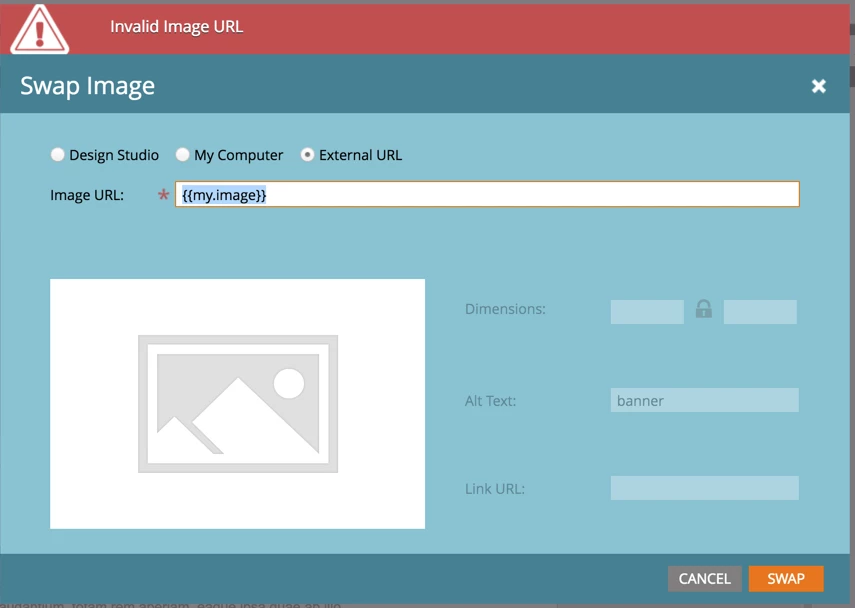
This idea is about having a 4th choice here, that would be a token.

Would be great in conjunction with ​and this one

-Greg

5 replies

Brendan_Gallagh
Level 2
Jan 11, 2017 7:28 PM UTC

I imagine you could edit the template HTML to insert the token and it would work/override (has anyone tried this?). But I agree, it is very annoying since our company likes to use banner images at the top of most emails (especially for event invites) and we tried to use the new image module as much as possible (as opposed to rich-text) for all of these templates before realizing we could not tokenize this.

Translate
Grégoire_Miche2
Level 10
Jan 11, 2017 10:37 PM UTC

Hi Brendan,

You can still use an image variable to set the banner image. The inconvenience is that variables, unlike tokens, still require that you edit the email to change its value.

I have not tried recently the possibility to paste a token in an image variable. It might work since some improvement have been made on this with the latests version.

-Greg

Translate
Jun 16, 2017 9:55 AM UTC

I think I found a way around this problem. If you paste the token and quickly hit swap before it realizes what you just did, it seems to work!

Translate
Feb 6, 2020 7:53 PM UTC
No text available
Translate
derelict_wombat
Level 6
Aug 28, 2023 3:38 PM UTC

Wondering if any updates to this?  

Translate