Question
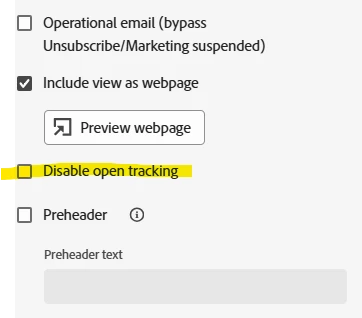
Can “Disable open tracking” be locked or hidden for Marketo users?
Has anyone found a way to prevent Marketo users from selecting Disable open tracking on an email?
We have open tracking configured correctly by default, so the box starts unchecked across all programs. The issue is that creators can still manually check the box at the individual email level, and we never have a business case where we want open tracking disabled.
Ideally, we would like to gray out/hide the setting for non-admins or enforce open tracking at the instance level.
I haven’t found a granular permission for this. Is there an admin setting, role permission, API-based safeguard, or other workaround that anyone is using?
We can catch this during QA, but we would much rather prevent the setting from being changed in the first place.