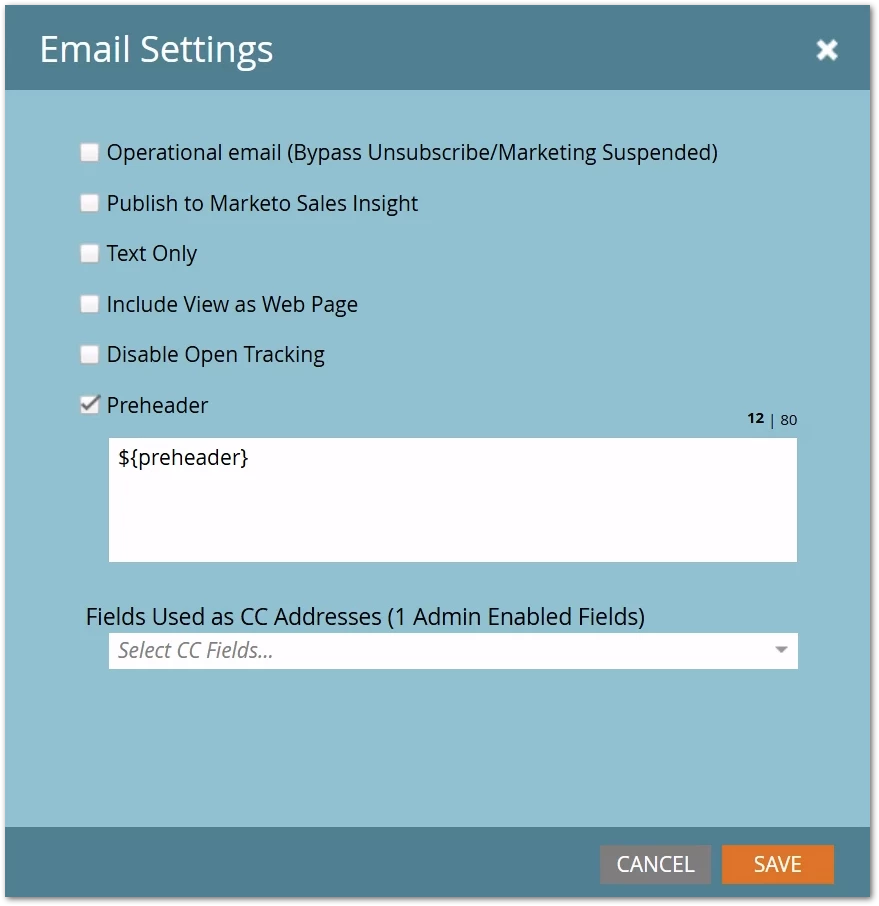
Yes, you can use Velocity in the native Preheader area, just not the way you’re used to
You’ve got a simple Velocity token {{my.credits remaining}} to calculate a subscriber’s current credits based on a couple of fields:
#set( $creditsRemaining = $math.sub( $lead.monthlyAllocation, $lead.creditsUsed ) )
${creditsRemaining} credits remaining this month
So you figure you’ll pop that in the native Preheader area:
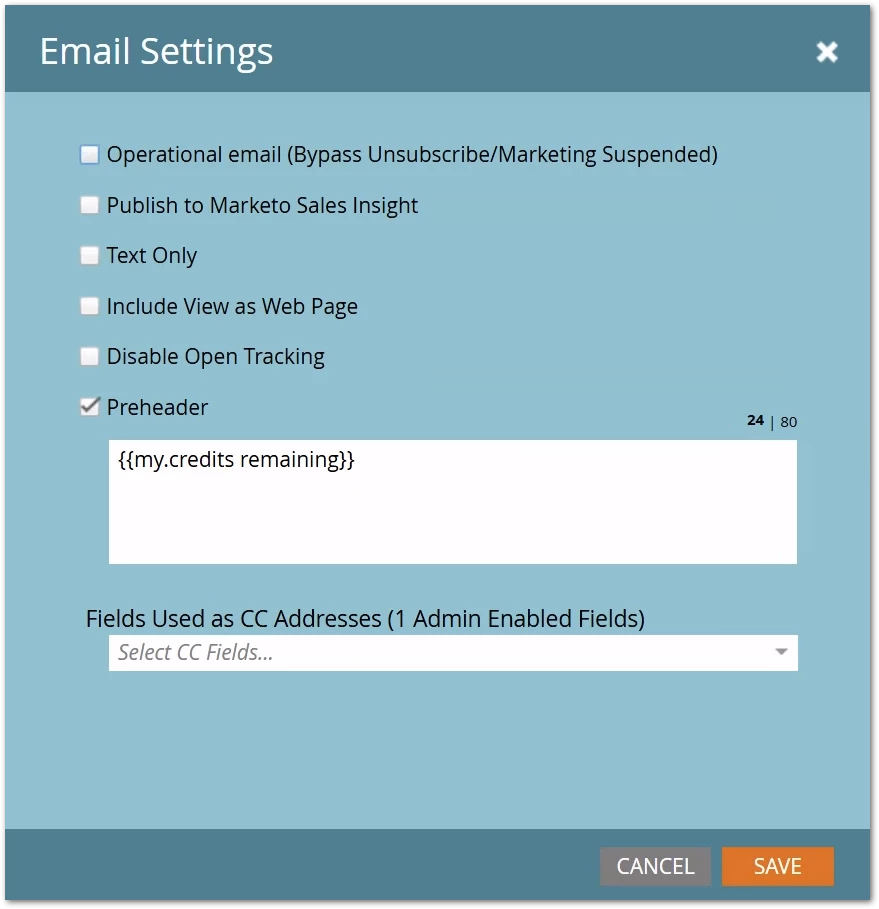
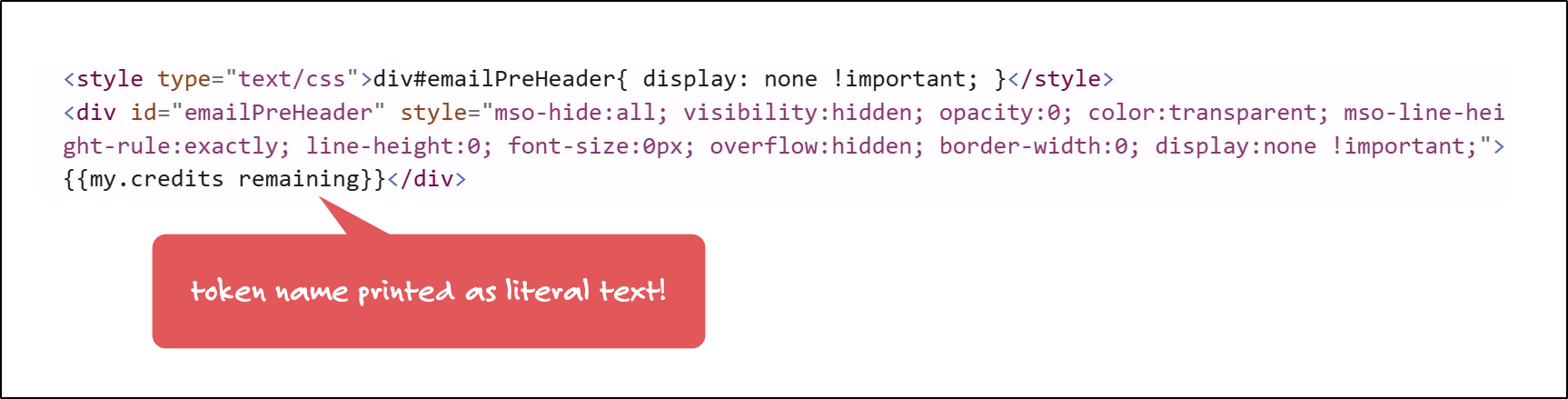
Oops! That won’t work. {{my.tokens}} aren’t treated as tokens in the built-in Preheader. Technically you can paste ’em in there, they just get treated as literal curly braces with some words inside:
A simple workaround
You should know by now that a Marketo email is one big Velocity template. Even with no user-authored Velocity code, the system still uses Velocity to render emails. (No coincidence that email ${variable} syntax resembles Velocity ${reference} syntax!)
To elegantly combine userland token code with internal system code, Marketo uses “multipass” Velocity rendering, which I’ve explored in other posts. In brief, this means at some points in the rendering process, Velocity Template Language is interpreted (i.e. run) as code, while at other points it’s just text. It’s a very complex stack.
Relevant today is that despite appearing at the top of the <body>, the native Preheader section actually renders after an initial pass through userland {{my.tokens}}. It can’t run {{my.tokens}} itself, but it does have have access to Velocity ${references} previously set in {{my.tokens}}. (This is despite the preheader having a different initial Velocity context from {{my.tokens}}. Look, it’s pretty weird.😜)
So have your {{my.token}} set a $string instead of outputting:
#set( $creditsRemaining = $math.sub( $lead.monthlyAllocation, $lead.creditsUsed ) )
#set( $preheader = "${creditsRemaining} credits remaining this month" )
Then reference that ${string} in the Preheader section: