Web Personalisation : where to find RTP tag for deployment? | Community
Skip to main content
Swati_Toshniwal
Level 2
December 29, 2018
Solved

Web Personalisation : where to find RTP tag for deployment?

  • December 29, 2018
  • 1 reply
  • 4091 views

I am trying to set up Webpersonalisation. However i do not see the RTP settings or account settings as outlined in below link. Where do i find the RTP code? Please help

I have bought Web Personalisation module and do see that

Deploy the RTP JavaScript - Marketo Docs - Product Documentation

This post is no longer active and is closed to new replies. Need help? Start a new post to ask your question.
Best answer by karanhari-1

Hi @Swati Toshniwal​,

The steps given in the URL is exactly how you find the web personalization tag. For your reference please find below screen shots from our instance. Please follow the below steps.

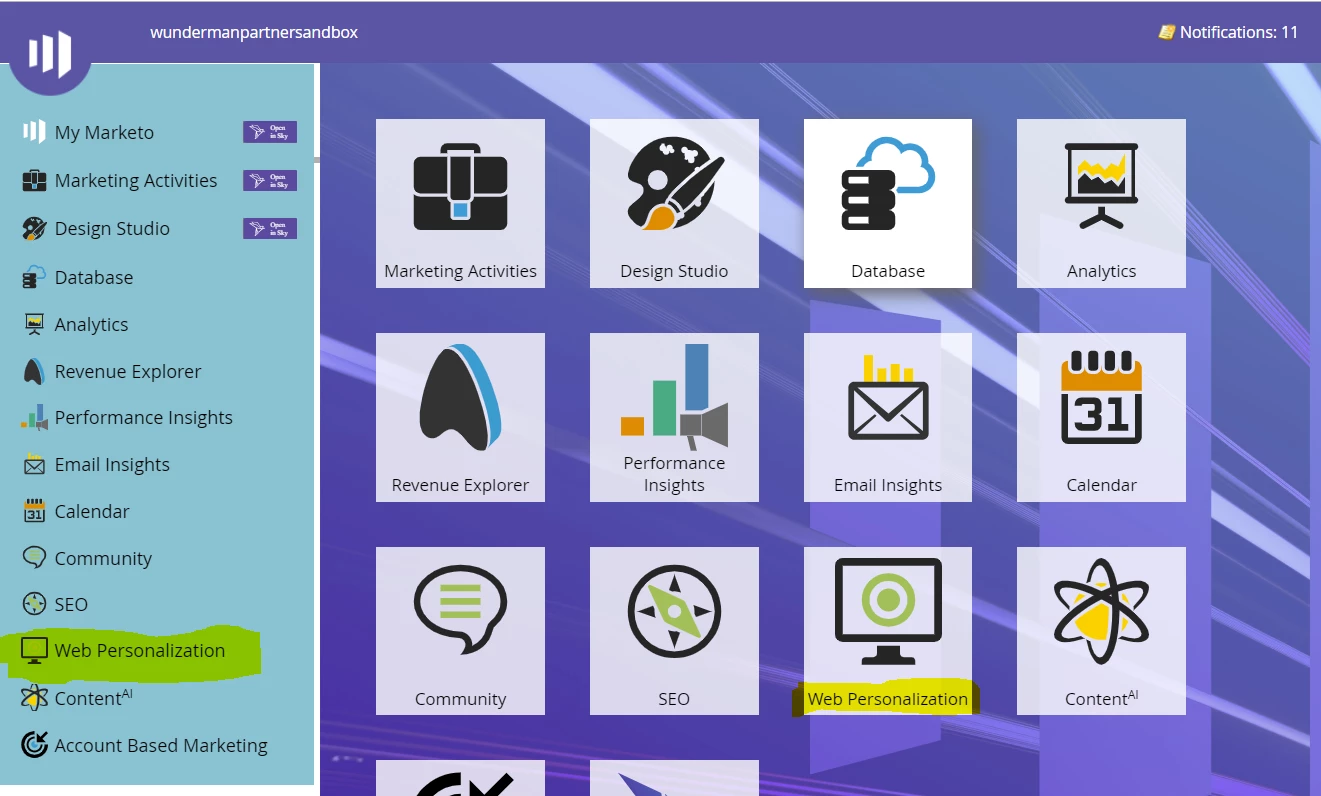
  • Click on the web personalization tile as highlighted below.
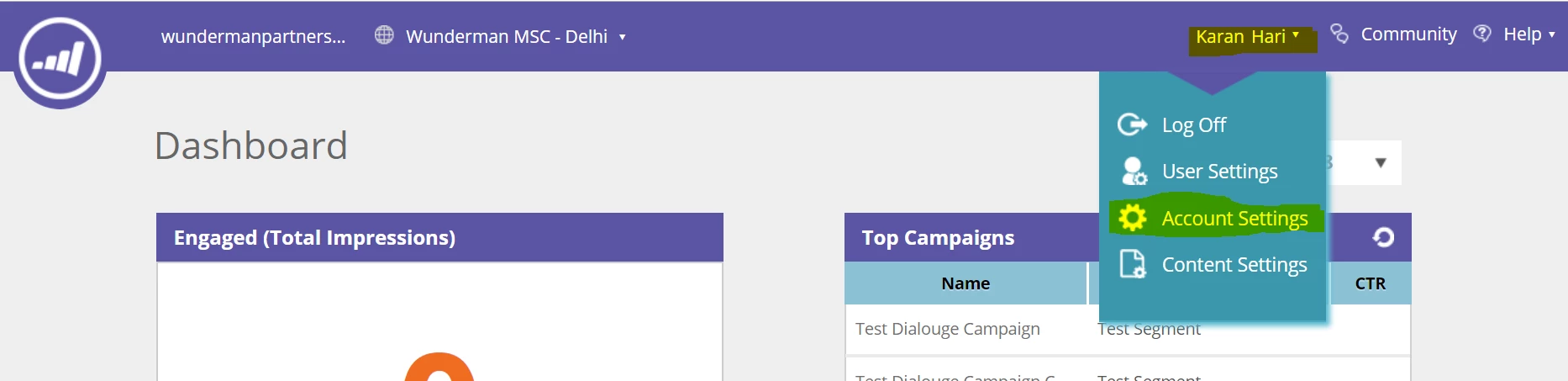
  • Then click on your account name (as highlighted on the top right) and in the drop down, click on account settings (highlighted below).
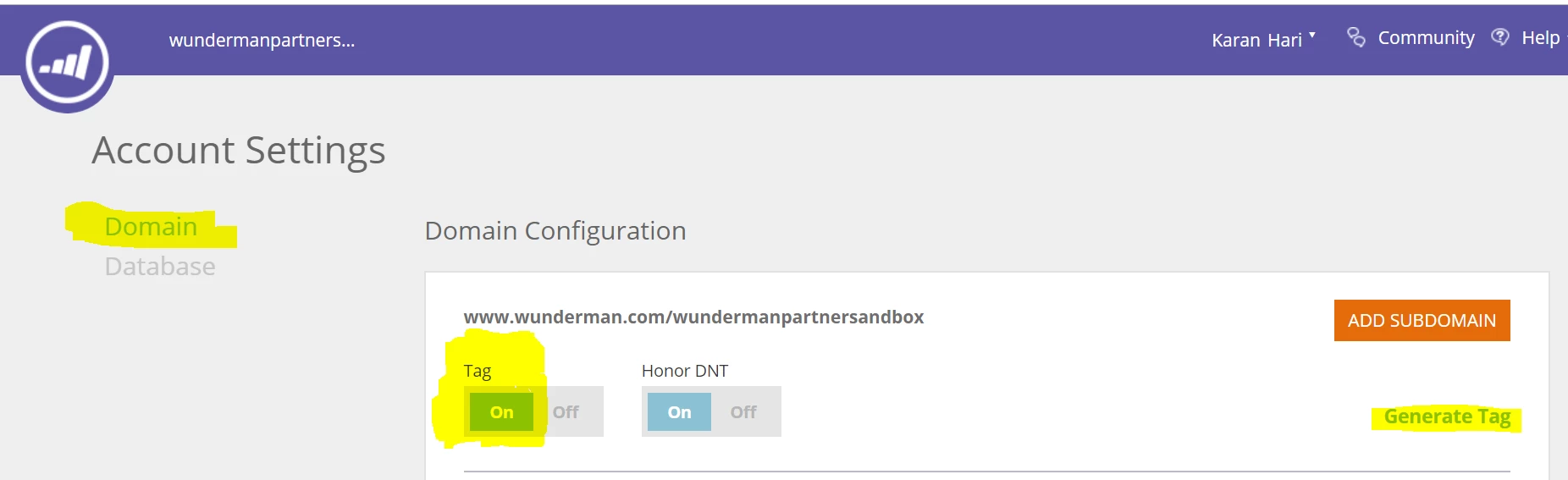
  • In the next screen, please click on "Domain" - as highlighted on the left in the below screen shot, Make sure that the tag Toggle is set to "ON" And then click on Generate tag - Highlighted on the right side of the below screen shot.
  • There it is - You will have your Web Personalization Tag!
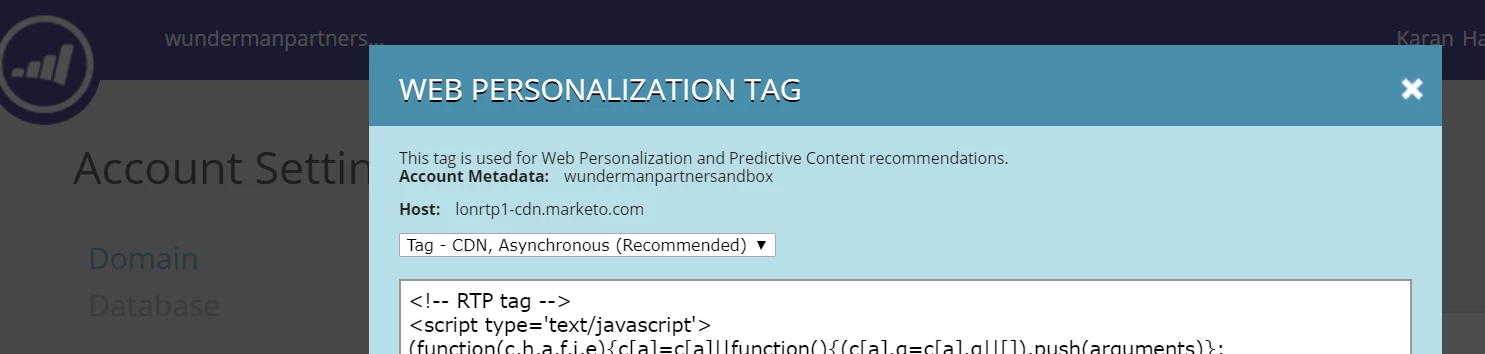
Copy the RTP JavaScript tag and paste it as the first script in the header of your pages – between the <head> </head> tags.Make sure the tag appears on all pages including landing pages and sub-domains. Check this by right-clicking on your website’s page. Go to View Page Source in a web browser. Search: ‘RTP’.Also as mentioned in the above step, make sure and Confirm that the Tag toggle is set to ON. You should start seeing data flow into the Organization's tab.

For more detailed implementation instructions for RTP\Web Personalization Javascript (as given in the below screen shot), Please visit this URL - RTP Tag Implementation - Marketo Docs - Product Documentation
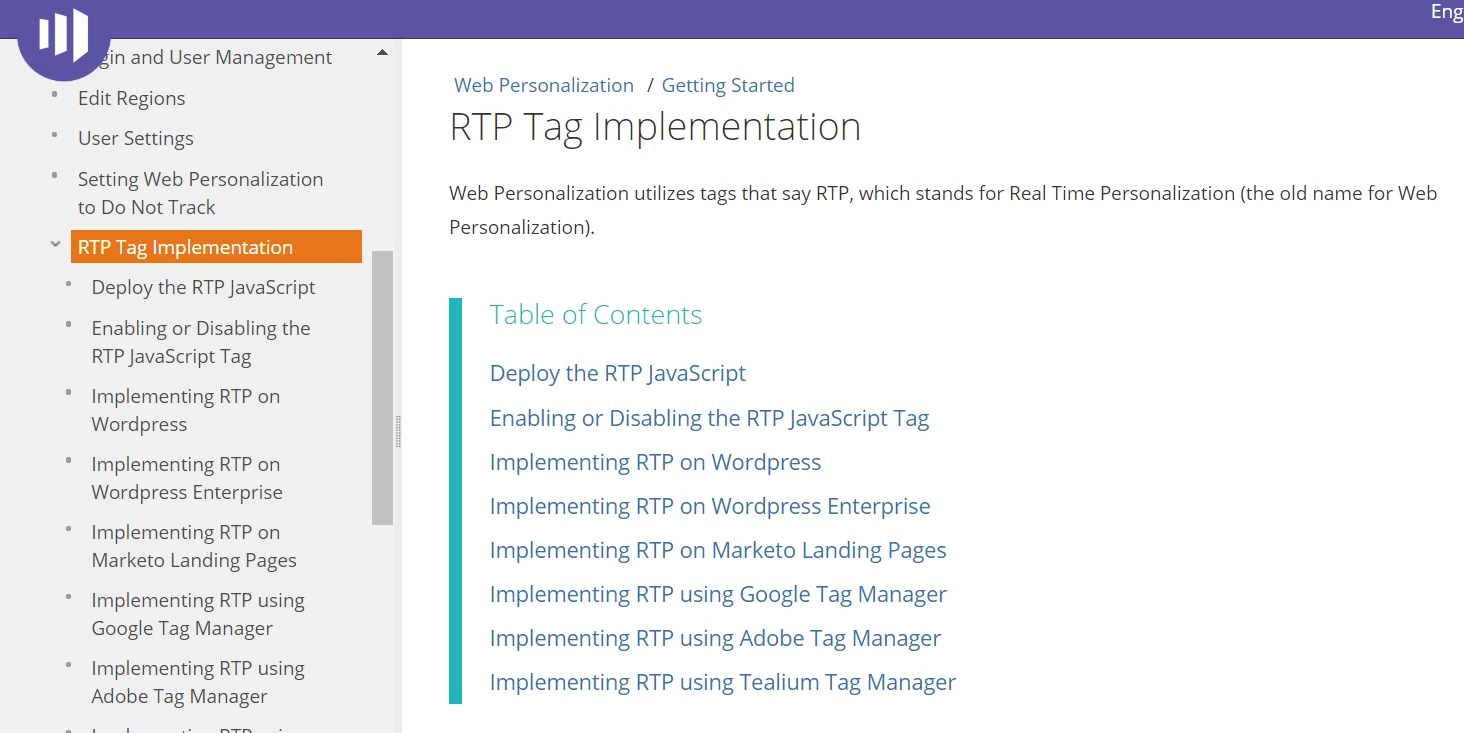
Hope this helps. After following these steps, in case you are facing any specific issues, kindly share details and screenshots of the area where you are facing problem. We can proceed accordingly.

Best Always,

Karan Hari

1 reply

karanhari-1Accepted solution
Level 7
December 30, 2018

Hi @Swati Toshniwal​,

The steps given in the URL is exactly how you find the web personalization tag. For your reference please find below screen shots from our instance. Please follow the below steps.

  • Click on the web personalization tile as highlighted below.

  • Then click on your account name (as highlighted on the top right) and in the drop down, click on account settings (highlighted below).

  • In the next screen, please click on "Domain" - as highlighted on the left in the below screen shot, Make sure that the tag Toggle is set to "ON" And then click on Generate tag - Highlighted on the right side of the below screen shot.

  • There it is - You will have your Web Personalization Tag!

Copy the RTP JavaScript tag and paste it as the first script in the header of your pages – between the <head> </head> tags.Make sure the tag appears on all pages including landing pages and sub-domains. Check this by right-clicking on your website’s page. Go to View Page Source in a web browser. Search: ‘RTP’.Also as mentioned in the above step, make sure and Confirm that the Tag toggle is set to ON. You should start seeing data flow into the Organization's tab.

For more detailed implementation instructions for RTP\Web Personalization Javascript (as given in the below screen shot), Please visit this URL - RTP Tag Implementation - Marketo Docs - Product Documentation

Hope this helps. After following these steps, in case you are facing any specific issues, kindly share details and screenshots of the area where you are facing problem. We can proceed accordingly.

Best Always,

Karan Hari

Swati_Toshniwal
Level 2
December 30, 2018

Thanks Karan for your reply. That is however not how my instance looks like - possibly there is a version issue. We have just bought Marketo. I don't have the user, account or content settings and I do have the admin rights

Level 7
December 31, 2018

Hi @Swati Toshniwal ,

From the above screenshot you have provided, It does not look like a version issue. The  "Account" you have highlighted in the screenshot in your message is in the main screen. You first need to click on the WEB PERSONALIZATION tile, which is available in the screenshot you provided. Once it is clicked, a new window/tab should open up. That is where you need to  follow steps mentioned in my previous message.

Also please make sure that pop ups are enabled on your browser, as WEB PERSONALIZATION opens up in a different window. 

Once done, then please refer to the earlier steps in my above message. It should work. Please let me know if you still face the issue.

Best Always,

Karan Hari