Visibility Rules limitations when using Checkboxes field type | Community
Skip to main content
Level 7
May 19, 2017
Solved

Visibility Rules limitations when using Checkboxes field type

  • May 19, 2017
  • 1 reply
  • 4122 views

Hello,

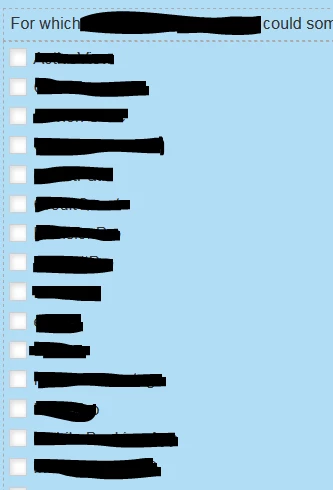
We have a registration form that contains a field with 'Checkboxes' field type listing 30+ product categories (screenshot is below). However, each product category contains 4+ specific product modules that the user might choose from. It would be nice if a subset of checkboxes appeared underneath each product category checkbox when checked off, but I'm not sure if this is possible without using custom code? Another option would be to add visibility rules to field underneath and define the logic, but with 30+ product categories and multiple checkboxes to select from, I'm finding that visibility rules was not designed to handle this level of complexity.

If you have any suggestions on how to build or any feedback please share.
Thanks,

Tom

This post is no longer active and is closed to new replies. Need help? Start a new post to ask your question.
Best answer by SanfordWhiteman

Tom, that's gotta be the most redacted screenshot I've ever seen!  Did it come via a FOIA request?

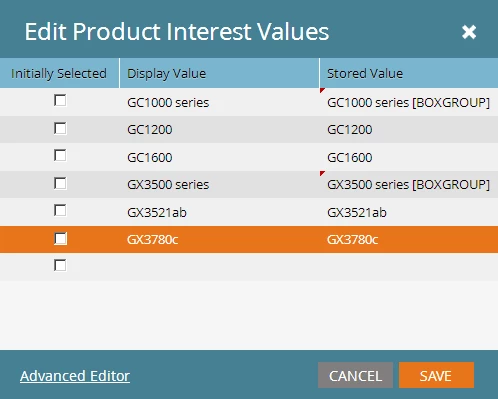
Anyway, what you seem to be talking about is a "checkbox tree," "checkbox subgroup" or some other kind of combo widget, which in fairness isn't a standard HTML input type. You can get amazingly close to the behavior with just CSS, though, then add a little JS to fill in the gaps, like so: MktoForms2 :: Boxgroups

Prepare the form like this:

1 reply

SanfordWhiteman
SanfordWhitemanAccepted solution
Level 10
May 21, 2017

Tom, that's gotta be the most redacted screenshot I've ever seen!  Did it come via a FOIA request?

Anyway, what you seem to be talking about is a "checkbox tree," "checkbox subgroup" or some other kind of combo widget, which in fairness isn't a standard HTML input type. You can get amazingly close to the behavior with just CSS, though, then add a little JS to fill in the gaps, like so: MktoForms2 :: Boxgroups

Prepare the form like this:

Level 7
May 22, 2017

This is great - Thanks Sanford! (I was trying to be discreet with this form since I already requested help on it in another thread. )

Below is a summary of steps I took, can you review and let me know if I missed something?

I added all CSS (starting with .mktoForm INPUT...) and created a snippet for the JS (swapping out the instanceURL, munchkinId and formId values), and then I dropped the snippet onto the landing page.

Also, I was using the following code (screenshot below) to break this long list of checkboxes into (3) columns, but when I added the subgroups and tested I noticed that the subgroups were each being pushed to the next column (to the right) instead of directly underneath product category in same column. Is there a quick way to fix without losing additional columns?

Tom Kerlin
SanfordWhiteman
Level 10
May 22, 2017

I'd need to see your full CSS to see how to integrate the two. It surely is float-related.

Also, that way of column-izing seems kind of fragile. I would tend toward something like nth-of-type(3n+1).