
[VIDEO] Introducing the New Email Editor for Marketo Engage (Part-1/2) | Community
Skip to main content
Sreekanth_Reddy
Adobe Employee
Adobe Employee
December 1, 2024
Feature

[VIDEO] Introducing the New Email Editor for Marketo Engage (Part-1/2)

  • December 1, 2024
  • 37 replies
  • 42107 views

Important Notes:


Hello Nation,


Let's discuss the new email editor that we are bringing into Marketo Engage and some its key features. Watch the 5-minute voiceover or read a summary below!


New experience for Email

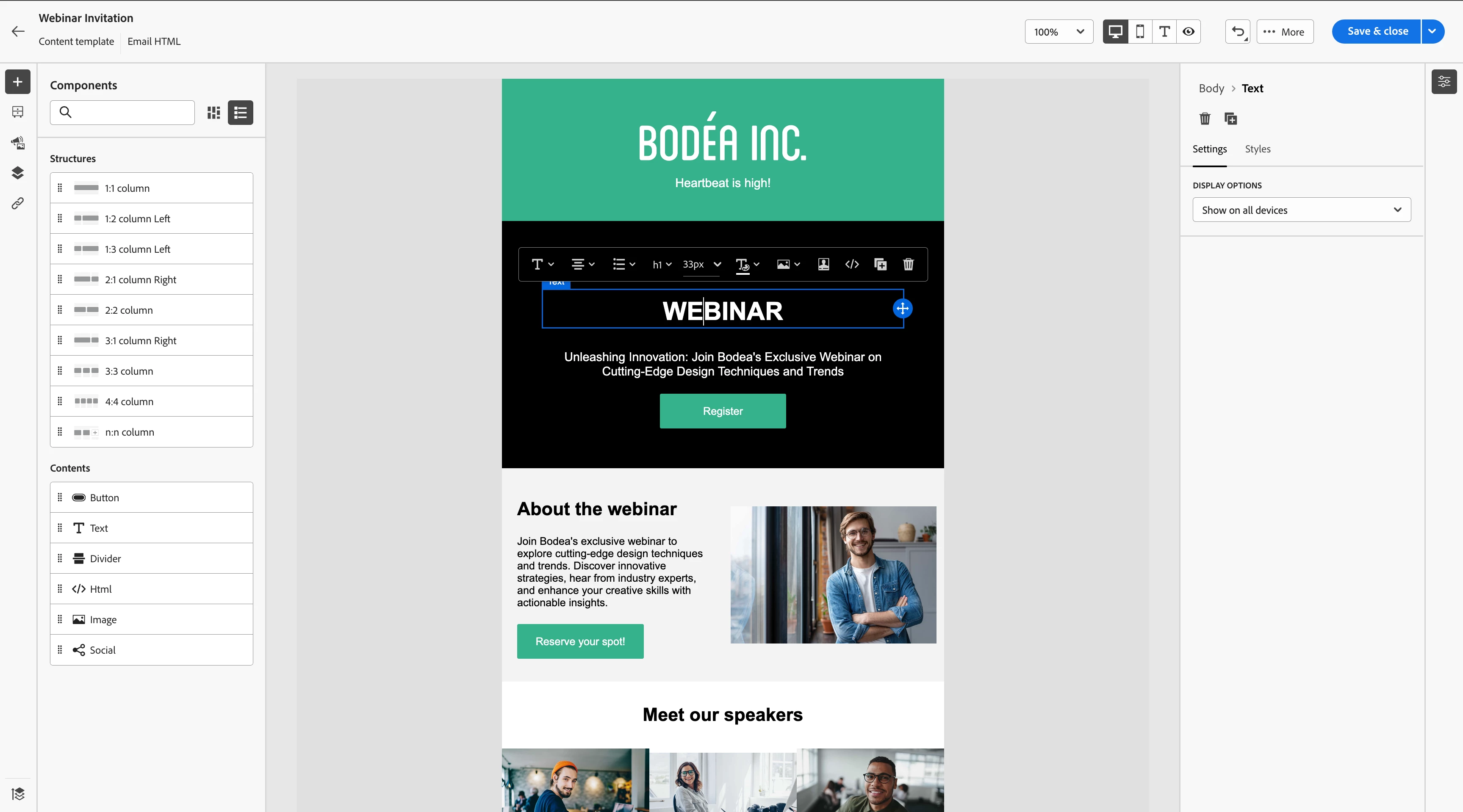
With new editor you can simply drag and drop components, add different content types (like image, text, buttons, HTML etc). Select any section and edit inline for quick updates
 

Style your content with no code 

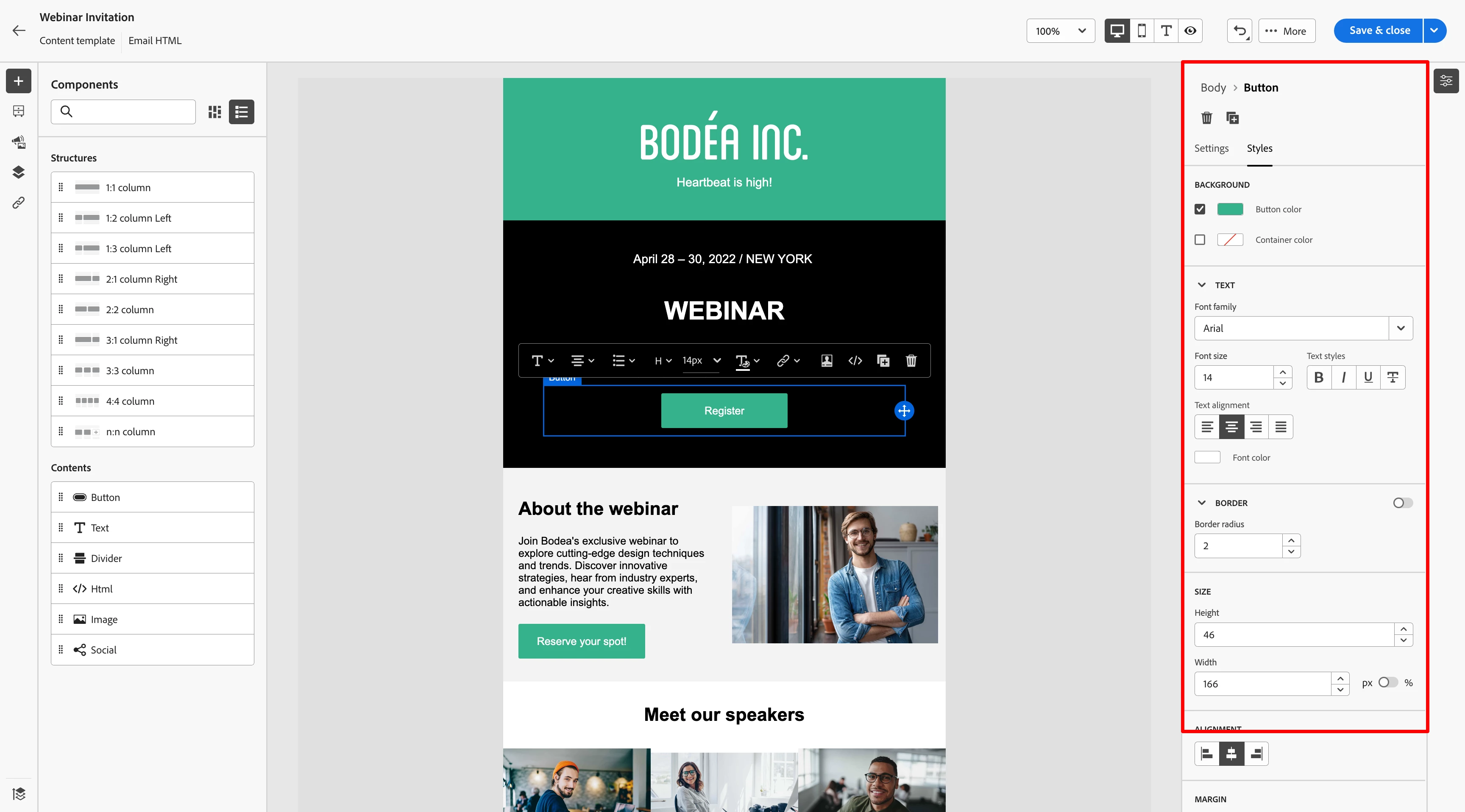
Modify the look and feel of any section through the Styles tab. For example, adjust a button’s colors, padding, and font with just a few clicks.
 

OOTB Templates

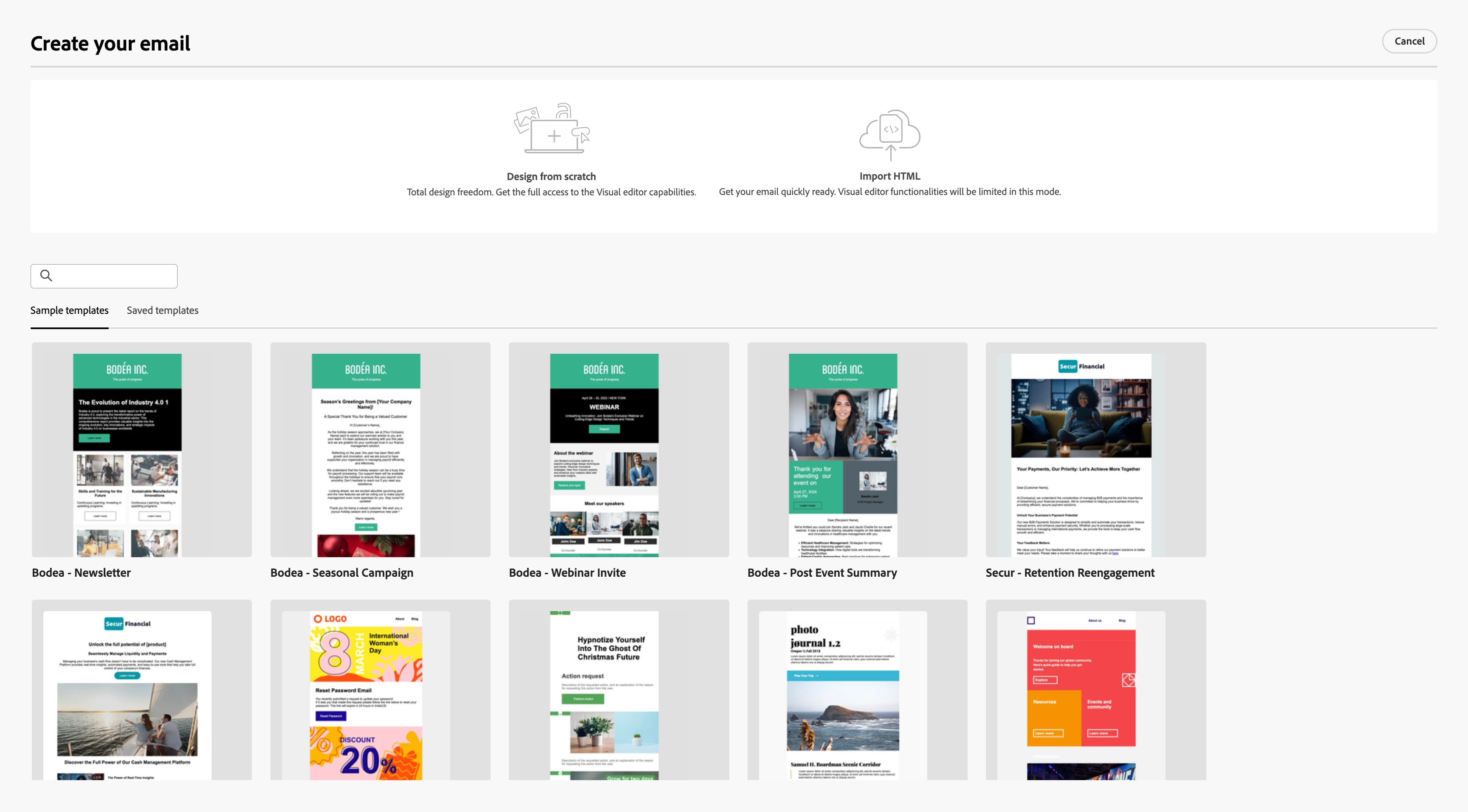
You can start creating a new email by starting from scratch or importing HTML or select from out of the box templates or pre-created templates
 

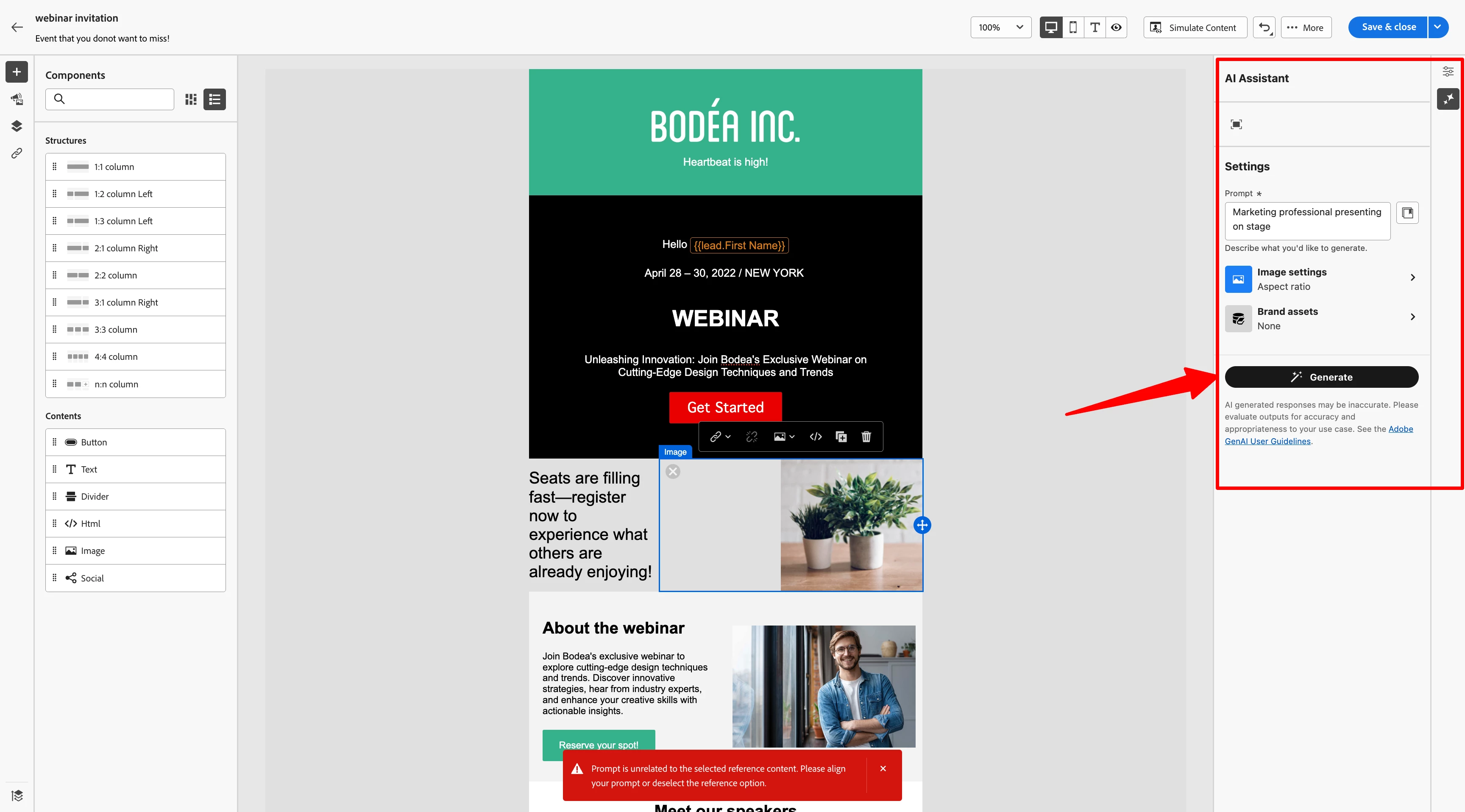
Leverage GenAI to ideate and generate email content

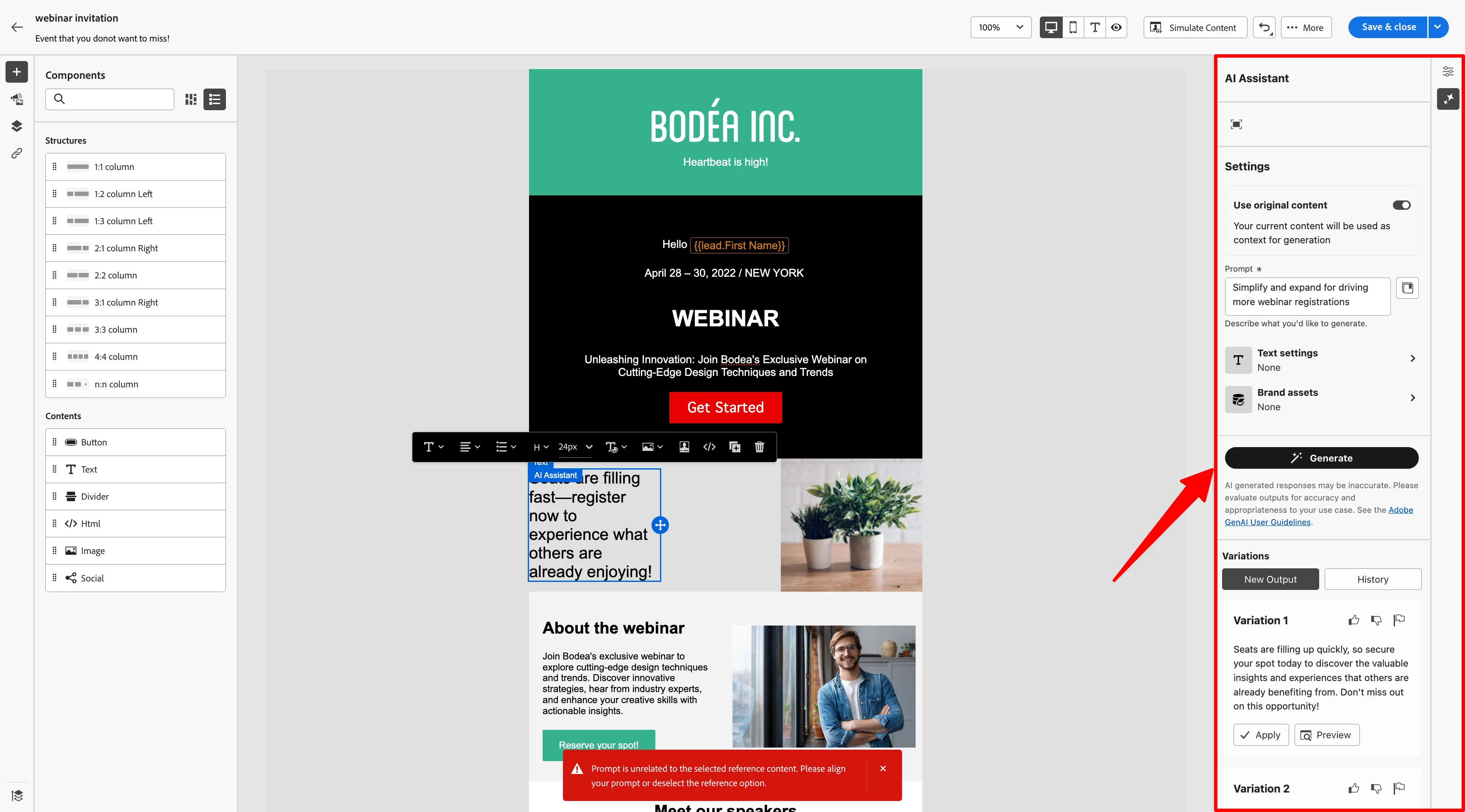
No more writer's block! we bring the power of GenAI right inside the editor that can help you generate content variation based on your needs. Provide instructions of target persona, communication strategy (eg: FOMO, Social Proof, Urgent etc) and more
 

Generate images for your email content with Adobe's own proprietary model FireFly:
 

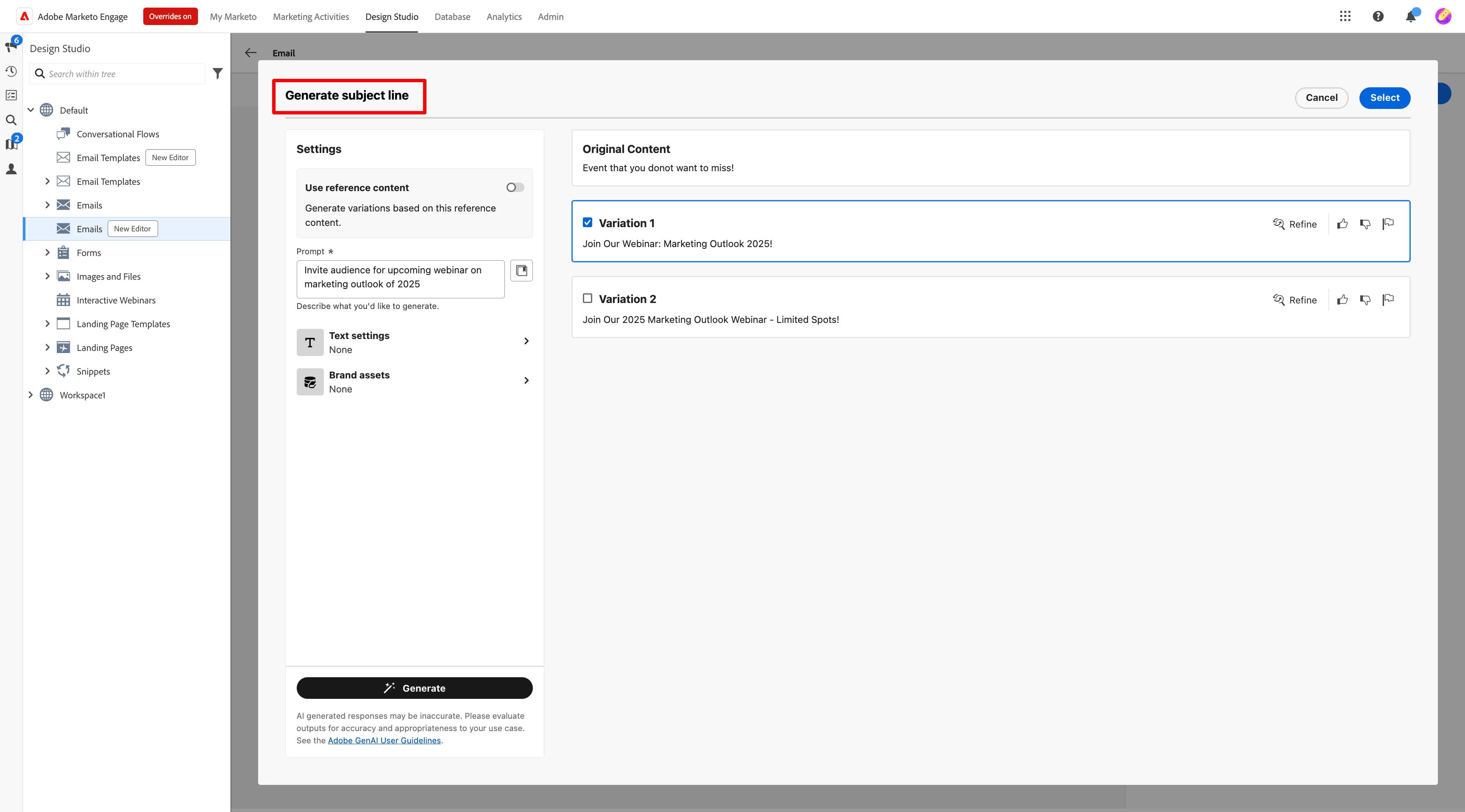
Generate several variations of your email subject line as per your needs/campaign
 

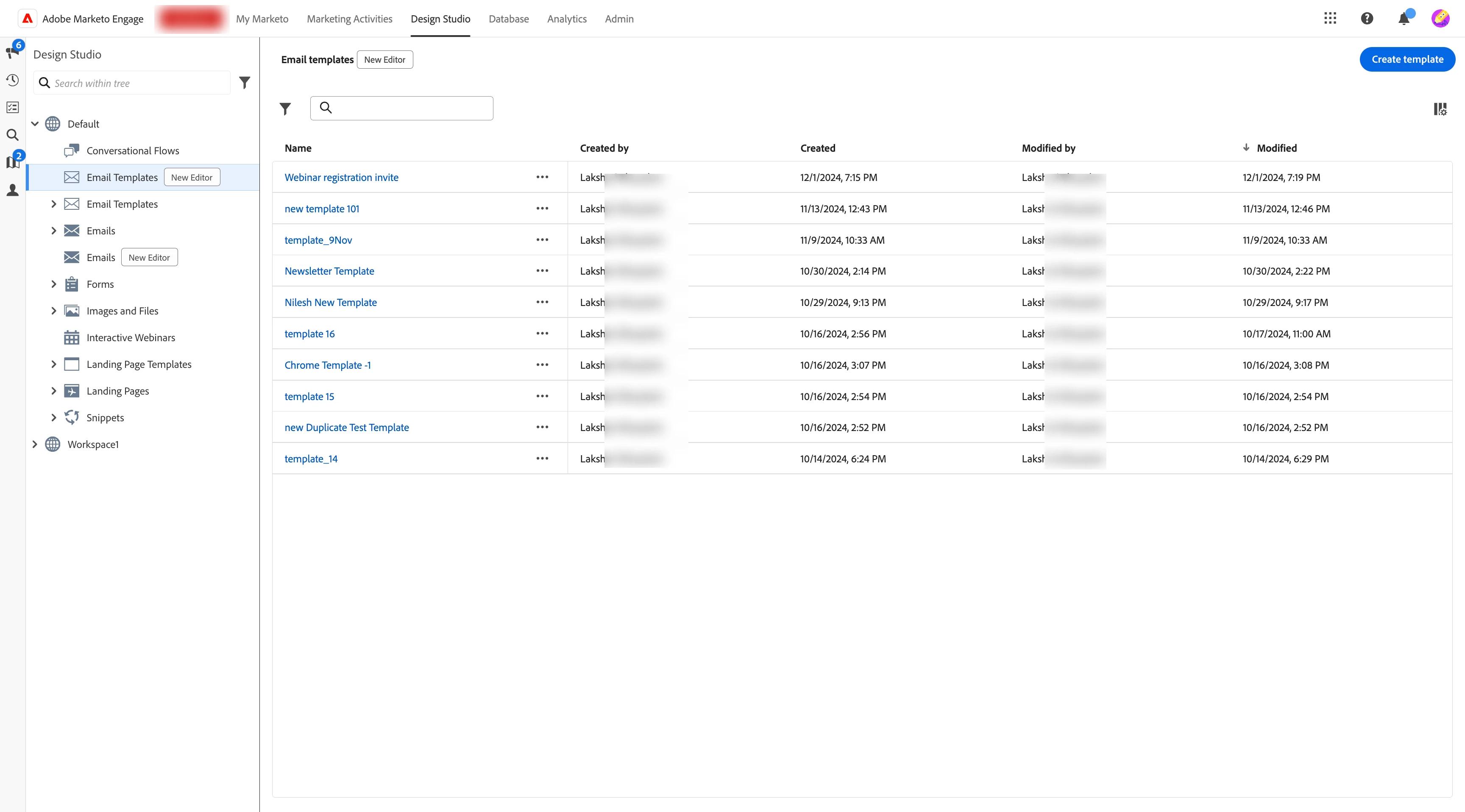
Accessing the new editor

Once launched, you can access the new email editor from the navigation that highlights all the emails and email templates created from new editor separately
 

What more?

The new email editor also comes with several advanced features to elevate your email campaigns:

  • Content Locking: Protect specific sections of your emails from being accidentally edited.
  • Personalization with Tokens: Deliver personalized experiences at scale.
  • Conditional Content: Add dynamic content based on recipient attributes.
  • Reusable Fragments: Save time by creating reusable email blocks.


In case you missed the previous videos and other resources on the Email Designer, you can check them out below:


Note: To access the new editor, your Marketo Engage instance needs to be migrated to Adobe IMS (Identity Management System). Follow this blog link to learn how to get your instance migrated as soon as possible.

37 replies

LeaCharnley
Level 3
January 6, 2025

I'm also interested to know if there is a way to enforce branding. 

Lea Charnley
Sreekanth_Reddy
Adobe Employee
Adobe Employee
January 7, 2025

@leacharnley Brand Kit is also coming soon .. 🙂

Sreekanth_Reddy
Adobe Employee
Adobe Employee
January 8, 2025

@jeroenkr 


Is there a way to enforce branding (fonts, logo and colors)?
>> Locking content sections will be part of the editor and locking styling, colors etc will be a fast followup this year

The dynamic content by attribute is great, but will the dynamic content by segment still work?
>> First version will be with attributes and we will work on getting segments going forward

How can I see if our instance has been migrated already to IMS?
>> If you are logging to your Marketo instance from experience.adobe.com then your instance is migrated

Sreekanth_Reddy
Adobe Employee
Adobe Employee
January 8, 2025

@ayan_talukder 

Looks promising...I do like the AI Assistant integration. Is it included out of the box or another paid additional add-on?
>> Out of the box but you need accept the new GenAI terms


Will modular components work better? One feature that would be handy is if you accidentally delete a module from a working email, it can't be un-done. It would be nice to have a function to retrieve modules that were accidentally removed.
>> Interesting this is similar to the idea of Recycle Bin but something like this is not planned yet

Sreekanth_Reddy
Adobe Employee
Adobe Employee
January 8, 2025

@karthickku1 

1. What will happen to global snippets that we're using for email headers/footers?
>> Everything you are using will be there and these snippets will be supported in the old editor and for new editor you will have fragments

2. We're using segmentation for country, industry and other fields to achieve dynamic content in the email. How it can be achieved through this new editor?
>> Those attributes will be available in the new editor when you are creating the condition for dynamic content

3. We're using velocity script for many custom functionality? how the new scripting language will be useful to achieve this? the data from custom objects, person object needs to be added in that new script language like velocity script? will it support?
>> We will work on bringing the support of new scripting language for majority of functionality that current velocity script is supporting

Sreekanth_Reddy
Adobe Employee
Adobe Employee
January 8, 2025

@azl6amv 

Can we edit mobile layout elements separately from the desktop, will edits to mobile only be for mobile design? For example, if we have 2 columns on desktop, and want them to stack on mobile, will that be allowed? Or, if we want to have font size changes for mobile versus desktop. Button width, etc.

>> if you are creating the email using the editor, it by default supports responsiveness for multiple screen sizes

AZL6AMV
Level 2
January 8, 2025

So, there will initially be no support for velocity scripting, or there will be an alternate to velocity scripting, meaning that we would need to re-build the items that are currently built with velocity, but, there is no current support in version 1?
The "default support" for responsiveness, will we have any control of how the default support interprets responsive layouts, or will we need to rely on the default settings?
In order to utilize the "Fragments" instead of the snippets will we need to re-build each of the snippets into Fragments?
Did you say that segmentations will still be available?
How long before we are able to enforce branding: Fonts, Colors, Spacing, Logos, various module usage?

Level 2
January 16, 2025

Looks great. "Conditional content" functionality looks like a real step up from the dynamic content if it can attributes other than segments.

But are we still constrained by the overall number of modules when using conditional content i.e. can we simply simply modify the content or can we display/hide entire modules/elements for some recipients?

Level 1
January 16, 2025

Hello! We are very excited about this feature - I am interested in seeing a from scratch version of this demo if possible? Thank you! 

Sreekanth_Reddy
Adobe Employee
Adobe Employee
January 28, 2025

@kristenbo2 We will be launching the new editor in a weeks time to all customers who are already migrated to IMS