Velocity script is not pulling data in URL | Community
Skip to main content
Level 2
July 11, 2025
Question

Velocity script is not pulling data in URL
  • July 11, 2025
  • 2 replies
  • 758 views

Hi there, 


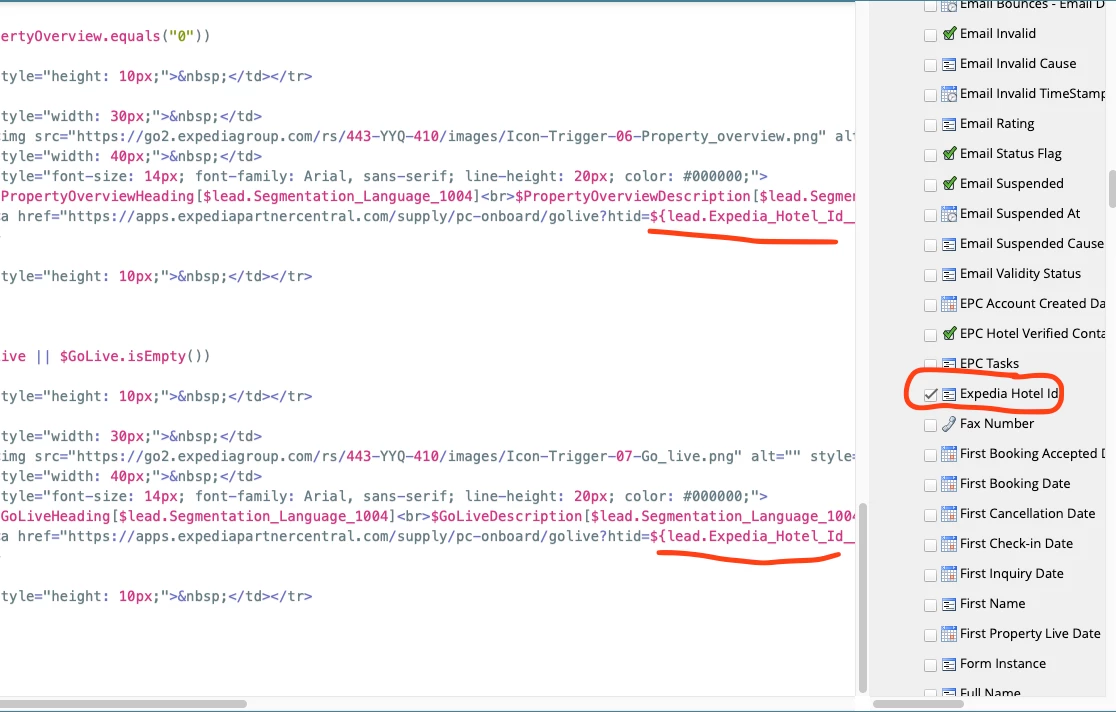
I am launching an email campaign that requires some links to direct to a partners personal portal. I am using velocity scripts to populate this and am pulling in the partners ID through their person record and inserting that into the url. For some reason when I preview it in Marketo and click the link, it works, but when I send myself a test or an actual email send, it just goes to the login page and not the personal portal of the test record. I have attached some screenshots. It seems like the actual ID isn't rendering in the url when it's sent out? Does anyone know a workaround for this?

2 replies

SanfordWhiteman
Level 10
July 11, 2025

We can’t troubleshoot a screenshot. Please provide actual code, and use the syntax highlighter to highlight your code as Java (as its syntax is closest to Velocity).


In addition, are you trying to output multiple links from Velocity using the same Velocity variable (that is, same ${reference})? There are known issues with this discussed in other threads & blog posts.

Level 2
July 16, 2025

Hi @Kainelson 


please check all points below and correct your script accordingly then test at your end


1) If you’re embedding the URL in an <a> tag directly with a Velocity token, ensure you don’t use curly brackets inside the href. Do it like this:

<a href="test.com?id=$lead.Expedia Hotel Id">Testing</a>


2) Also,  Velocity is case-sensitive and field API names must be exact.

From your image:

  • You wrote: $lead.Expedia_Hotel_Id__c

  • But the field shown is labeled: Expedia Hotel Id

3) Please add a null check in the Velocity script: 


#if( $lead.Expedia_Hotel_Id )
<a href="https://apps.expediapartnercentral.com/supply/pc-onboard/golive?htid=$lead.Expedia_Hotel_Id">Access Your Portal</a>
#else
<a href="https://apps.expediapartnercentral.com/login">Access Your Portal</a>
#end


Note : If you can share the actual Velocity script you're using then i can review it


Thanks


SanfordWhiteman
Level 10
July 16, 2025

3) Please add a null check in the Velocity script: 


#if( $lead.Expedia_Hotel_Id )
<a href="https://apps.expediapartnercentral.com/supply/pc-onboard/golive?htid=$lead.Expedia_Hotel_Id">Access Your Portal</a>
#else
<a href="https://apps.expediapartnercentral.com/login">Access Your Portal</a>
#end


This check is useless. The lead field will always pass the check because it’s always a string. You will never enter the #else branch!


Let’s let the OP make a decision about whether they need a fallback. The email may only be going to people who have a non-empty field anyway.