Uploaded my list - how to send? | Community
Skip to main content
March 31, 2015
Solved

Uploaded my list - how to send?

  • March 31, 2015
  • 2 replies
  • 1286 views
I have uploaded a list under my campaign, but cannot seem to attach it as the "audience" for the email I want to send. Any recommendations?
This post is no longer active and is closed to new replies. Need help? Start a new post to ask your question.
Best answer by Adam_Vavrek1
Hi Brooke,

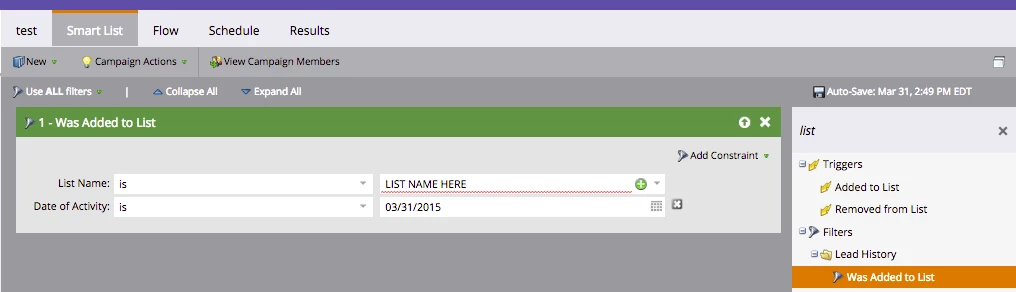
You'd haVe to create a Smart Campaign and in the Smart List (the Who?) construct a filter for "Member of Smart List" as shown below. Then, in the Flow, send the email.

Does that answer your question?

2 replies

Adam_Vavrek1
Adam_Vavrek1Accepted solution
Level 8
March 31, 2015
Hi Brooke,

You'd haVe to create a Smart Campaign and in the Smart List (the Who?) construct a filter for "Member of Smart List" as shown below. Then, in the Flow, send the email.

Does that answer your question?

March 31, 2015
Yes, thank you Adam! I just figured that out!