
Dan_Stevens_
Level 10
November 8, 2013
Question

Unable to see landing pages of cloned programs

  • November 8, 2013
  • 1 reply
  • 738 views
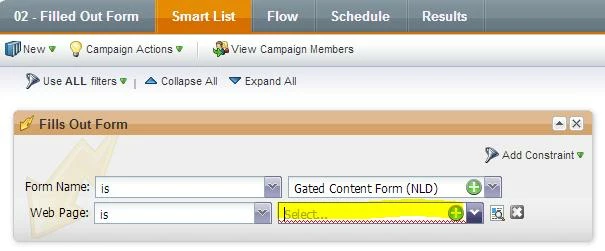
We rely on cloning of programs a lot (given that we have about 21 country workspaces).  When a program (which includes a landing page) is cloned to another workspace and we need to modify the smart campaign smart list trigger (e.g. “Fills Out Form”) and the constraint is “Web Page”, the landing page is not available in the drop-down menu.  How are we supposed to select it?

This post is no longer active and is closed to new replies. Need help? Start a new post to ask your question.

1 reply

Dan_Stevens_
Level 10
November 8, 2013
I figured it out.  The landing page was still using a form from another workspace.  I modified the landing page to include the form in the local workspace and re-approved the landing page.  The smart campaign now sees it.  This can get confusing though for others who clone a lot.  I would expect Marketo to automatically “unapprove” a landing page that’s using an invalid form.