Unable to Find campaign members while running trigger campaign! | Community
Skip to main content
July 21, 2017
Solved

Unable to Find campaign members while running trigger campaign!

  • July 21, 2017
  • 1 reply
  • 2552 views

Hi Guys

I've created a Trigger campaign with a date token and have also linked the list which needs to be updated.But when im trying to view the campaign members- No values are being shown in it.

Anyone please do help on this! Please help on knowing the steps as well as , how to use date token in trigger campaign?

Thanks

J.Prithvi
This post is no longer active and is closed to new replies. Need help? Start a new post to ask your question.
Best answer by

Ya sure .Yes the trigger is activated.


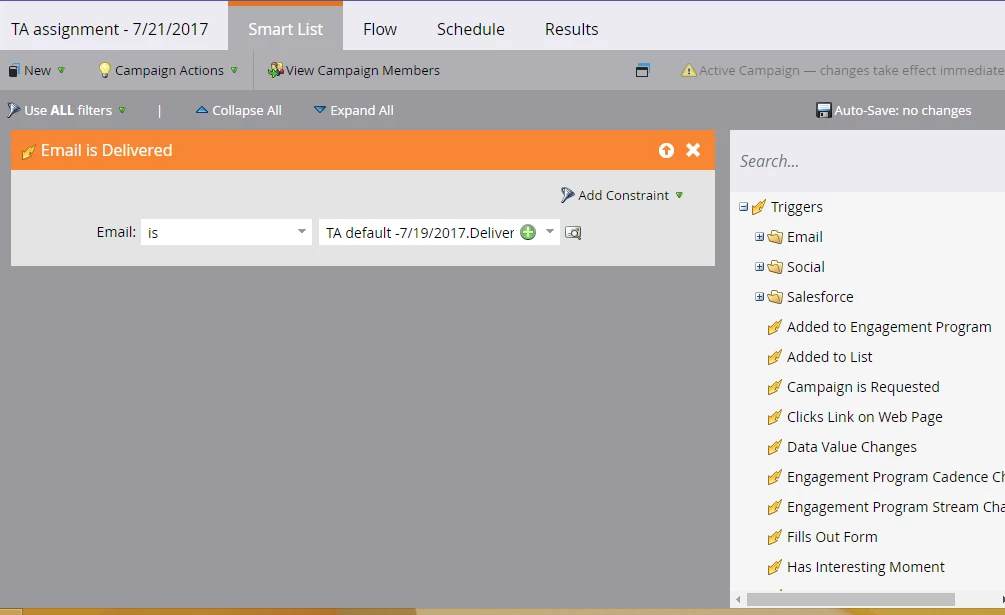
This looks about right. Was this campaign created and activated after the email was actually sent to the leads? This campaign will work only if it was created before sending the email out.

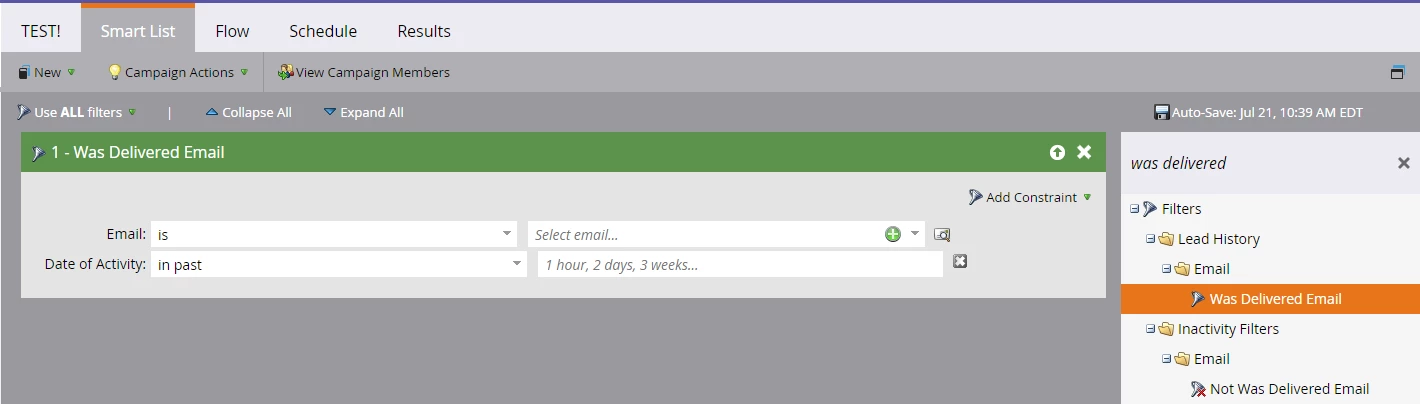
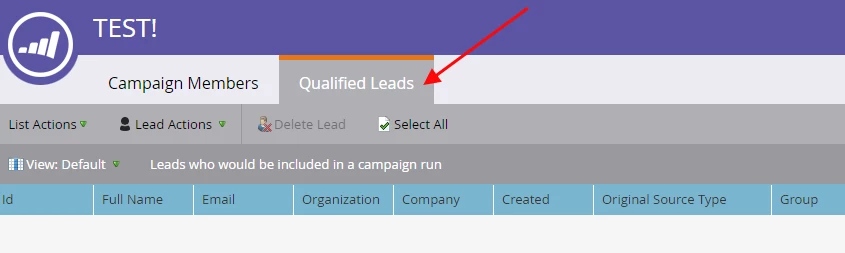
You can also create another smart campaign to see if any leads qualify to enter this campaign in following way:

The date of activity could be the time since the trigger campaign was created and then go to View Campaign Members > Qualified Leads

Let me know what you find.

1 reply

July 21, 2017

Prithvi, do you see any leads in the "Results" tab? It will be helpful if you can share a screenshot of your Smartlist if possible.

July 21, 2017

This is the view of the results tab

July 21, 2017

Thanks. I'd like to see the Smart List as well. Also, is the trigger Activated on "Schedule" tab?