
Trying to move program to a new workspace and getting system error: Rule is incomplete, 'Webform ID is ..." requires a value | Community
Skip to main content
Jennifer_Braath
Level 2
January 17, 2018
Question

Trying to move program to a new workspace and getting system error: Rule is incomplete, 'Webform ID is ..." requires a value

  • January 17, 2018
  • 1 reply
  • 2995 views

I am trying to move a folder with a program to a new workspace. I have

  • Cloned and shared the templates with the workspace in the design studio
  • Removed the associated local assets from the smart campaigns and assets in the program
  • Have worked through a few other error messages as well

however I am not able to get through this system error.
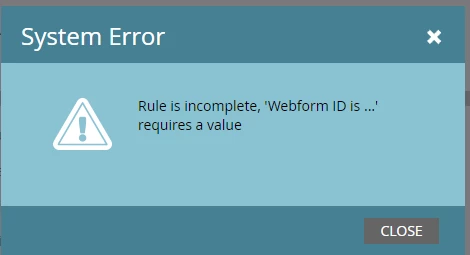
I don't know how to troubleshoot this error message. I am guessing the webform it is referring to is the subscription center form since that is the program I am trying to move, but I'm not sure what to do next.

Any ideas?

Thanks

Jennifer

This post is no longer active and is closed to new replies. Need help? Start a new post to ask your question.

1 reply

Chris_Johnston
Level 6
January 17, 2018
Jennifer_Braath
Level 2
January 17, 2018

Thanks Chris.

I have removed all references to the form in the design studio.  When I look at the form in design studio, it says Used By = 0 (not used).

Other ideas?

February 28, 2018

This is caused by filters or triggers that have blank values. e.g. Member of List BLANK , Was sent Email ... BLANK .

This usually happens when before removing users remove the values so as not to get other errors as this asset is been used by etc...

You should try removing those filters and triggers.