Trouble Editing Landing Page | Community
Skip to main content
February 14, 2013
Solved

Trouble Editing Landing Page

  • February 14, 2013
  • 2 replies
  • 843 views

I am unable to edit my landing page and was hoping someone could help me understand why. We created an HTML template that I've imported into Marketo. We use this template for email blasts; it has editable areas which work great. We'd like to use the same template on our landing page. I imported that same template into Marketo as a landing page. However, I am unable to edit the editable areas. Can someone please help me understand why I cannot?

Thanks in advance for your help!


Andrea
This post is no longer active and is closed to new replies. Need help? Start a new post to ask your question.
Best answer by
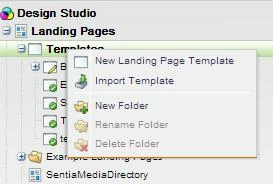
You'll need to import your email HTML file as a Landing Page template


Then create a new Landing Page that uses that template. 

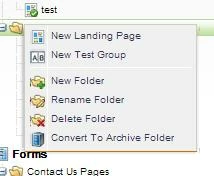
Right click to create a new landing page:


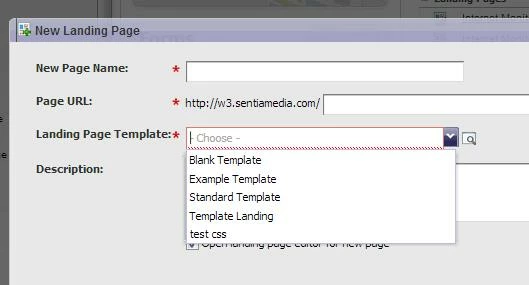
Then choose the template from this drop down box: 


Does that help?

2 replies

Accepted solution
February 14, 2013
You'll need to import your email HTML file as a Landing Page template


Then create a new Landing Page that uses that template. 

Right click to create a new landing page:


Then choose the template from this drop down box: 


Does that help?
February 14, 2013
Thanks for your response. I did that, and for some reason I am unable to edit the editable areas that are built into the template. I can't drag any of the properties on the right-hand side (rich text, form, etc.) onto the landing page. Any idea why I cannot?

Andrea