Trouble appending data to a utm parameter field | Community
Skip to main content
Nikki_Castle1
Level 2
May 16, 2019
Solved

Trouble appending data to a utm parameter field

  • May 16, 2019
  • 1 reply
  • 4499 views

Hi all,

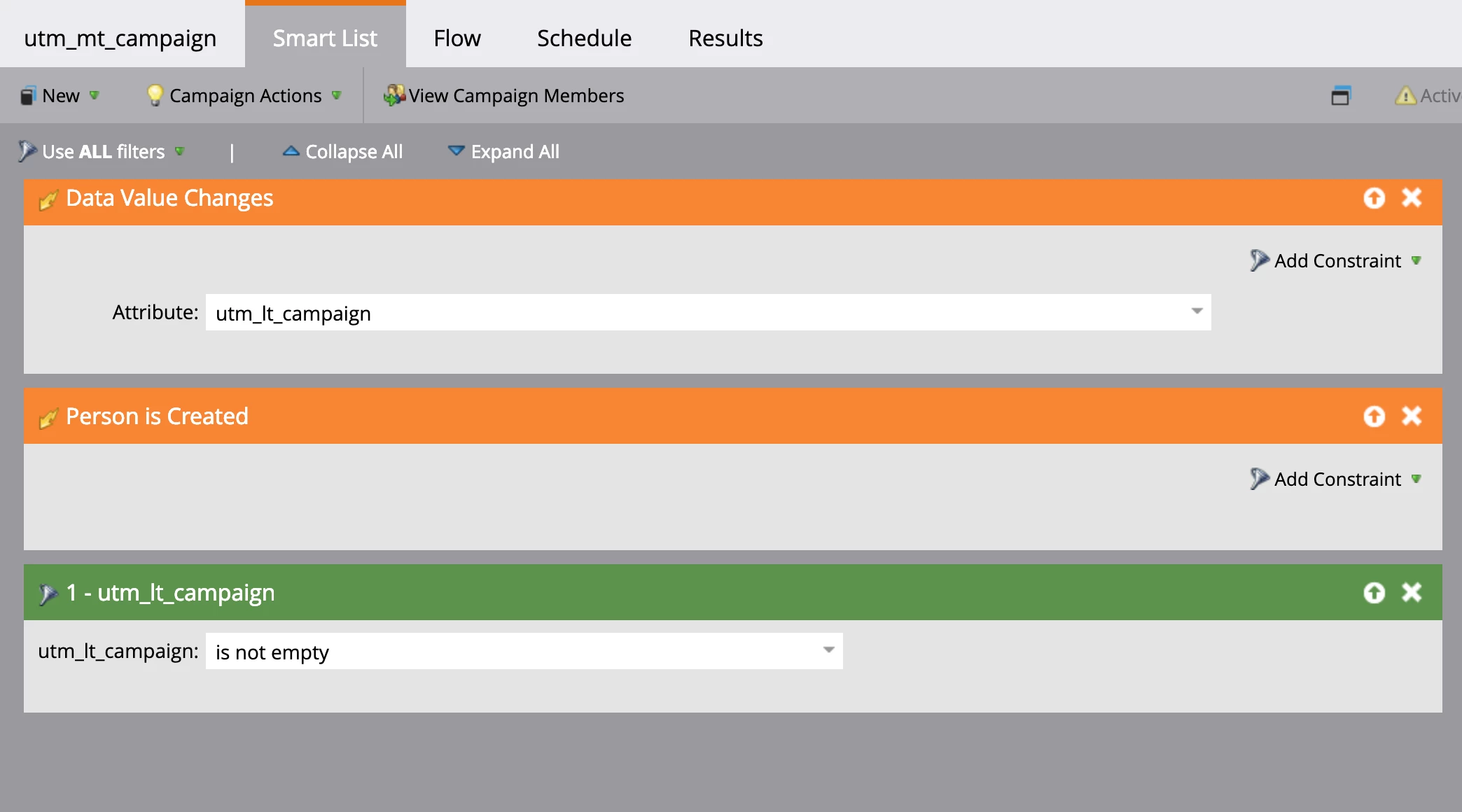
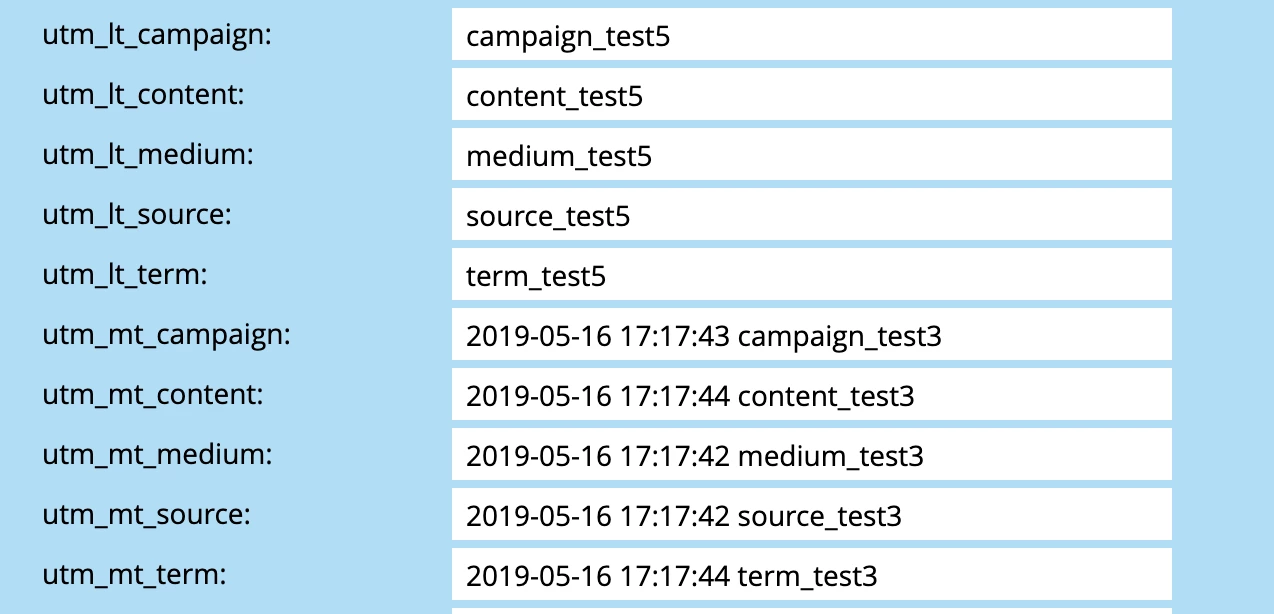
I've set up 5 smart campaigns to write last touch url parameter data into a multi-touch field intended to capture all touchpoints along a lead's journey. I've followed some great resources to set it up, but my tests demonstrate that it's not working properly. Screenshots of the smart list, the flow steps, and my sample result:
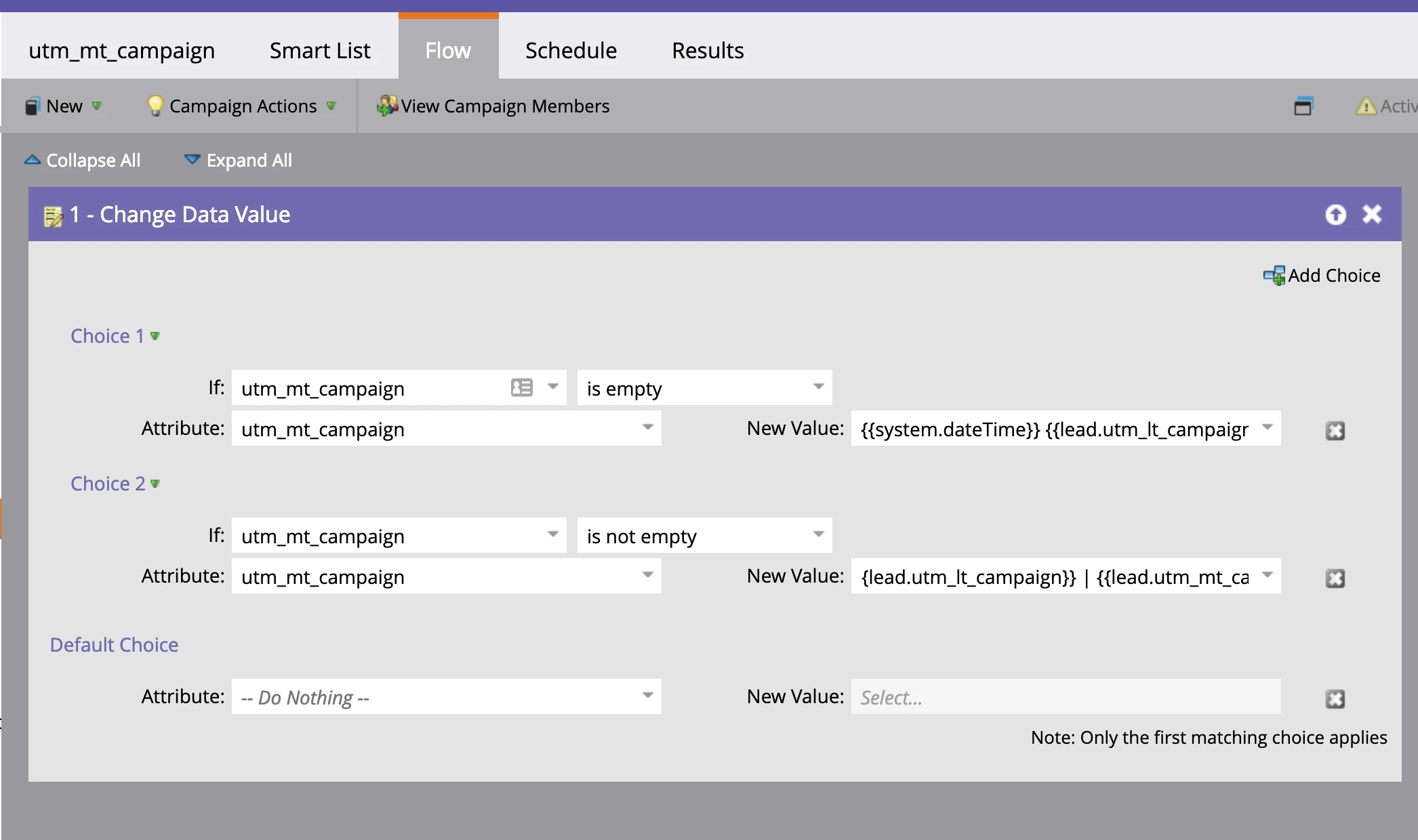
 In Option 2 of the flow step, the window size cuts off the full entry of the New Value. Here's what it says:

{{system.dateTime}} {{lead.utm_lt_campaign}} | {{lead.utm_mt_campaign}}
Hope y'all can help me out!


Thanks,
Nikki

This post is no longer active and is closed to new replies. Need help? Start a new post to ask your question.
Best answer by SanfordWhiteman
  • Please show the Activity Log details for that lead.
  • You don't need the 2nd choice at all, you can use the Default choice because Choice 2 is simply the boolean opposite of Choice 1.
  • Make sure the the history (MT) field is a Text Area field.
  • It isn't enough to catch the Data Value Changes trigger unless you also ensure the that the LT field is emptied after being appended/prepended to the history field. The LT field will not register a change if it's set to the same value again, even though that is a touch.

1 reply

SanfordWhiteman
Level 10
May 16, 2019

Please paste those images inline (directly in the editor). Not all users can see attachments, making for major confusion.

Nikki_Castle1
Level 2
May 17, 2019

updated! Didn't realize that, thanks.

SanfordWhiteman
SanfordWhitemanAccepted solution
Level 10
May 17, 2019
  • Please show the Activity Log details for that lead.
  • You don't need the 2nd choice at all, you can use the Default choice because Choice 2 is simply the boolean opposite of Choice 1.
  • Make sure the the history (MT) field is a Text Area field.
  • It isn't enough to catch the Data Value Changes trigger unless you also ensure the that the LT field is emptied after being appended/prepended to the history field. The LT field will not register a change if it's set to the same value again, even though that is a touch.