Transfer data from one form to another form | Community
Skip to main content
Level 2
December 9, 2024
Solved

Transfer data from one form to another form

  • December 9, 2024
  • 1 reply
  • 1880 views

Hi All,


We are trying to capture the user details in two different pages, so we used two different forms. For this scenario we have followed the below process.


1) When the 1st form get submitted we passed the email address in the form.onSuccess -> location.href = "2nd_Form_LP_url.html?email ="+emailAddress.
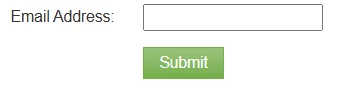


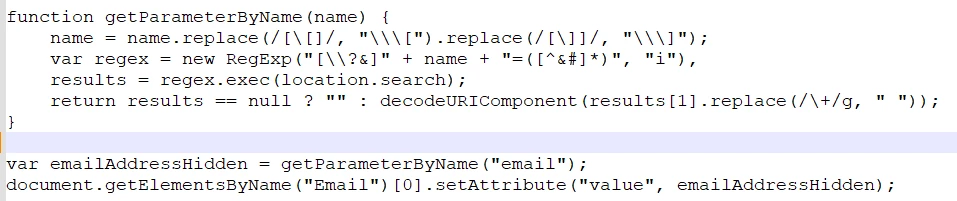
2) Then in 2nd Form LP, we used the JS to capture the email values from URL and stored it in hidden field. So the 2nd form field values will saved against to same email address in DB.
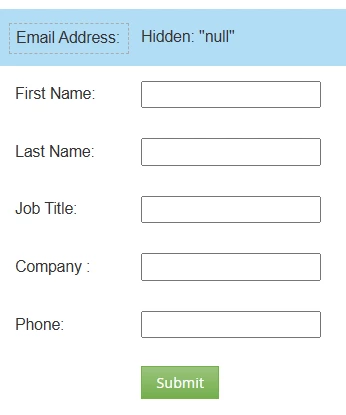


But we need to avoid passing the email address in URL and store the 2nd form field values in Marketo DB.


Kindly share your feedback and is there any other solution to achieve this.


Thanks in advance.

This post is no longer active and is closed to new replies. Need help? Start a new post to ask your question.
Best answer by SanfordWhiteman

Thanks. I will try the same.


I'm not familiar with Cookies and we are just trying to use two different pages to display the fields(accordingly) to get the values from user.


OK. You kind of have to become familiar with cookies, because both Munchkin event logging and Marketo form posts are deeply intertwined with cookies.


  • There’s no Munchkin at all without cookies.
  • Forms can post just fine without cookies, but the positive side effects of a form post — associating activities with the new or updated lead that submitted the form — will be absent.

1 reply

SanfordWhiteman
Level 10
December 9, 2024

First off: that code is badly broken. You can't just add unencoded param values to query strings. Never add values without using the function encodeURIComponent(), which is designed for this purpose, or a URLSearchParams object.

The code on the receiving page is also broken. That's not how you parse a query string, and also not how you set values on a Marketo form. Marketo forms have a robust JS API.

Leaving those problems aside: are these forms on different parent domains? Is that why you're currently passing the Email value? Or are you trying to deal with cookies being rejected by the end user? What is the exact (please be detailed) problem you're trying to solve?

Level 2
December 10, 2024

Hi Sanford,

Thanks.


Trying to do a survey form submission in Marketo Assets.

1st Form have one field "Email address" and  Submit

2nd Form have few other fields (First Name, Last Name, Company, Mobile Number and Country).


After enter the email address and submit the 1st Form, then 2nd Form will display with other fields and those fields need to be save/submit against the same record in DB.

SanfordWhiteman
Level 10
December 10, 2024

If the pages are on the same domain, they’ll share the associated Munchkin cookie. Simply leave the Email field off the second form.


You didn’t really answer my question about cookie support, so I assume you don’t care about that.
