
Tab Name | Community
Skip to main content
Kristina_Schrof
Level 2
June 21, 2016
Question

Tab Name

  • June 21, 2016
  • 3 replies
  • 4278 views

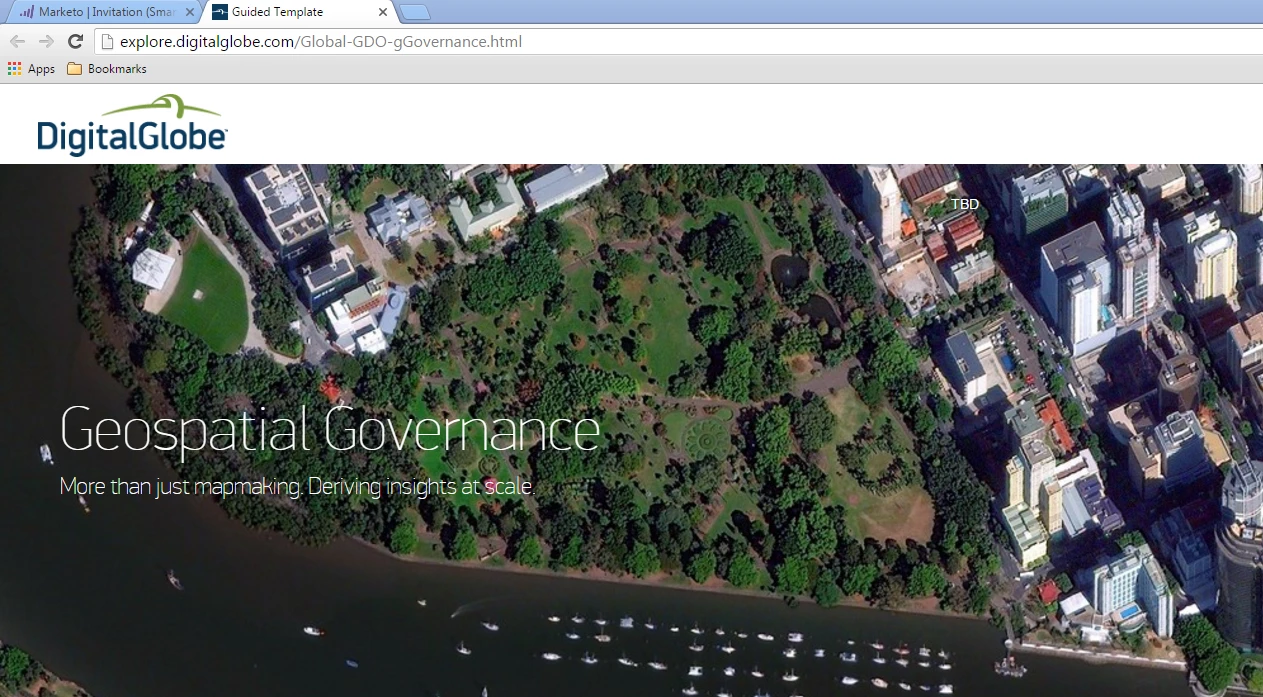
How would I adjust the name on the tab of a landing page? See below this is a guided landing page and always has the tab named Guided Landing Page:

Thanks!
This post is no longer active and is closed to new replies. Need help? Start a new post to ask your question.

3 replies

Dory_Viscoglio
Level 10
June 21, 2016

Hey Kristina, you will want to update this in the page meta data:

February 28, 2017

Hey Dory,

could you explaine me how to change the small symbol next to the tab name?

Grégoire_Miche2
Level 10
February 28, 2017

Hi Patricia,

This is called the Favicon. It has to be changed in the template code. You will have to create a .ico (32x32 pixels) file and store in somewhere on the web. for instance in Marketo, but you can also use the one from your web site. Usually this fiel name will be favicon.ico

The you will have to add a HTML line in the <head> of the template that will look like this:

<link rel="shortcut icon" type="image/x-icon" href="whateverpathtothefaviconfile/favicon.ico">

-Greg

Kristina_Schrof
Level 2
June 21, 2016

THANK YOU

Dory_Viscoglio
Level 10
June 21, 2016

No problem. Also, if you use local tokens, this can be tokenized so it's really easy to update if you have a template program that you clone.