June 3, 2014
Question

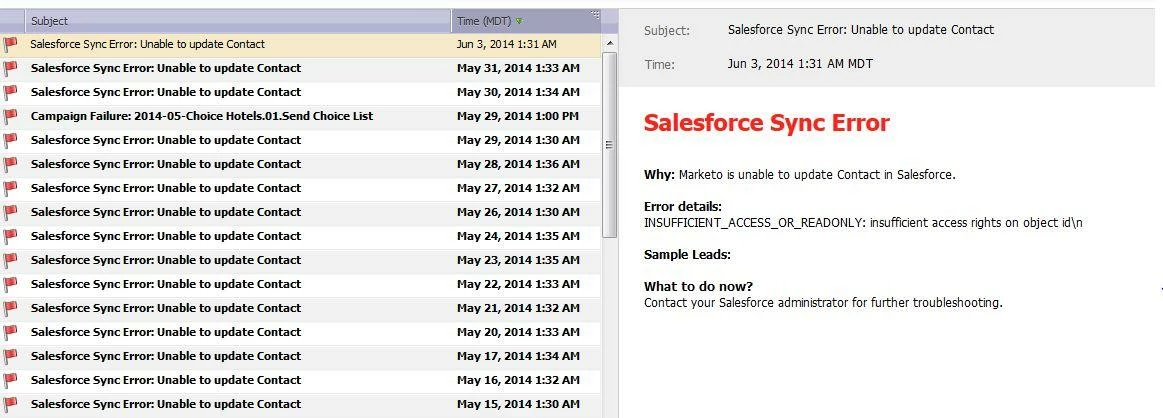
Sync Issue

  • June 3, 2014
  • 4 replies
  • 1244 views
I have reached out to support and they were at a loss.  I have sync error issues with no real info from Marketo.  From what I see, marketo sync has full CRED to the object in question.  Anyone else recieved this error & know how to resolve it?
Thank you!
This post is no longer active and is closed to new replies. Need help? Start a new post to ask your question.

4 replies

June 3, 2014
Hi Melinda -

The lead in question, does it currently exist in SFDC?
June 3, 2014
I don't see the lead reference anywhere, am I missing it?
June 3, 2014
Check the login history of the Marketo robot in SFDC - anything interesting there?

Can you login as the robot and go to a Contact, and modify it?
Kenny_Elkington
Adobe Employee
Adobe Employee
June 4, 2014
Hi Melinda,

I apologize we couldn't help you with this one initially.  This issue is the result of the sync user having insufficient permissions to access a Record Type which Marketo is trying to attach to the record being synched.  ‘Insufficient access’ may also indicate that the record type doesn’t exist.  To see which record type is failing, grab the ‘Record Type ID’ value from a failed sync in Marketo, then go into the client’s SFDC instance with a System Admin profile and navigate to  xxx.salesforce.com/setup/ui/recordtypefields.jsp?id={PasteRecordTypeIDHere}  This will show you if the Record type exists, and which Object it’s associated to, or if the record type does not exist.  To change a user’s record type permissions, go to Manage Users>Profiles>Record Type settings then go to the correct object, and give the sync user access to the Record Type.  If the record type does not exist, you should clear this value in Marketo to prevent the error from recurring.