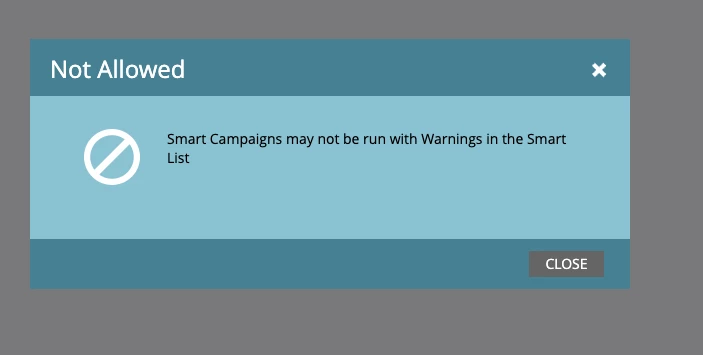
Smart Campaigns may not be activated with Warnings in the Smart List | Adobe Higher Education
Skip to main content
June 16, 2017
Respondido

Smart Campaigns may not be activated with Warnings in the Smart List

  • June 16, 2017
  • 3 respostas
  • 5960 Visualizações

I get this warning when I try to activate an email campaign. Anyone know how to fix it?

Este tópico foi fechado para respostas.
Melhor resposta por SanfordWhiteman

Hi all, jumping on this thread since I'm having the same issue now. I get a not allowed message when I use this smart list. And then I can't see any warnings on the smart list itself. 
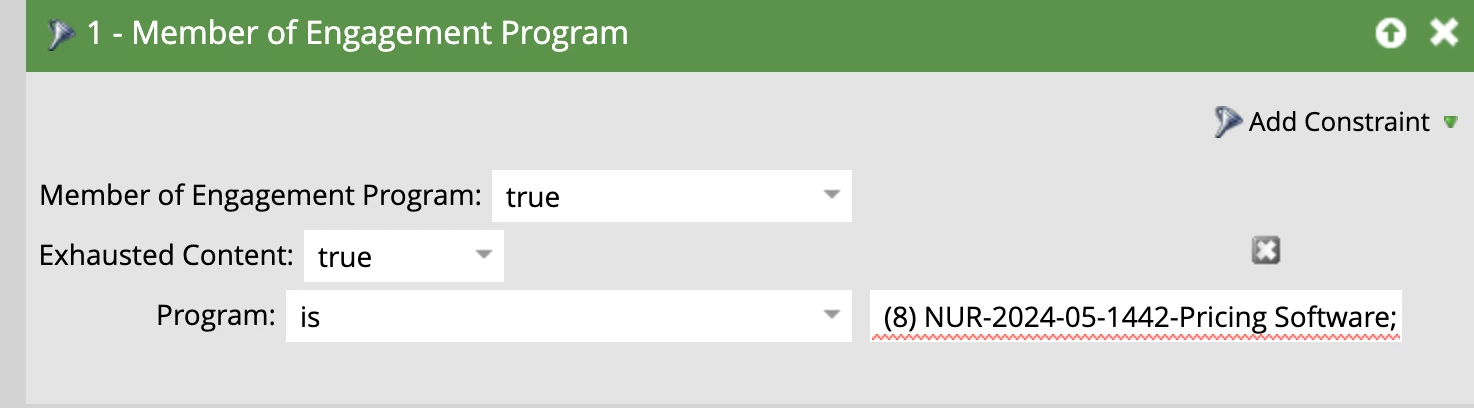


any idea what's causing this? 


One of the Programs in your list likely doesn’t exist.

3 Respostas

SanfordWhiteman
Level 10
June 16, 2017

You should see warnings (red squigglies) on the SL tab. Those need to be resolved.

June 16, 2017

I don't see red squiggles on that tab. I think it's not recognizing the Smart List for this campaign. I'm trying to schedule the campaign to run but can't pull my email up here

Grégoire_Miche2
Level 10
June 17, 2017

Hi Preeta,

This is not the smart list, this is the flow

Can you provide a screen shot of the smart list?

-Greg

SanfordWhiteman
Level 10
June 16, 2017

Is the asset approved?

June 16, 2017

Yes, the email is approved

June 16, 2017

But I get the error when I try to activate these campaigns

Sujatha_Vutla
Level 4
June 17, 2017

Hi

If in smartlist you selected the trigger or filter but you didn't gave the criteria there is a chance of getting such type of error message.