Solved
Smart Campaign Remove from Flow?
Hi Folks,
So I have a question for the group. Thought I had this working correctly, but do not. So basically we have a simple onboarding drip campaign for Trial users...the sign up, come in as Trial and they are on there way. What I am trying to do which is not working is that if the users PD_Account_Type Value changes from Trial to Paid they are removed from the Drip Campaign for the free Trial. I am doing this in a seperate smart campaign that I though basically sniffed that out...along with looking for people that have come in Paid, Comp and so on. Issue is they are not getting pulled out of campaign..and I need them to since the are paid and we are asking them to pay/upgrade in later emails. Here are the screen shots of each campaign...
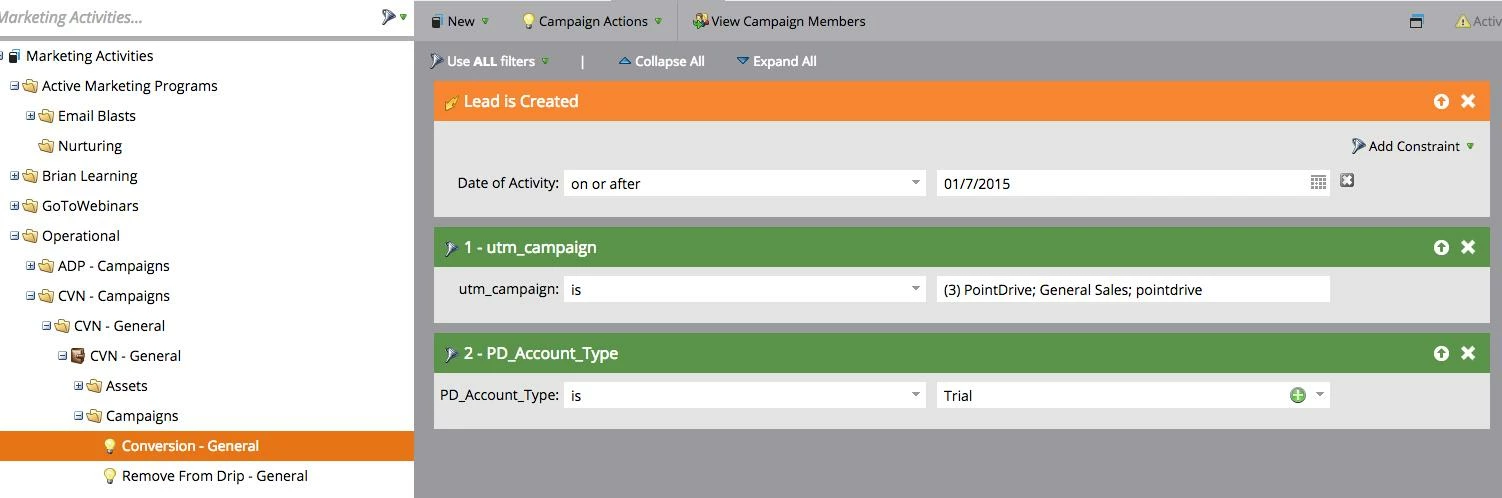
General Onboarding/Conversion Part
Smart List
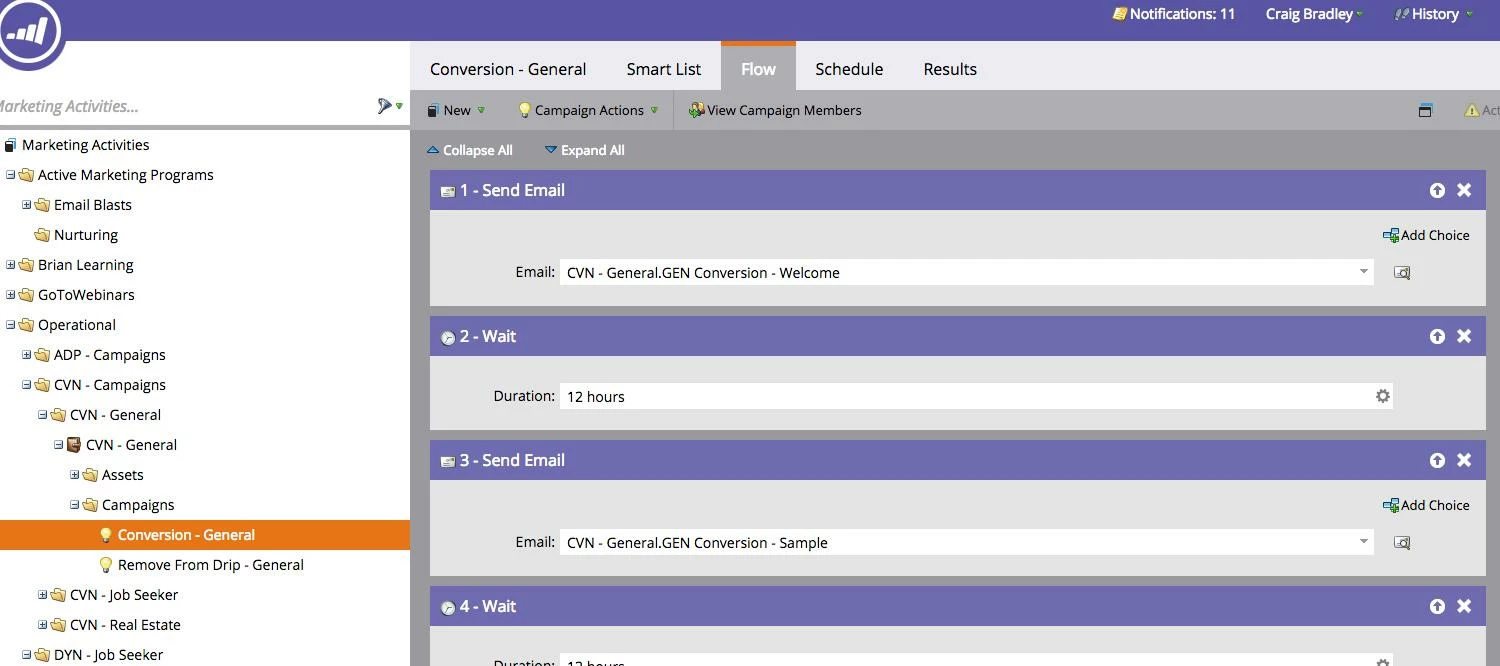
Flow (We send five emails over the 2 week period)
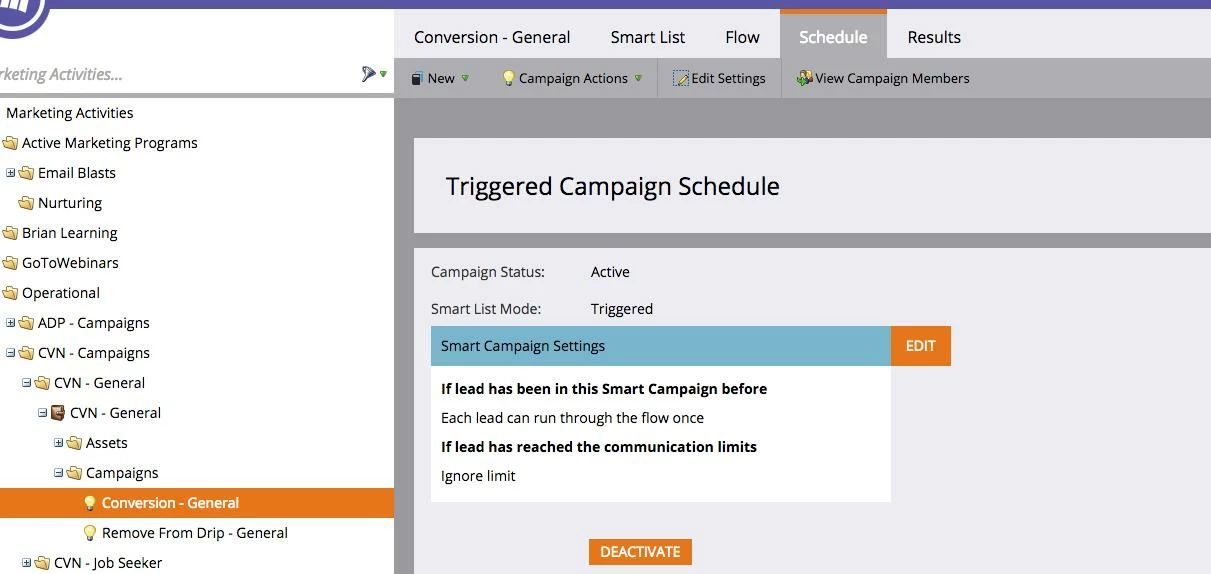
Schedule
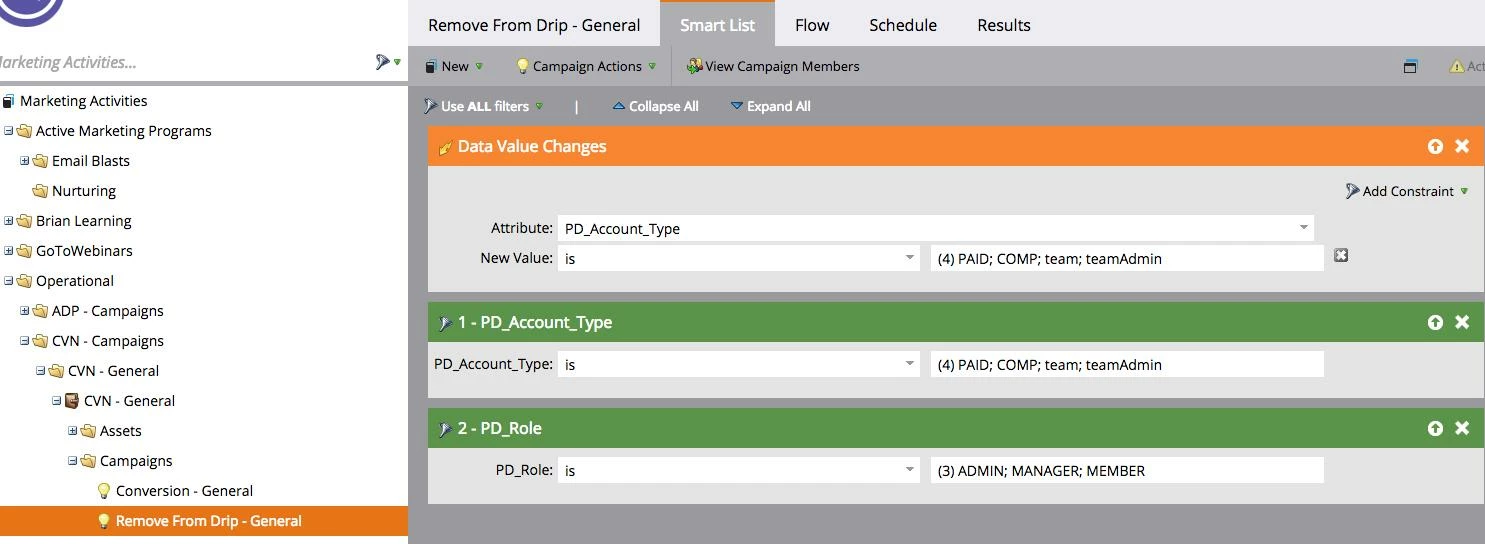
No This is the Campaing that I though was sniffing out and would remove a person from the flow above, but is not working..
Smart List
Flow
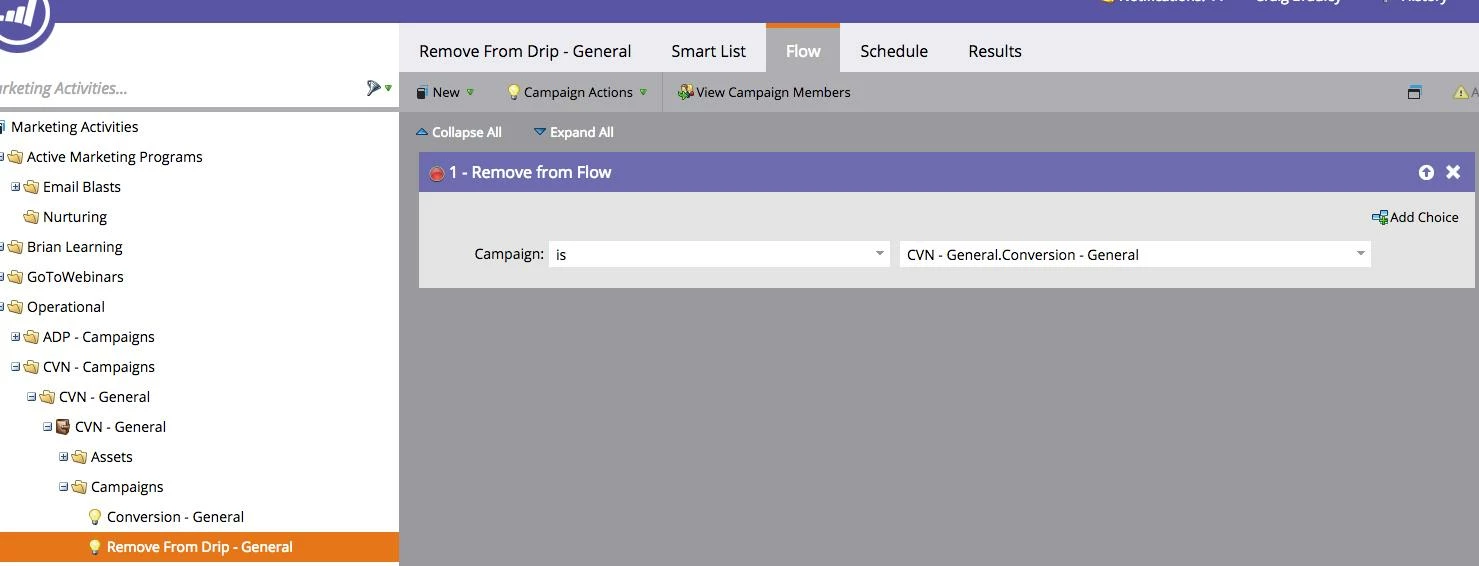
Schedule
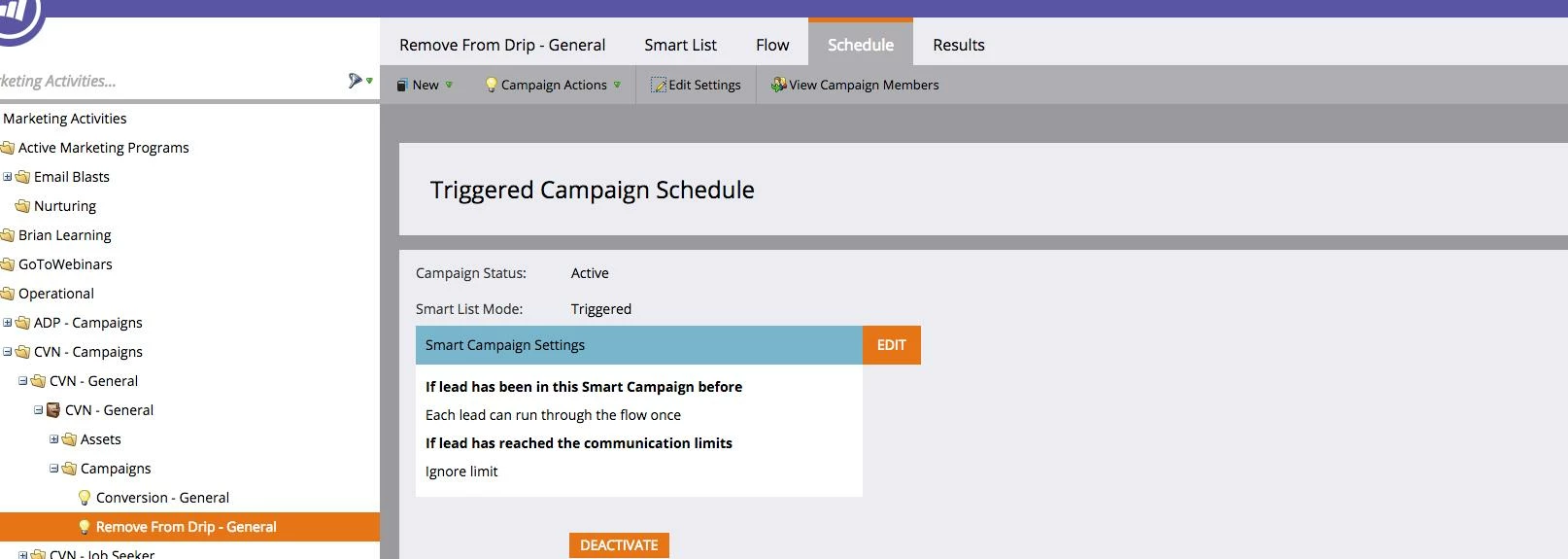
I thought that would do it, does not seem to work...see below of user whos Data valu changed from Trial to Paid but still got emails a few days later...notice value change at bottom of this email..
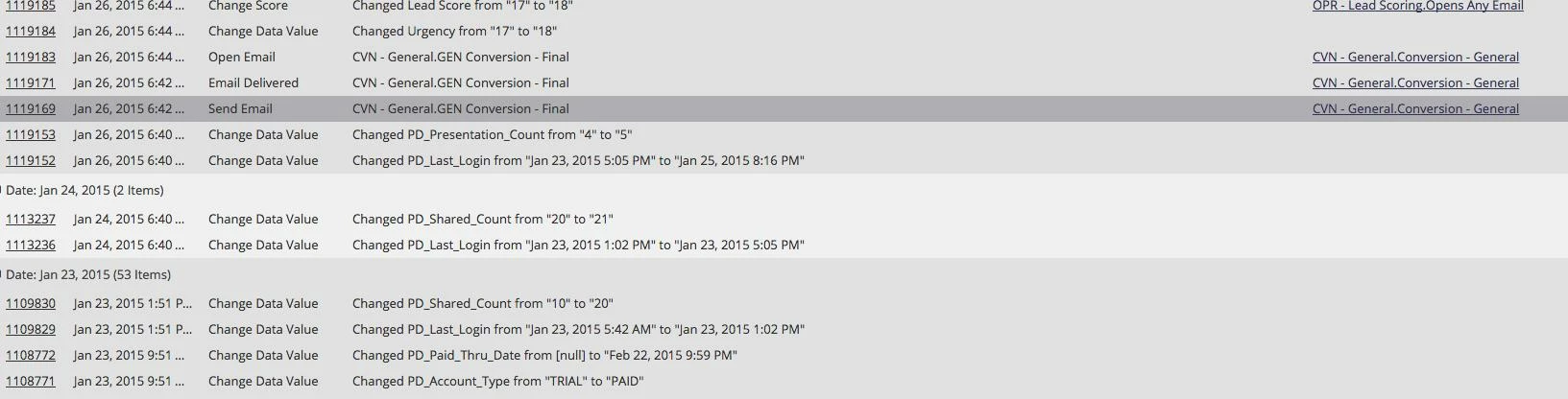
So my question is...what am I doing worng and how do I fix it?
Thanks
Craig B.
So I have a question for the group. Thought I had this working correctly, but do not. So basically we have a simple onboarding drip campaign for Trial users...the sign up, come in as Trial and they are on there way. What I am trying to do which is not working is that if the users PD_Account_Type Value changes from Trial to Paid they are removed from the Drip Campaign for the free Trial. I am doing this in a seperate smart campaign that I though basically sniffed that out...along with looking for people that have come in Paid, Comp and so on. Issue is they are not getting pulled out of campaign..and I need them to since the are paid and we are asking them to pay/upgrade in later emails. Here are the screen shots of each campaign...
General Onboarding/Conversion Part
Smart List
Flow (We send five emails over the 2 week period)
Schedule
No This is the Campaing that I though was sniffing out and would remove a person from the flow above, but is not working..
Smart List
Flow
Schedule
I thought that would do it, does not seem to work...see below of user whos Data valu changed from Trial to Paid but still got emails a few days later...notice value change at bottom of this email..
So my question is...what am I doing worng and how do I fix it?
Thanks
Craig B.