Question
Smart Campaign And Unsupported Token Message
Hi Everyone,
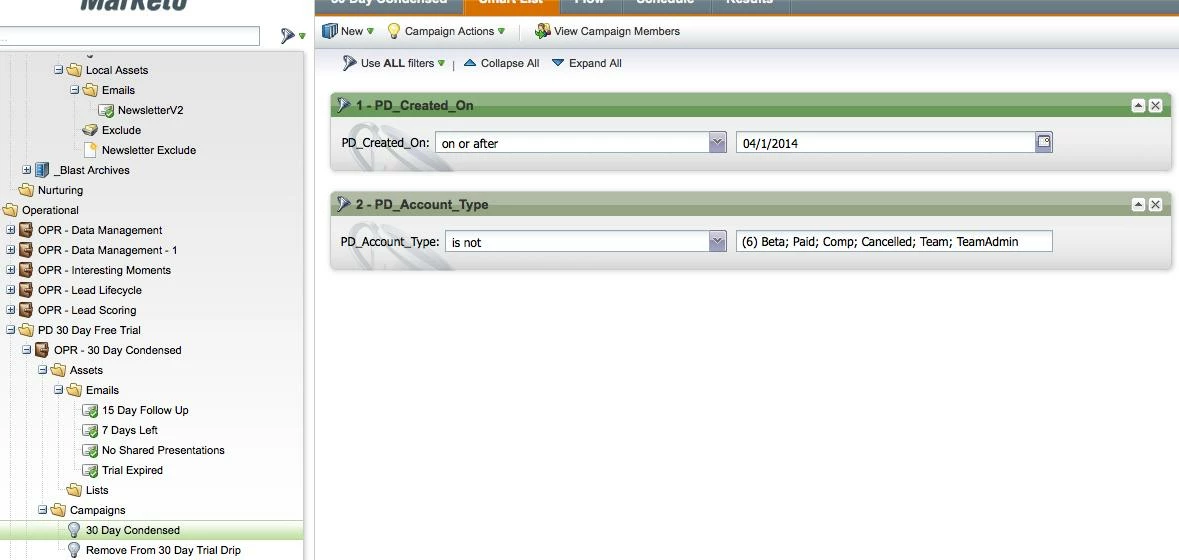
Trying to set up a pretty basic smart campaign...think I am doing it correct, but getting error message and can't figure out why.
So basic plan is this...(testing now)
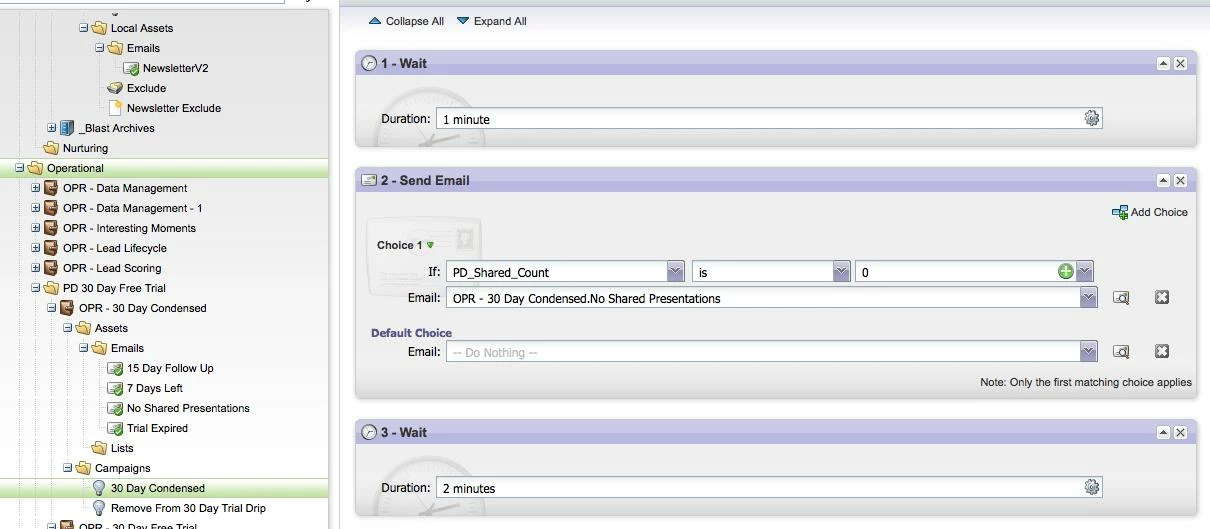
Flow looks like this:
When I try and run a test I get this error:
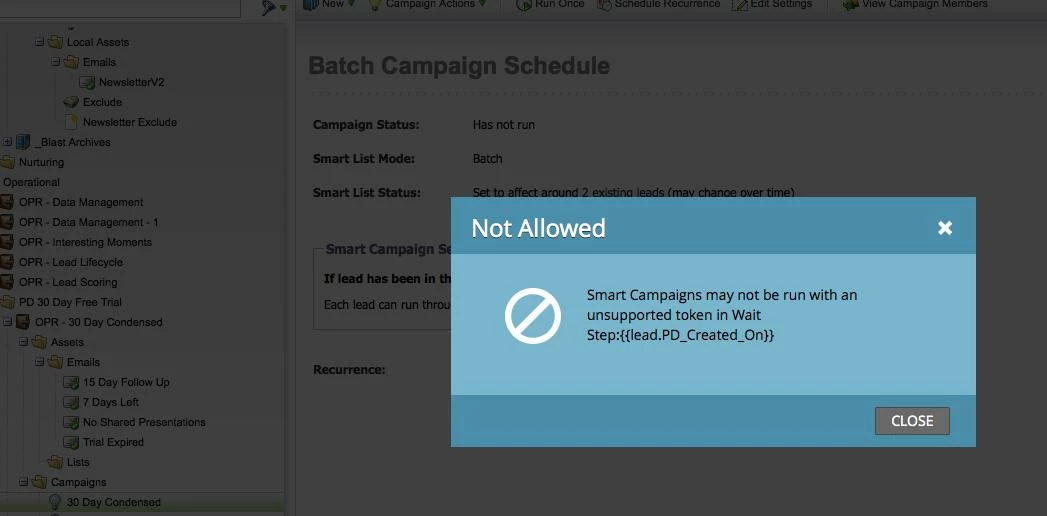
My question is that token is not in that wait step or any for that matter, All I am looking for is weather or not a user after signing up has shared a presentation or not. We have noticed a lot of users are signing up, but not actually sending a presentation...so want to send them a prompt/reminder to try it.
That make sense? Also is there a way to run a filter to say something like if Presentation count is < 3 presentations (or greater then) then send email X?
Thanks
Craig B.
Trying to set up a pretty basic smart campaign...think I am doing it correct, but getting error message and can't figure out why.
So basic plan is this...(testing now)
- Start Campaign when user is created.
- 24 Hours if user has not shared a PointDrive Presentation Send email 1.
- If they have sent a presentation do nothing wait for next email and so on.
Flow looks like this:
When I try and run a test I get this error:
My question is that token is not in that wait step or any for that matter, All I am looking for is weather or not a user after signing up has shared a presentation or not. We have noticed a lot of users are signing up, but not actually sending a presentation...so want to send them a prompt/reminder to try it.
That make sense? Also is there a way to run a filter to say something like if Presentation count is < 3 presentations (or greater then) then send email X?
Thanks
Craig B.