Setting up Flags in SFDC | Community
Skip to main content
April 3, 2013
Solved

Setting up Flags in SFDC

  • April 3, 2013
  • 2 replies
  • 1125 views
I have a question about turning off campaigns in Marketo. We have a campaign setup in Marketo that sends an email X number of hours after a user signs up. We receive an email with the users' information when the signup. If the Sales team identifies the lead as being important, they want to call the lead directly instead of sending the automated email X number of hours after they signup.

We have setup SFDC integration with our Marketo account. Our Sales team said they would like to flag the lead in SFDC as contacted by phone. We want this flagging to turn the Marketo campaign off for this lead (so that they don't receive the email). I know that we must create this flag in SFDC and also add an "IF" statement to the Marketo campagin. 

Does anyone know how to create this flag in SFDC?
This post is no longer active and is closed to new replies. Need help? Start a new post to ask your question.
Best answer by
Hi Andrea,

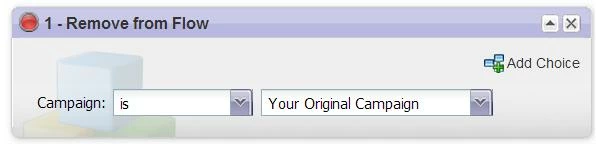
What you want to do here is have a "Remove from Flow" campaign triggered off of the flag that you set in SFDC.

How you might do this is...

Create a checkbox field in Salesforce against your Lead and/or Contact record.  

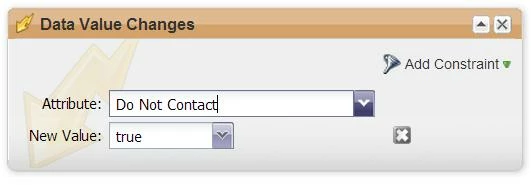
Then create a Smart Campaign in Marketo to trigger off of this field being updated.  Might look something like this:

Smart List:


Flow:


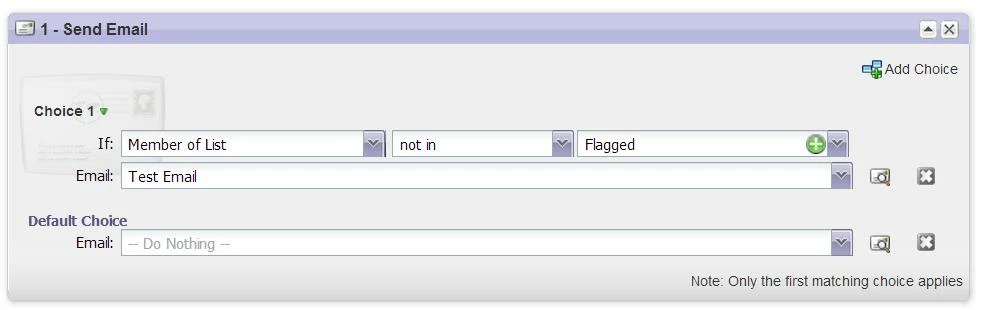
If there was more to the original campaign and you JUST wanted them not to receive the email, but to receive all the steps down the line....maybe consider adding them to a list and then you can use "not being a member" of that list in your If Step.

For example:


Let me know if that makes sense or you have any questions!

2 replies

Accepted solution
April 3, 2013
Hi Andrea,

What you want to do here is have a "Remove from Flow" campaign triggered off of the flag that you set in SFDC.

How you might do this is...

Create a checkbox field in Salesforce against your Lead and/or Contact record.  

Then create a Smart Campaign in Marketo to trigger off of this field being updated.  Might look something like this:

Smart List:


Flow:


If there was more to the original campaign and you JUST wanted them not to receive the email, but to receive all the steps down the line....maybe consider adding them to a list and then you can use "not being a member" of that list in your If Step.

For example:


Let me know if that makes sense or you have any questions!
April 4, 2013
Your first suggestion worked perfectly! Thanks so much for your help!

Andrea