
Set Acquisition for SFDC Records - Initial Sync
After you setup the Saleforce/Marketo integration the next step is to set the acquisition program for all the records synced from SFDC. In this example, I am going to use one acquisition program for all the SFDC records.
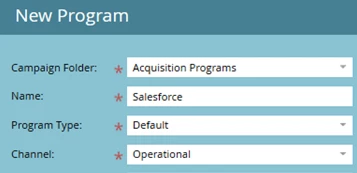
Step 1. Create an acquisition program for your salesforce records. I am using the operational channel to exclude the program from my RCE reporting.
Step 2. Create a smart campaign to set acquisition.
Smart list
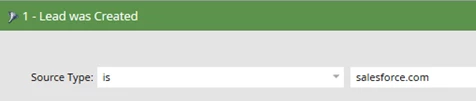
Flow
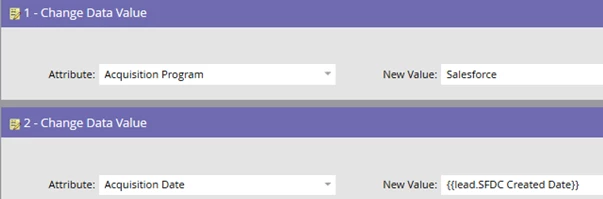
As you can see I am setting the acquisition date to the date the record was created in SFDC. If I skipped this step the acquisition date will be the date the acquisition program was set.
Schedule
Run the batch once. In a future blog article I will show how to change the campaign to a recurring batch campaign.
Additional articles on acquisition program
- Acquisition Best Practices
- Marketo Behavior When Changing an Acquisition Program
- Set Acquisition for Partner and Employee Records