Hi @Franky Ruysschaert,
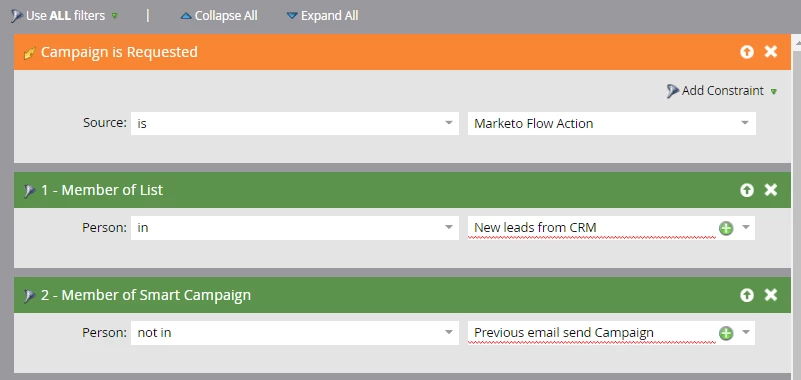
You can use the smart list and flow as depicted below.
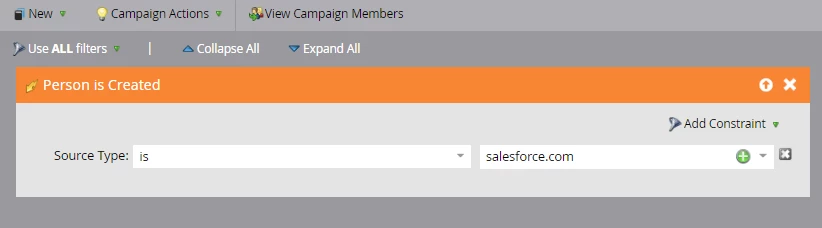
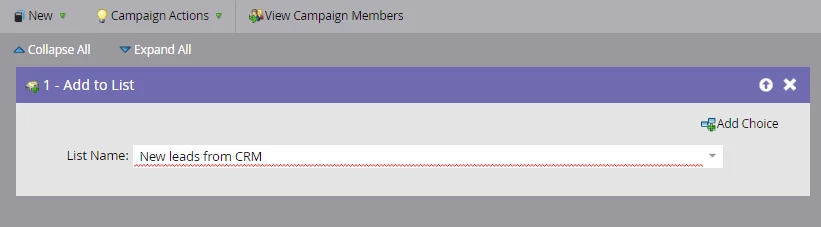
This way, all new leads from CRM will be added to this static list. Since you mentioned  , you can remove the new contacts that you do not want to send the emails from this list and include the list in the below smart campaign
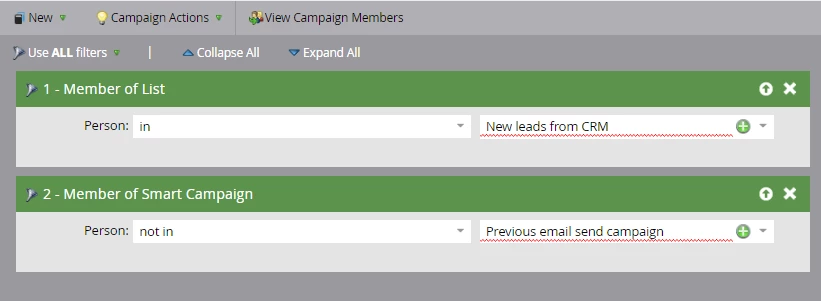
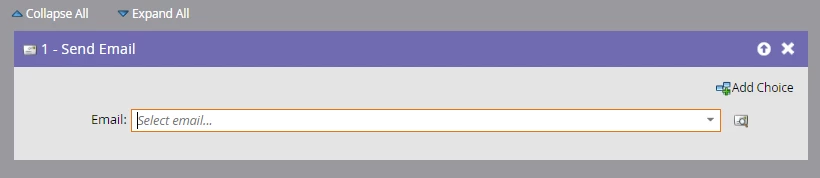
This way the email would go to all leads who came from the CRM (Who have been filtered by you).
Optional Step
Additionally I would also like to point out that, for  , if there is any criteria that can be defined to remove the new leads that you dont wan to send the email to, Then that criteria can be defined in another smart campaign (as shown below) and then, this campaign can be requested in the initial "Add to list" campaign. Flow screenshot attached below.
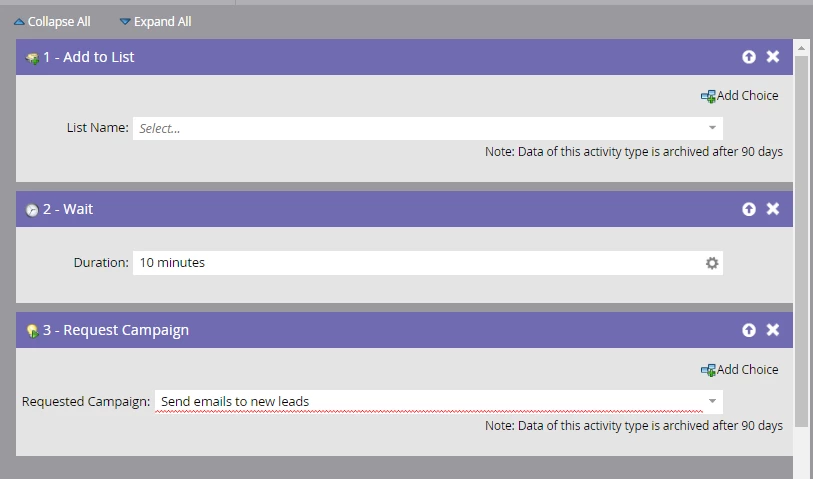
This way, it would be possible for you to automate the process, but for the Optional step to work, its crucial that you define the criteria for the leads to whom you don't want to send the email. If the criteria is not defined and you want to remove new leads manually, then the first part of my answer will work.
Hope this helps.
Best Always,
Karan Hari