
Schrödinger’s whitespace: a data error that’s easy to fix, if you can find it
Ever see this in a Smart List filter?
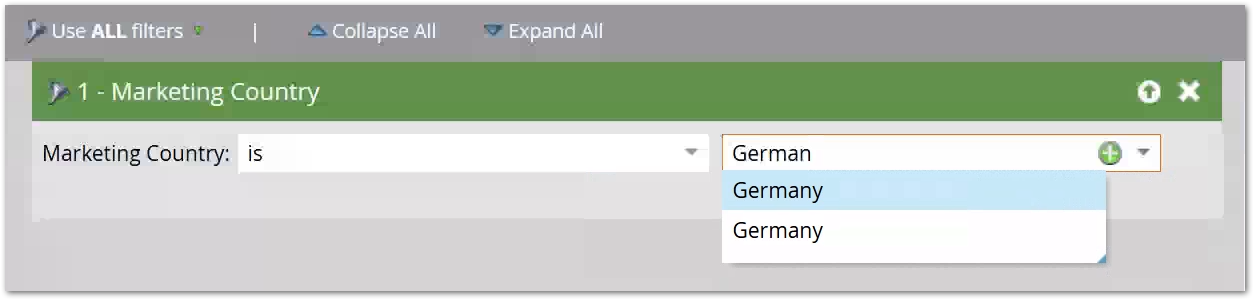
The 2 options look the same to the naked eye. And whichever one you choose, you get the same results on the People tab. Yet records with the first value will prevent the person from syncing to SFDC because it’s not in the corresponding picklist!
See, due to a malformed CSV import, there’s an extra U+2060 WORD JOINER before the G in the first option. That character is by definition invisible, so it makes sense that they look the same in the UI. (Though note several visible whitespace characters have the same behavior.)
They also look the same in the person detail:
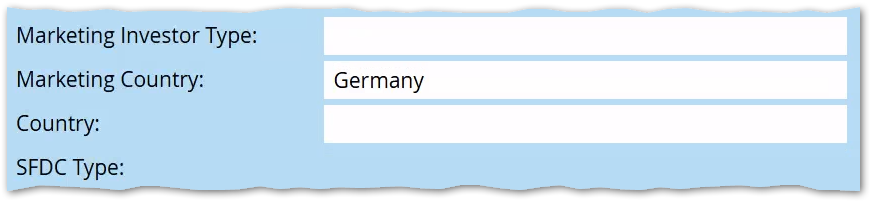
I call this Schrödinger’s whitespace (or whitespäce to be more metal): it’s either absent or present depending on how you look for it.
- in Smart Lists, Marketo trims whitespace when creating the underlying database query, which is why the People results are the same
- but the character is still there in the database, so when you sync to SFDC — and this is absolutely, 100% appropriate! — the attempt is rejected
{{lead.token}}output will also show it, since that’s the raw value
Though you can’t readily detect the unwanted whitespace in the UI (you can see it via API, btw) you can fix it easily. Just send everyone who matches the Smart List though Change Data Value and set it to clean Germany.