
"Saving Smart Campaing" message freezes workflows | Community
Skip to main content
Dan_Stevens_
Level 10
February 20, 2015
Question

"Saving Smart Campaing" message freezes workflows

  • February 20, 2015
  • 8 replies
  • 3077 views
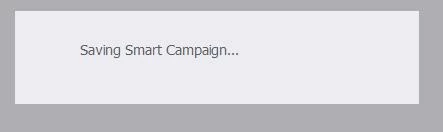
For the past couple of weeks now, we've been seeing this a lot.  Happens several times each day.  When configuring a smart campaign and moving between the smart list, flow, and schedule, Marketo will display a blank gray screen with "Saving Smart Campaign..." - and it just hangs there.  The only way to get out of this is to click on a completely different smart campaign or asset on the left, and then return to the smart campaign.  Anyone else experiencing this?
This post is no longer active and is closed to new replies. Need help? Start a new post to ask your question.

8 replies

February 20, 2015
Yes - I have been experiencing this a lot as well.  The only solution I've found (and the word solution is relative) is to keep an eye on the Autosave text in the top right, and not move between tabs until it has saved and no longer says "Saving."
Dan_Stevens_
Level 10
February 20, 2015
I'm finding this is required in more and more areas of Marketo.  The other window we get a lot is this one (again, need to wait for autosave). 

February 20, 2015
We've been seeing lots of performance issues in the Marketo interface lately, the most maddening of which has been either slow or no response from the pull-down main menu. I also have a user who tries to login and gets a perpetual "Please Wait..." prompt in the login dialog that never goes away.
Josh_Hill13
Level 10
February 20, 2015
Laura is right. Don't click too fast!

This has been true for years now.
February 20, 2015
Yes same happens to me if I click too fast. 

Although typically if I refresh the browser my changes have in fact been saved. 
February 20, 2015
I have seen this a lot also but i now know to just wait until the changes have saved and then move tab.
The second screenshot you shared is something i have not experienced yet though ... something I must look out for.
February 20, 2015
This is maddening to me. I hope there is a long term fix for this from Marketo in the next release.
February 20, 2015
I've seen the second screenshot as well - but haven't had an issue with anything not saving when I click to "Leave Page"