Salesforce Tasks from Marketo
Marketo Experts,
Problem Statement/Situation
We have a business requirement where we measure sales rep productivity in part by "offline" activity. We've enabled via LinkPoint in Outlook for a rep to click "track in Saleforce" when they send an e-mail to a customer/prospect and this logs an activity that their management can track (fun times). The sales reps are a little shy about using MSI because they "aren't being tracked and don't want to look unproductive". We will work on the culture thing but that takes time...That said, we have empowered reps to send e-mails from MSI and we want to be able to track in Salesforce that they did something for someone to support the "offline productivity" metric. We do not assigned our sales reps to contacts so we can't use the native "create task" and "owner=assign to sales owner".
Question(s)
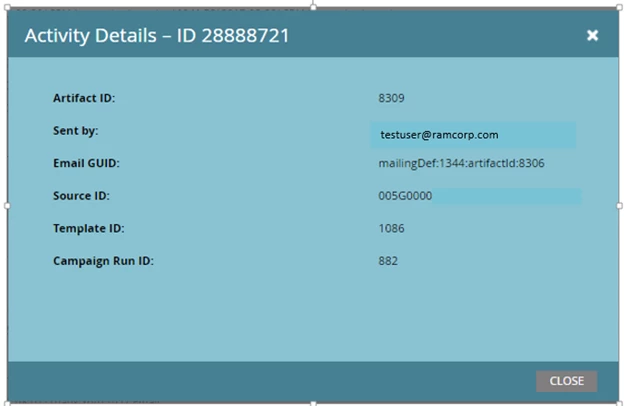
If we know in the person activity detail that the "was sent sales e-mail" filter would be satisfied. We also know the "who" send the e-mail by clicking on the hyperlink for the ID. How can we use that "who" in our task for assignment. We want to say "assigned a task to the person that sent this e-mail (source ID below) for this contact and mark it closed". Any suggestions?

Thanks in advance!
Kristy