Running a smart Campaign for Unsubscribed users | Community
Skip to main content
Level 3
March 9, 2020
Solved

Running a smart Campaign for Unsubscribed users

  • March 9, 2020
  • 1 reply
  • 5447 views
 

I would like to unsubscribe any user who opts for the same as soon as they receive the email.


I am aware that Marketo runs this automatically so that any member who mentions to be unsubscribed get updated in Marketo system list under "Unsubscribed" 


However, in a recent instance we noticed that the email went to some 600 members (who should have been unsubscribed) and got bounced and listed in spamhaus because they were not updated in Marketo.


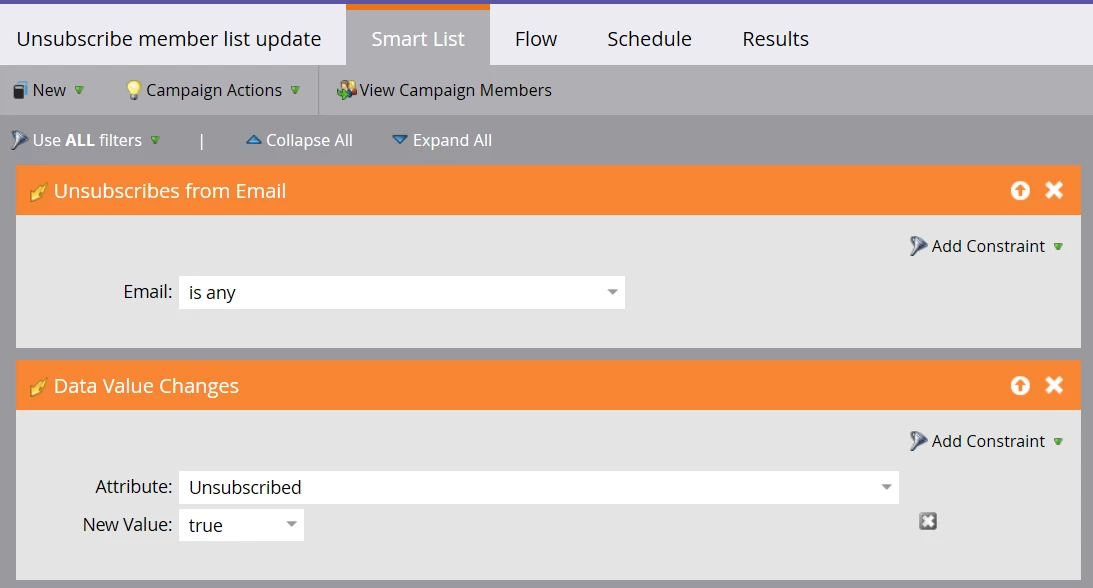
Shall I run a Smart campaign as you can see below with the mentioned triggers so that each time any member opts to be unsubscribed it gets updated and they do not receive any email from us in the future except for operational ones.


Also, if this smart campaign is fine, what should be the flow of this? can that be kept blank?
 

This post is no longer active and is closed to new replies. Need help? Start a new post to ask your question.
Best answer by Lopa1408

I do understand how unsubscribe works in any email program and how it gets updated in Marketo each time any user prefers to be "unsubscribed".


That wasn't true earlier today though. 🙂


However, I have never faced any scenario where there is any issue with the domain being listed as spam that we are using and in this case I will take it with my team and decide regarding burning off the domain and think of some solution.


Every email you send now with a blocked domain is not respecting other instances. So please do not send anything until you have requested removal from the DBL. If you are successfully removed then you can continue to use the domain.


Thanks!

1 reply

SanfordWhiteman
Level 10
March 9, 2020

I am aware that Marketo runs this automatically so that any member who mentions to be unsubscribed get updated in Marketo system list under "Unsubscribed" 


That's not correct: the actual action taken when somebody sets the system Unsubscribed field to Boolean true is simply that that field is set to true.  The fact that the person appears in a system Smart List, or any Smart List, is entirely dependent on the value of that field.


Someone probably sent an email that ignored Unsubscribed, accidentally or deliberately saying it was an operational email.


Marketo does not need any information beyond the Unsubscribed field. And no Smart Campaign like the one you suggest is necessary, or even possible! A SC that triggers on the field already being true cannot do anything.


Lopa1408Author
Level 3
March 9, 2020

We always send the same email( with different content ) everyday to the same set of users and I checked that this email was not sent as "Operational".


when I checked the activity log for some of these unsubscribed members, I noticed that they had the data value change time after we sent the email when unsubscribed went from "False" to "True".


Any idea of what can be the reason behind this and how we can overcome this kind of scenario in the future?

SanfordWhiteman
Level 10
March 9, 2020

I noticed that they had the data value change time after we sent the email when unsubscribed went from "False" to "True".


That means they unsubscribed after they received an unwanted email, as is typical.