RTP dashboard in Google Analytics how to compare goal completion? | Community
Skip to main content
April 15, 2015
Solved

RTP dashboard in Google Analytics how to compare goal completion?

  • April 15, 2015
  • 4 replies
  • 2364 views
Hi,

Does anybody have any experience of tweaking the standard RTP dashboard in Google Analytics?

I'd like to have a comparison of 'Goal 1 completion' for people who have been exposed to an RTP ad, against those who have not.

Thanks,
Paul
 
This post is no longer active and is closed to new replies. Need help? Start a new post to ask your question.
Best answer by
Hi Paul,

I think it will be easier for you to use a custom report to see all the goal completions made by visitors that clicked RTP campaigns.

See this custom report: https://www.google.com/analytics/web/template?uid=2H0ik5rkRxKJQlBdItHEqQ

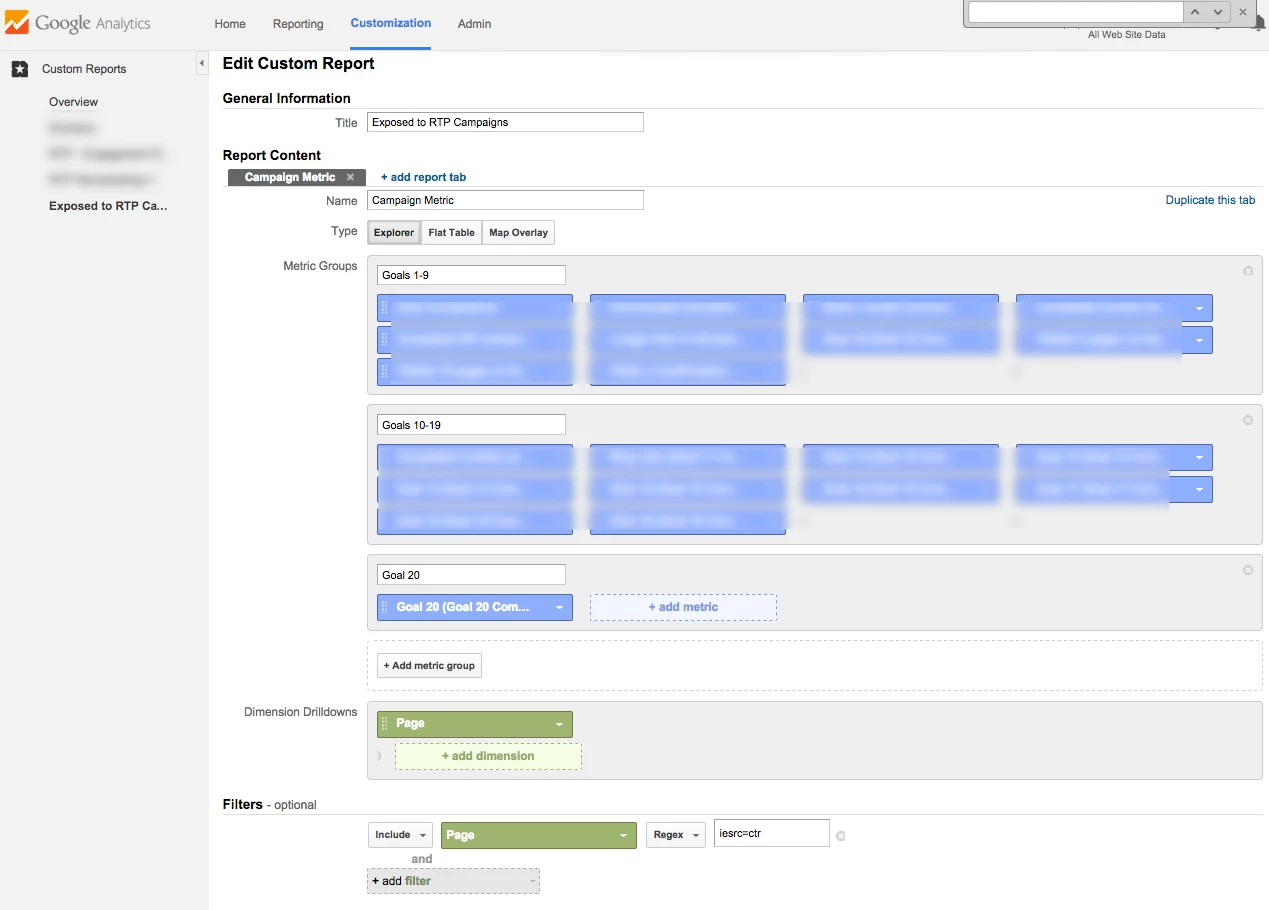
I used a filter Page (Regex) "iesrc=ctr" for this report and by doing that only people that clicked campaigns will be included in the report, see a screenshot below.

Google doesn't allow to have more than 2 metrics in each dashboard widget, so you can only show 2 goal completions columns there - you can click the 'Add to Dashboard' button to quickly do it.

Yanir.

4 replies

April 27, 2015
Hi Paul,

I can try to help you customizing the standard RTP dashboard to include goal completions.

Can you please grant a view only user to your Google Analytics account for marketortp@gmail.com?

Thanks,

Yanir
April 29, 2015

That would be great thanks Yanir.

You should just have received an email granting you the relevant access.

It is goal complaetion 1 that I am most interested in (hopefully you can break down by which goal).

Thanks,

Paul


Accepted solution
April 29, 2015
Hi Paul,

I think it will be easier for you to use a custom report to see all the goal completions made by visitors that clicked RTP campaigns.

See this custom report: https://www.google.com/analytics/web/template?uid=2H0ik5rkRxKJQlBdItHEqQ

I used a filter Page (Regex) "iesrc=ctr" for this report and by doing that only people that clicked campaigns will be included in the report, see a screenshot below.

Google doesn't allow to have more than 2 metrics in each dashboard widget, so you can only show 2 goal completions columns there - you can click the 'Add to Dashboard' button to quickly do it.

Yanir.

April 29, 2015
That is great. Thank you for your help.
Paul