Renaming custom fields | Community
Skip to main content
November 12, 2015
Solved

Renaming custom fields

  • November 12, 2015
  • 1 reply
  • 2359 views

I'd like to rename some custom fields, but can't see how to do it in the Field Management menu. Any suggestions?

This post is no longer active and is closed to new replies. Need help? Start a new post to ask your question.
Best answer by JohnCl9

Hi Brian,

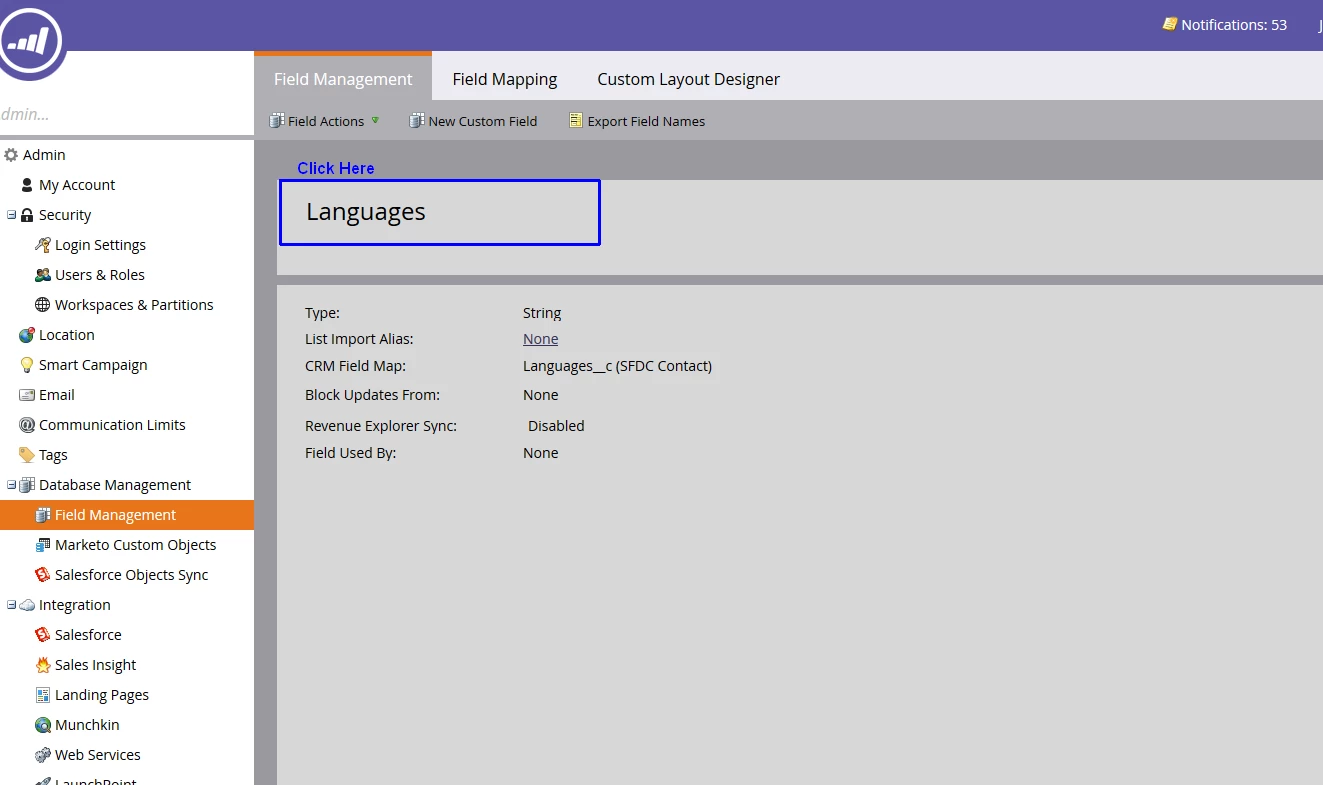
As long as the field isn't in use you can click the name of the field at the top, and that will give you a box to edit.
1 reply

JohnCl9Adobe EmployeeAccepted solution
Adobe Employee
November 12, 2015

Hi Brian,

As long as the field isn't in use you can click the name of the field at the top, and that will give you a box to edit.

November 12, 2015

Thanks, John. What if the field is in use?

Adobe Employee
November 12, 2015

The system will not allow changes to a field while it's in use.  You would need to remove it from use (check the Used By list at the bottom) before you can change the name.

John