Removing the border from a form's rich text | Community
Skip to main content
Jesse_Jones
Level 2
May 28, 2019
Question

Removing the border from a form's rich text

  • May 28, 2019
  • 2 replies
  • 6389 views

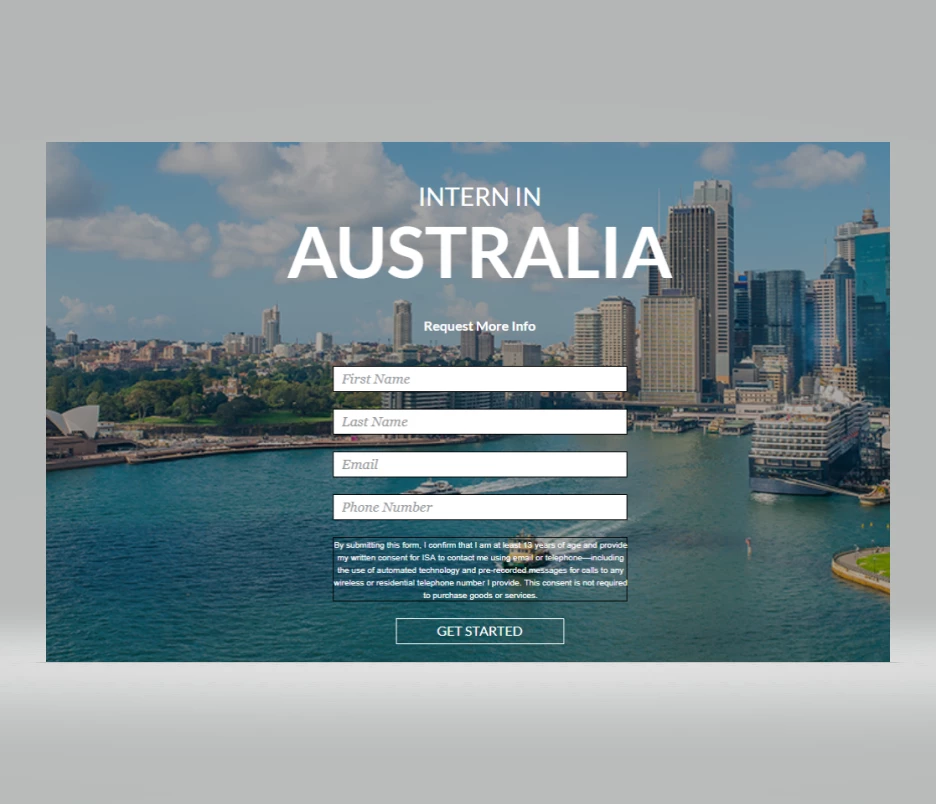
How can I remove the border from the rich text field on my form? I've tried adding the code

".mkto.Form fieldset {
border: none!important; }"

 to the Custom Form CSS in the editor, but the dark border is still appearing around the rich text. @Bryan Epstein @Sanford Whiteman‌, can either of you provide some insight?
This post is no longer active and is closed to new replies. Need help? Start a new post to ask your question.

2 replies

SanfordWhiteman
Level 10
May 28, 2019

Please highlight your code as CSS using the Syntax Highlighter in Advanced Editor.

And we'll need a link to your page if we're going to help you with the form.

(And you don't really need to tag us!)

Jesse_Jones
Level 2
May 28, 2019

Sanford, 

Here is a link to the page: https://na-sj17.marketodesigner.com/m#LPPD5661.

SanfordWhiteman
Level 10
May 28, 2019

That's a protected page on your instance.  Need a publicly accessible URL.

Dave_Roberts
Level 10
May 31, 2019

How can I remove the border from the rich text field on my form? I've tried adding the code

".mkto.Form fieldset {
border: none!important; }"

 to the Custom Form CSS in the editor, but the dark border is still appearing around the rich text.

It looks like the selector you are using isn't written correctly to target the element you're after. The way it's written above, it would read: Find an element with a class of both "mkto" and "Form" and inside that element, find fieldset elements and style them this way { .. }.

I think it's the extra period between "mkto" and "Form" that might be throwing off your CSS -- you should be able to override most other styles by writing a more specific rule for this, but it's usually better to clean up the stuff you don't need rather than to override it.

In any case, if you had to override this, you could write the selector a little differently so that it would read as follows:

Find an element with a class of "mktoForm" (the <div> container that you place your form into) and inside that, find a form element with a class of "mktoForm", and inside that find an element with a class of "mktoFieldWrap" and inside that find the fieldset element(s) and style them this way { ... }.

.mktoForm form.mktoForm .mktoFieldWrap fieldset {
border: 0 !important;
}‍‍‍

note: you'll want to get "more specific" with your CSS when you're looking to override styles coming from your website's stylesheet. I've found that using the "form.mktoForm" prefix on the selector is usually enough to specifically target a Marketo form. When that doesn't work out, you can almost always break out the "big guns" and target the element by "id" which adds weight to the CSS declaration (i.e. it becomes heavier / more specific). In this case, you'd also use the id="..." value of the div with a class of "mktoForm" (on the link above, that div has an id of "myMarketoForm"). So the CSS would change to read something like: 

#myMarketoForm.mktoForm form.mktoForm .mktoFieldWrap fieldset {
border: 0 !important;
}‍‍‍