Pushing Google Cookie Data to Hidden Fields | Community
Skip to main content
February 16, 2017
Question

Pushing Google Cookie Data to Hidden Fields

  • February 16, 2017
  • 2 replies
  • 2421 views

Hi All!

I recently installed a script on my site that generates the Google UTMz cookie and parses out a handful of variables about campaign source, medium, referral, etc. The only problem I'm having is I'm not quite sure how to actually push that data I am generating into my Marketo forms when someone submits. Below is a screenshot of my Javascript console with an Analytics Debugger once that all gets triggered.
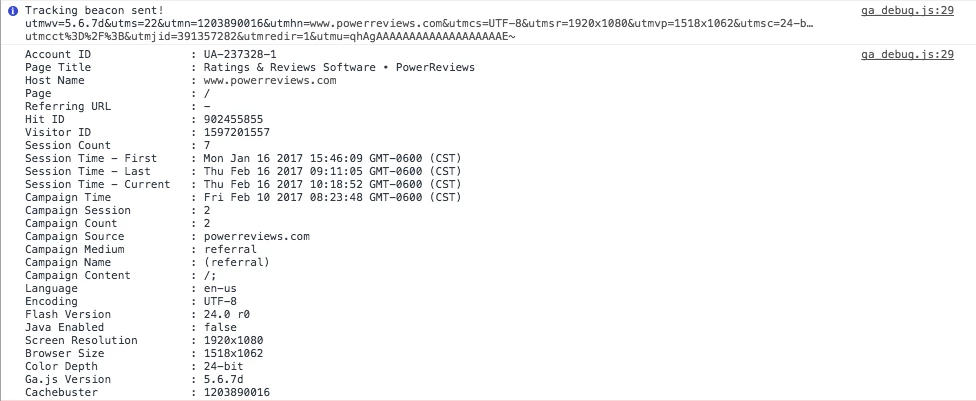
Anyone have any idea how to push those fields to a form? Thank you all!

This post is no longer active and is closed to new replies. Need help? Start a new post to ask your question.

2 replies

Grégoire_Miche2
Level 10
February 16, 2017

HI Michael,

The typical way to do this is to capture this data with hidden fields in the Marketo forms, using the "cookie value" feature for hidden fields.

so create the UTM's fields in Marketo, add them to your forms, then in the field properties in the form, change the type to hidden. The hit the "Autofill" edit link:

Finally, in the autofill, choose cookie value, and add the cookie name in the parameter name:

YOu can also do this through JS code if you have a developer who knows how to use the forms 2.0 API.

-Greg

SanfordWhiteman
Level 10
February 16, 2017

Michael, isn't this the exact same question answered in your other answered thread? I don't understand why you're asking it again.