March 7, 2017
Question

Pull email's subject line in Create Task flow step of a smart campaign

  • March 7, 2017
  • 1 reply
  • 2498 views

Hello everyone,

In my org we create a fairly simple smart campaign where an email is sent out and there is a "Create Task" flow step where the subject is put exactly to the subject-line of the email which is sent out, I was wondering if there is way using tokens/velocity where the subject-line of the email can be pulled directly to feed the subject of Create Task flow step?
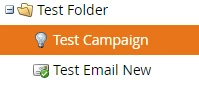
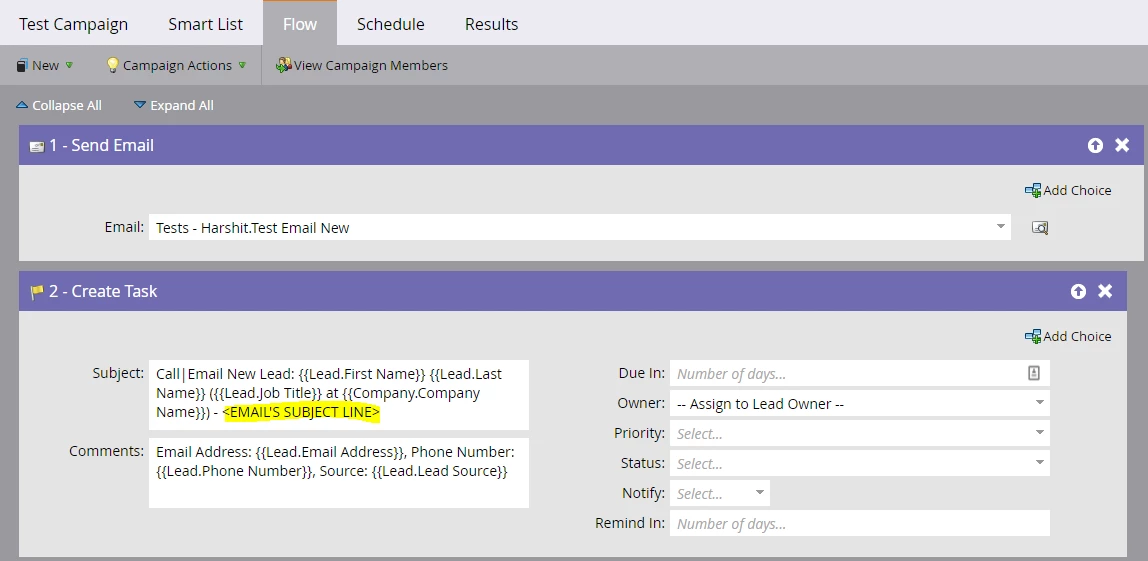
There have been recent issues where it is missed since we do that manually and then it adds up to a lot of efforts to change that in our SF.

Thank you in advance.

Harshit

This post is no longer active and is closed to new replies. Need help? Start a new post to ask your question.

1 reply

Devraj_Grewal
Level 10
March 7, 2017

Harshit,

Have you tried using {{trigger.Subject}}?

More info: Tokens for Interesting Moments - Marketo Docs - Product Docs

Josh_Hill13
Level 10
March 7, 2017

That only works if you used the Clicked Link in Email trigger. If he wants to dynamically change the subject line in the flow step, that's not really possible.

But Harshit, if you have the Send Email then IM, why do you it to be dynamic? Just type it in there.

March 7, 2017

Hello Josh,

Thank you for your input, I am open to suggestions if there in any way if I can populate the subject line there, I exactly did not understand how "Clicked Link in Email" trigger can be out to use here.

For your latter part, we do enter it manually but there are almost 50+ smart campaigns which is created in a day and sometimes a single person has to make a few of them concurrently which we have seen is prone to missing out on the subject lines a few times.

Thanks,

Harshit