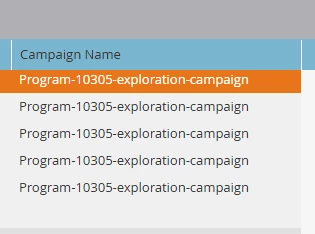
This is completely expected behavior in Marketo Engage. When you run an A/B test inside an Email Program, the system doesn't use your front-end, user-created smart campaigns to execute the send. Instead, it spins up an automated background process to distribute the test variants.
https://experienceleague.adobe.com/en/docs/experience-cloud-kcs/kbarticles/ka-29380
1. The Naming Convention (Program-10305-exploration-campaign)
-
10305 is the unique database ID of your specific Email Program. (You can verify this by clicking on your Email Program in the tree and looking at the ID number in your browser's URL bar).
-
exploration-campaign is the hard-coded system name Marketo uses for the "Exploration Phase" of an A/B test. Because you tested using 100% of your audience, the program permanently stays in this "Exploration" status and never triggers a "Winner" phase.
2. Why it isn't named like your program
Because this is a system-generated background automation rather than a local asset you manually created, Marketo records the raw database string in the activity log rather than your friendly UI name.
3. Why it is not hyperlinked
Marketo only hyperlinks to tangible assets that exist in your Marketing Activities tree (like a standard Smart Campaign or a Form). Since the exploration campaign is a hidden, backend scheduling mechanism, there is no physical front-end page for the UI to link to.