Problem syncing fields between SFDC and marketo | Community
Skip to main content
August 19, 2014
Solved

Problem syncing fields between SFDC and marketo

  • August 19, 2014
  • 2 replies
  • 966 views
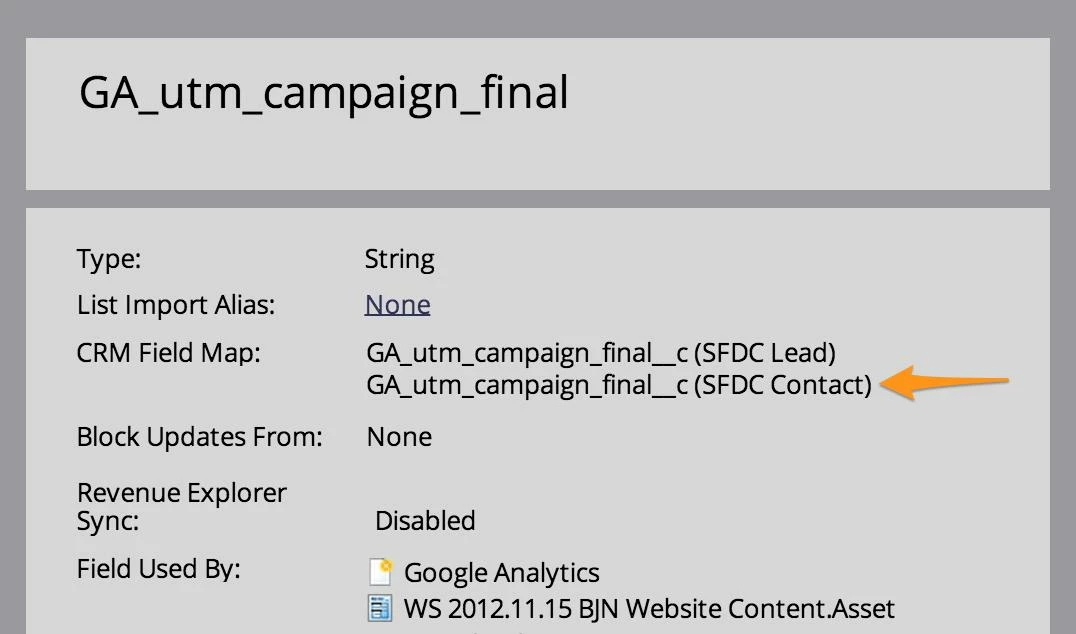
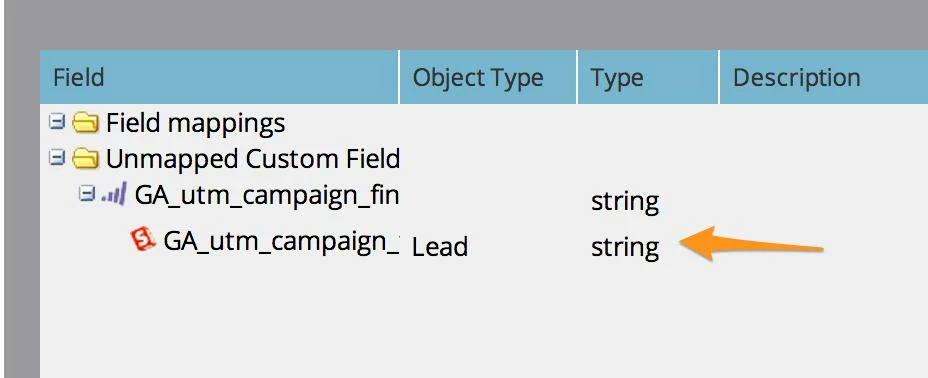
I have one field that is currently mapped to the lead object in salesforce. I created the identical field in contact in salesforce but it doesn't appear to be syncing with Marketo. I see it as part of the fields but not in the field mapping tab. I have attached images below. Ideas?

This post is no longer active and is closed to new replies. Need help? Start a new post to ask your question.
Best answer by
If you haven't already, you will need to map the custom lead field to the custom contact field in Salesforce.

In the Setup Area of SFDC, go to the App Setup Section, Customize, Leads, Fields.Then scroll down to the Lead Custom Fields and Relationships section. Click on the map lead fields box. Find your custom field on the left column and choose the field it maps to on the contact object, then save. The sync should then pick up the relationship between the fields.

2 replies

Accepted solution
August 19, 2014
If you haven't already, you will need to map the custom lead field to the custom contact field in Salesforce.

In the Setup Area of SFDC, go to the App Setup Section, Customize, Leads, Fields.Then scroll down to the Lead Custom Fields and Relationships section. Click on the map lead fields box. Find your custom field on the left column and choose the field it maps to on the contact object, then save. The sync should then pick up the relationship between the fields.
August 19, 2014
Thanks Joe. I just did the mapping between the lead to contact. I will wait and see how long before they sync up.