Prefilled form/token on LP, when comming from a mail link | Community
Skip to main content
Level 4
November 13, 2014
Solved

Prefilled form/token on LP, when comming from a mail link

  • November 13, 2014
  • 7 replies
  • 2654 views
Hi

I have made a mail with a link to a landingpage with a form on. How do i make the form prefilled with all the user data i already have on the known lead? I have enabled Peronalized URL on the landingpage..

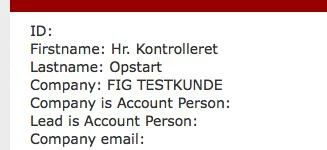
(this is from the mail where all the field are working and filled)

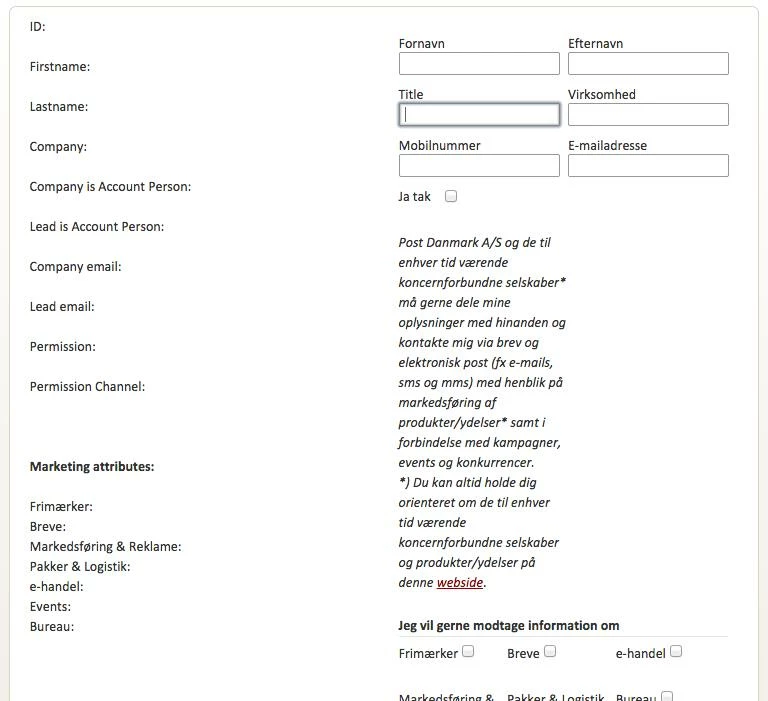
Then I click on the link and go to the landingpage, and all my info are not showning. For me this should just be a walk in the park.. but not this time :-(
 
This post is no longer active and is closed to new replies. Need help? Start a new post to ask your question.
Best answer by Rasmus_Bidstru1
I found the solution (hurraaay)

first i past the token in a hidden span:
 <span id="form-fname">{{lead.First Name}}</span>

then i set the content of the span to a varable in javascript:
var fnavn = $('#form-fname').html();

Then I can target the input field and change the value to my variable:
$('input#FirstName').val(fnavn);

And this also works for checkbox's 

7 replies

November 13, 2014
Is this a native Marketo form on a native Marketo landing page? Or is the form embedded? Assuming it's a native form on a native page, you can simply change the pre-fill behavior by editing the form and changing the settings.
Level 4
November 13, 2014
Native marketo on native marketo LP, but as embedded.
It already set on pre-fill... do i need to have the Munchkin tracking code on the landingpage before this works?
Dory_Viscoglio
Level 10
November 13, 2014
I believe the Munchkin is required to be on the page for form prefill to work, yes. 
November 13, 2014
Yes, but the Munchkin should already be on the page if it's a native LP. If you embedded the form via the javascript code, then form pre-fill won't work. You'd have to instead drop a form element on the page via the LP editor.
Level 4
November 14, 2014
Argh... hmm now i tried to fake a pre-filled with default value for a input field to {{Lead.First name}}, but that dosnt work either... maybe i can set the input value to the token through javascript?

(i have tried to drop it as an element, and that seems to work)
Rasmus_Bidstru1AuthorAccepted solution
Level 4
November 14, 2014
I found the solution (hurraaay)

first i past the token in a hidden span:
 <span id="form-fname">{{lead.First Name}}</span>

then i set the content of the span to a varable in javascript:
var fnavn = $('#form-fname').html();

Then I can target the input field and change the value to my variable:
$('input#FirstName').val(fnavn);

And this also works for checkbox's 
March 19, 2015
Hey, even the topic has been solved I still face that issue. I am not a coder, just started with marketo. I want to pass on the the email adress via URL (coming from an email link) to a native marketo Landing page where a form field "Email" should be prefilled with the dedicated email adress I set the tokens as instructed, but its still not working. 
I used {{lead.Email Address}} as a default in Forms (I set enable pre-fill)
and I used ?Email={{lead.Email Address}} for the URL parameter.

Sorry, perhaps its just a very easy problem to solve, but I am bit confused and looking forward to your support.

Thanks!