Precautions When Building and Testing in Production: Part II
This is the second in a multi-part series on precautions you can take when building and testing directly in production. The first part on instance-wide restrictions can be found here. Now let's delve into some program-specific approaches.
In addition to the built-in functionality across the entire instance, certain precautions can be taken depending on the kind of program you are working on.

- Do not select a schedule or choose a schedule at least a week away.
- Do not select the Approve Program button until you are ready to send out the email.


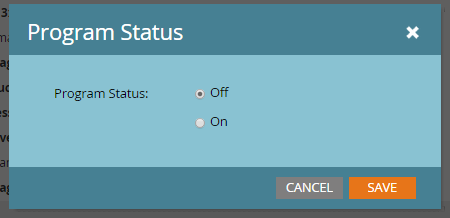
- Turn off the program in the Setup tab. This prevents any emails or activities from being triggered by the engagement program.
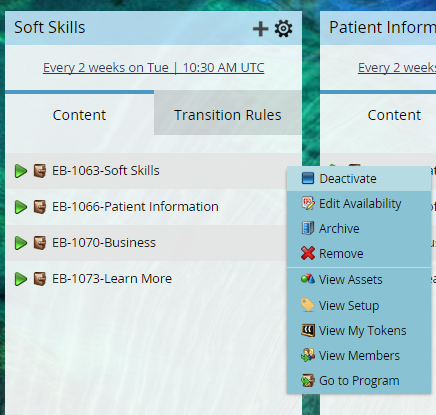
- Deactivate the programs within the engagement streams.
- Do not add members to the engagement program streams.


- Add additional filters on smart campaigns that you know will exclude your audience from qualifying until you are ready to remove them. The two most common choices are a reference to the specific email address of the builder and a reference to a seed list (only one choice is necessary):


- Leave assets unapproved for as long as possible while building. Keep in mind that assets must be approved in order to be added to a flow step or smart list filter/trigger.
- Do not activate trigger campaigns other than those using Campaign is Requested triggers.
- Do not schedule or run batch campaigns.