Phone Number Field is not formatted as a phone number | Community
Skip to main content
Level 4
November 19, 2015
Solved

Phone Number Field is not formatted as a phone number

  • November 19, 2015
  • 1 reply
  • 3530 views

We are using several Marketo forms, created with our Spark version of Marketo.

On each of the forms, the phone number field allows up to 200+ characters. It's not required that the digits entered equal the standard phone number. In some cases the validation is standard, or custom, with this code attributed to the field:

     Must be a phone number. <span class='mktoErrorDetail'>503-555-1212</span>

But I don't see a difference in either form in the way phone number data is collected. Any advice is appreciated.
This post is no longer active and is closed to new replies. Need help? Start a new post to ask your question.
Best answer by JohnCl9

Hi Chris,

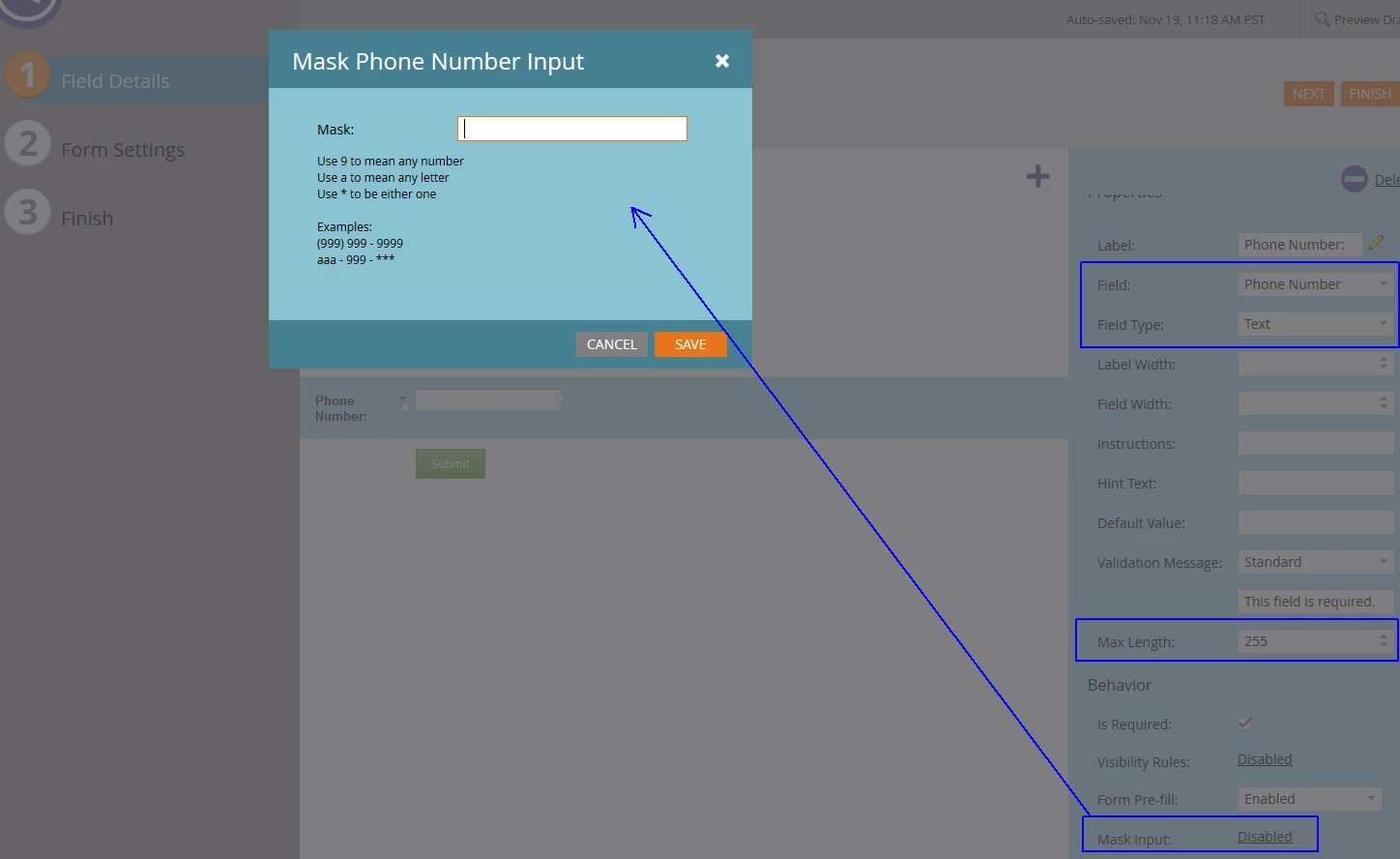
You can change this by changing the input type of the field to text, and then changing the mask length and masking the input.  Masking only works for text type inputs, but don't worry, you can still force the value to be numbers.

1 reply

JohnCl9Adobe EmployeeAccepted solution
Adobe Employee
November 19, 2015

Hi Chris,

You can change this by changing the input type of the field to text, and then changing the mask length and masking the input.  Masking only works for text type inputs, but don't worry, you can still force the value to be numbers.

ChrisM602Author
Level 4
November 19, 2015

Thank you for your explanation! I did find a mention of the Mask field elsewhere, but your details helped me implement this little work around. Thank you so much!