
Oops! This page has improperly configured forms | Community
Skip to main content
Grégoire_Miche2
Level 10
January 10, 2018
Solved

Oops! This page has improperly configured forms

  • January 10, 2018
  • 1 reply
  • 7534 views

Very weird error encountered today : the following page causes the following error message :
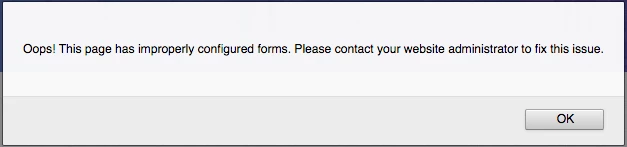
We have created a template without any custom forms 2.0 code, but the problem remains.

it seems to be caused by the JS line :

var form = MktoForms2.newForm(formDescriptor, function (form){

Any idea ?

Thx in advance,

Greg

This post is no longer active and is closed to new replies. Need help? Start a new post to ask your question.
Best answer by SanfordWhiteman

Nothing to do with Marketo forms. It's incorrect logic in your external script http://pages.talentsoft.com/rs/522-HRF-726/images/ts-webflow.js which is looking for webflow forms and not finding them.

1 reply

SanfordWhiteman
SanfordWhitemanAccepted solution
Level 10
January 10, 2018

Nothing to do with Marketo forms. It's incorrect logic in your external script http://pages.talentsoft.com/rs/522-HRF-726/images/ts-webflow.js which is looking for webflow forms and not finding them.

Grégoire_Miche2
Level 10
January 11, 2018

Thx Sandford!

what's weird is that it happens suddenly and did not do in the past, while as far as I know, this script has not been updated recently whatsoever.

-Greg

SanfordWhiteman
Level 10
January 11, 2018

The form detection code is very naive.

It considers a WebFlow form, a MailChimp form, or a generic form with an action ​attribute to be OK.  Any other form pops up the error.

But Marketo's JS-driven forms don't need an action attribute; in HTML5, ​action ​is optional. (It was required in HTML4, so to be fair that would've been a type of "improperly configured" form at some point in the past.)

Btw, good to see you using Touch History.