September 29, 2015
Question

Nurture Program

  • September 29, 2015
  • 1 reply
  • 1671 views

Hello!

I am setting up engagement programs.

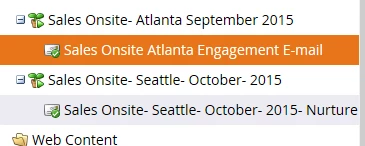
I set up a smart campaign to move my leads (who my initial email was delivered to) to flow into my engagement program.

I set up my engagement program (scheduled it for every Tuesday at 7:00AM) and added my original  e-mail to the engagement program. (it is a sales e-mail that I want to be received again)

Do I need to add another smart campaign to link my engagement program to my nurture email (I think I already did this when I "added content (my email) to the stream on my engagement program?
This post is no longer active and is closed to new replies. Need help? Start a new post to ask your question.

1 reply

Adobe Employee
September 29, 2015

Hi Taylor,

There are two things here.

First, you only need to move the leads into the Nurture Program one time.  You do this through an external smart campaign with an Add Lead To Engagement Program flow step, which is where you would decide what stream to put them in.  Once that campaign has run they will be added to the Nurture Program and will be sent the content of the stream according to the cadence you have set for that stream.  No other smart campaigns as necessary, and you don't need to add any to the stream.

Second, if a lead has already received a piece of content from any source in your instance they will not receive it again.  The Nurture Program will not send content to leads that have already received it in the past, no matter where they got it from.  So if you have a sales email that leads received before, and you're now putting the leads and the content in a stream together, the program skips that piece of content.

John

September 29, 2015

Thanks John,

So what would be the best way to go about sending the same e-mail to the same contacts every Tuesday for a month?

September 30, 2015

I think you would do this with a smart campaign.  You could use specific wait steps that explicitly point out the date and time to send