Question
New fields in Date Token
Hey guys
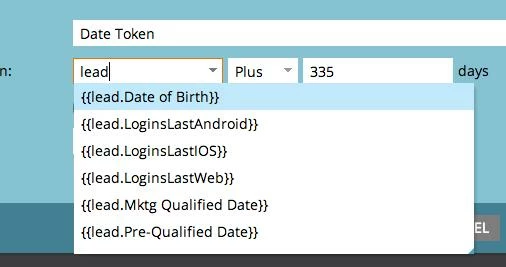
Im wondering if I can add options to the date token in a flow step when creating a smart campaign. As you can see in the picture I can only choose the following.
How can I add other fields into the dropdown list?
Lets say I created a new custom field named "DealEndDate". I want to be able to chose that in the date token so it looks like {{lead.DealEndDate}}
Thanks and Merry Christmas :)
Im wondering if I can add options to the date token in a flow step when creating a smart campaign. As you can see in the picture I can only choose the following.
How can I add other fields into the dropdown list?
Lets say I created a new custom field named "DealEndDate". I want to be able to chose that in the date token so it looks like {{lead.DealEndDate}}
Thanks and Merry Christmas :)