

New Features of Dynamic Chat [launched in Feb 2023]

We are excited to announce some important updates released to Dynamic Chat this month that we think you’ll find useful.
Roles and Permissions
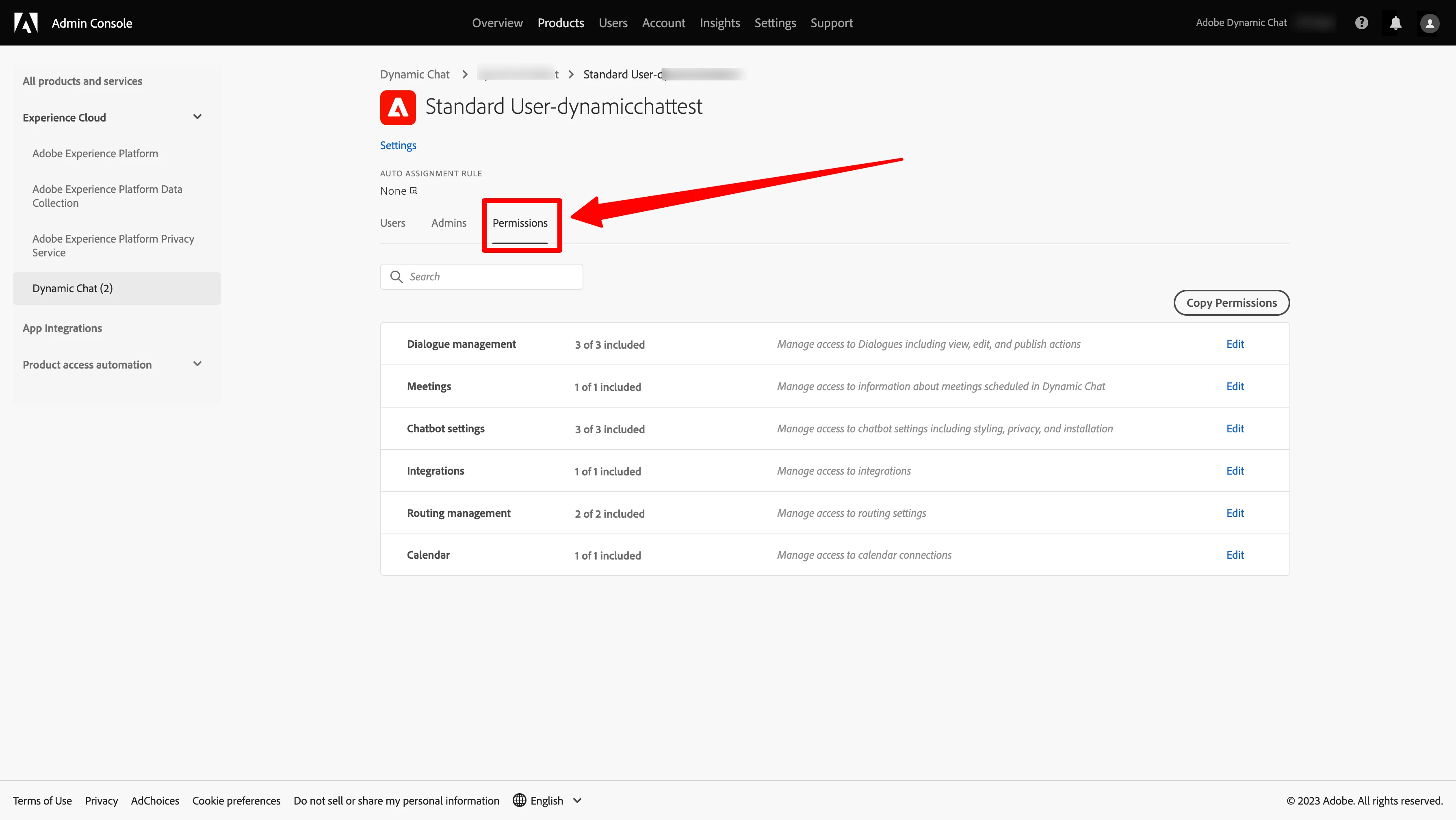
Now manage access to your Dynamic Chat users with new roles and permissions functionality. Now you can create your own product profile and add different combinations of permissions to manage access to users.
Also from now on we can create the following 3 default product profiles with respective permissions:
- Marketing Admin
- Marketing user
- Calendar Agent
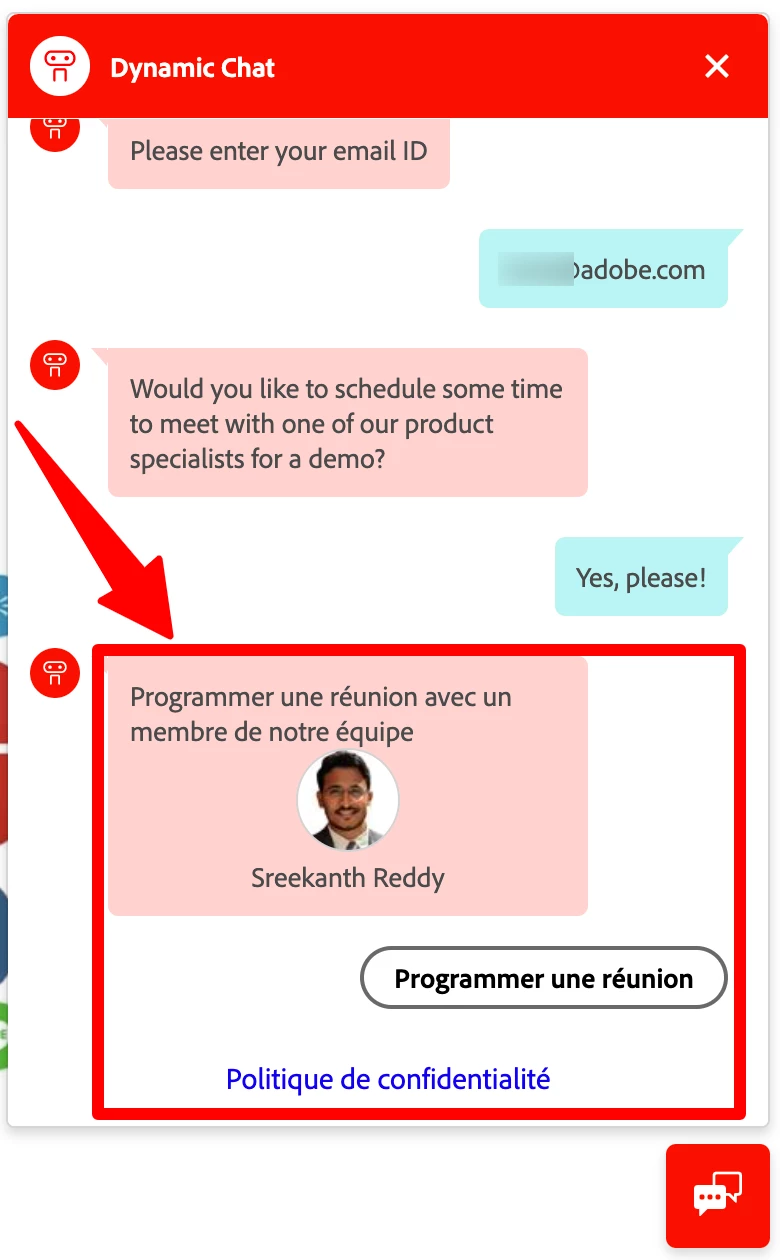
Globalization of static content
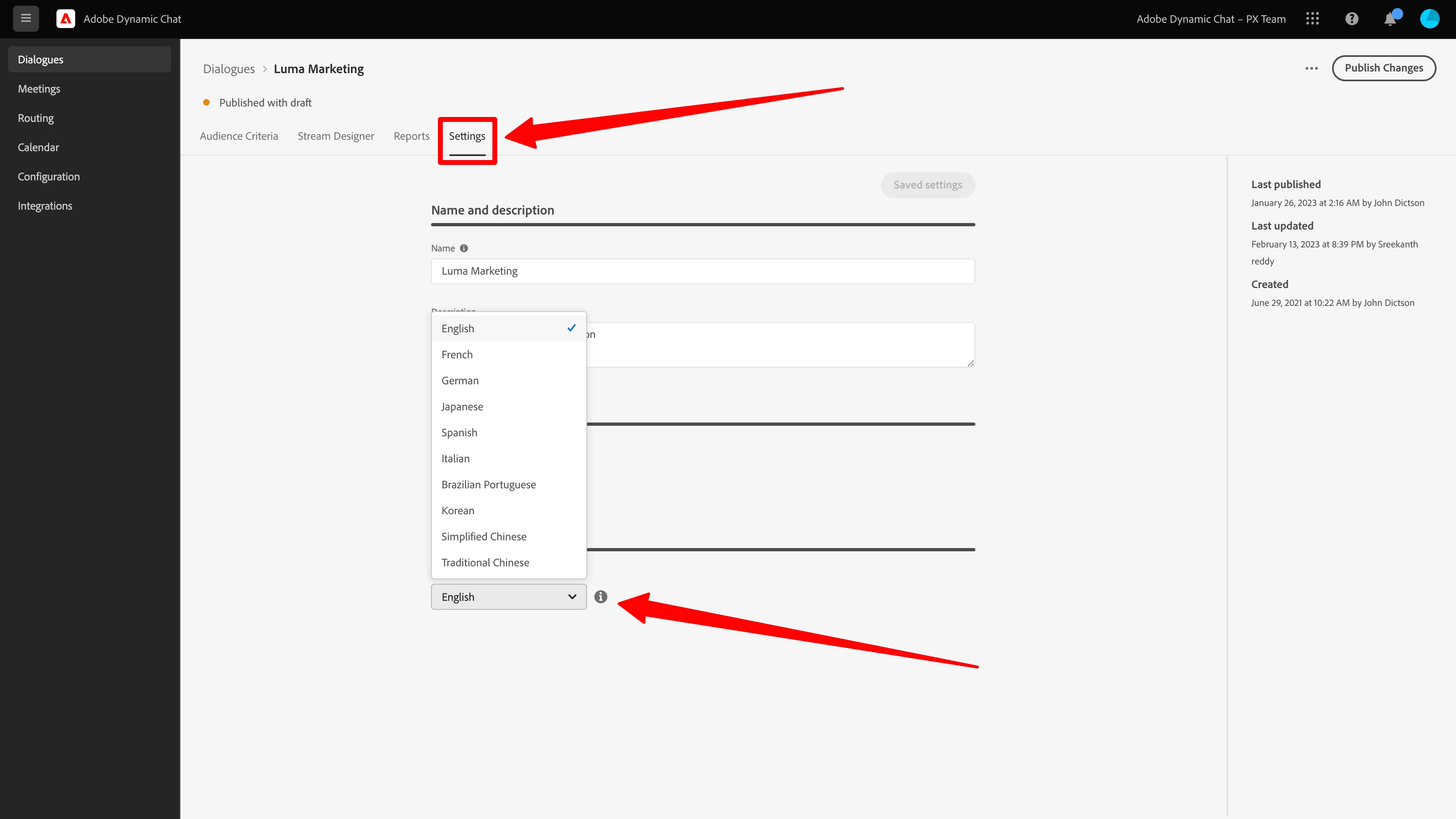
Most of you already know that you can create dialogues for non-English visitors, but we heard feedback from you that this serves the majority of the need but there is system-specific content that still shows up only in English. we have implemented a language selection feature at the dialogue level and system-specific text will be automatically translated into the respective language for a visitor.
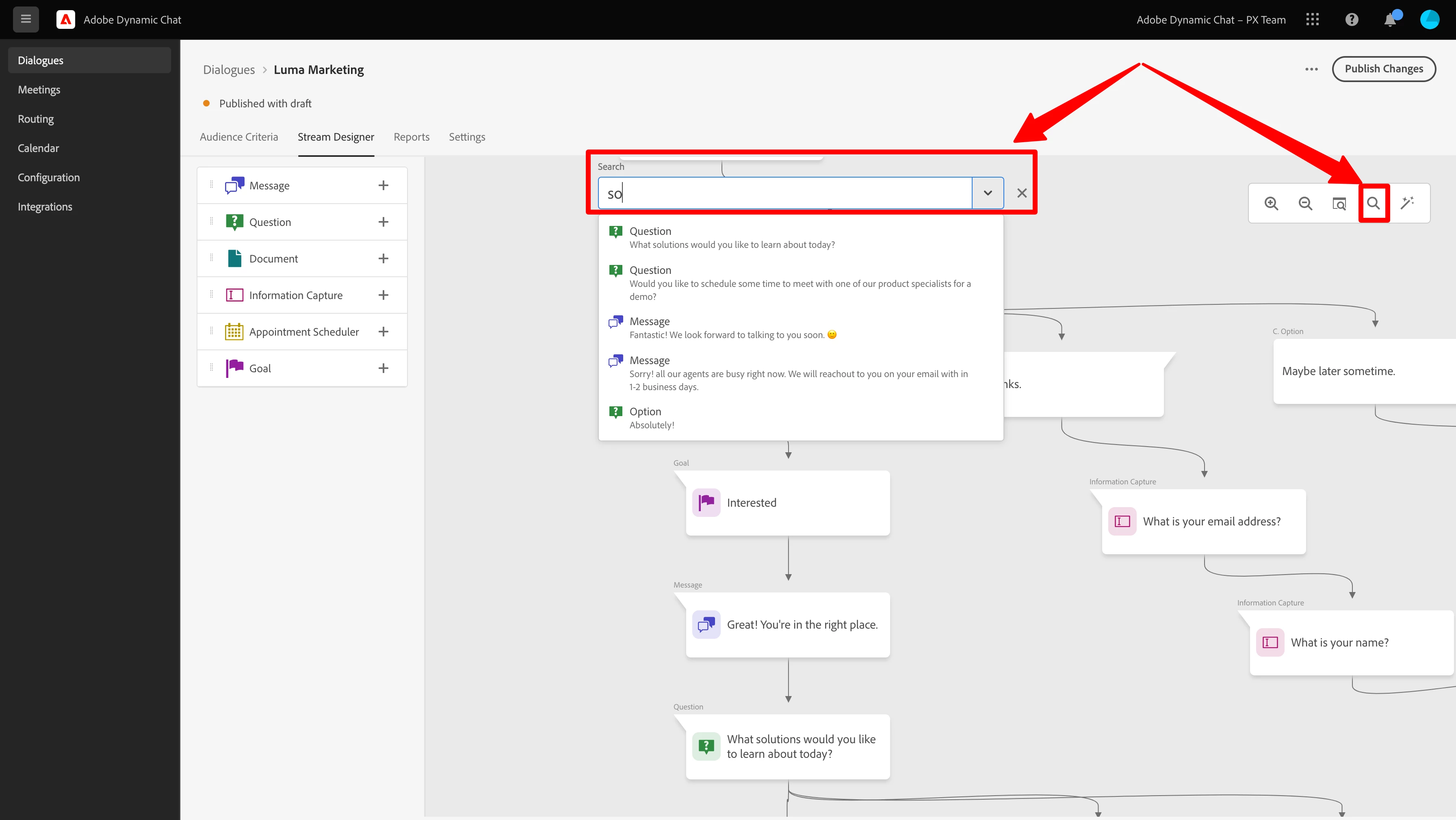
Search in Stream Designer
Managing long dialogue streams can be a challenging task. To make this process more streamlined, we have added a new search function that allows users to easily search for any text within a dialogue, and make quick edits as needed. Furthermore, our search feature is also designed to support keyboard shortcuts, such as search commands 'cmd+f' or 'ctrl+f'. With this enhanced functionality, users can more efficiently manage their dialogue streams and optimize their workflow.
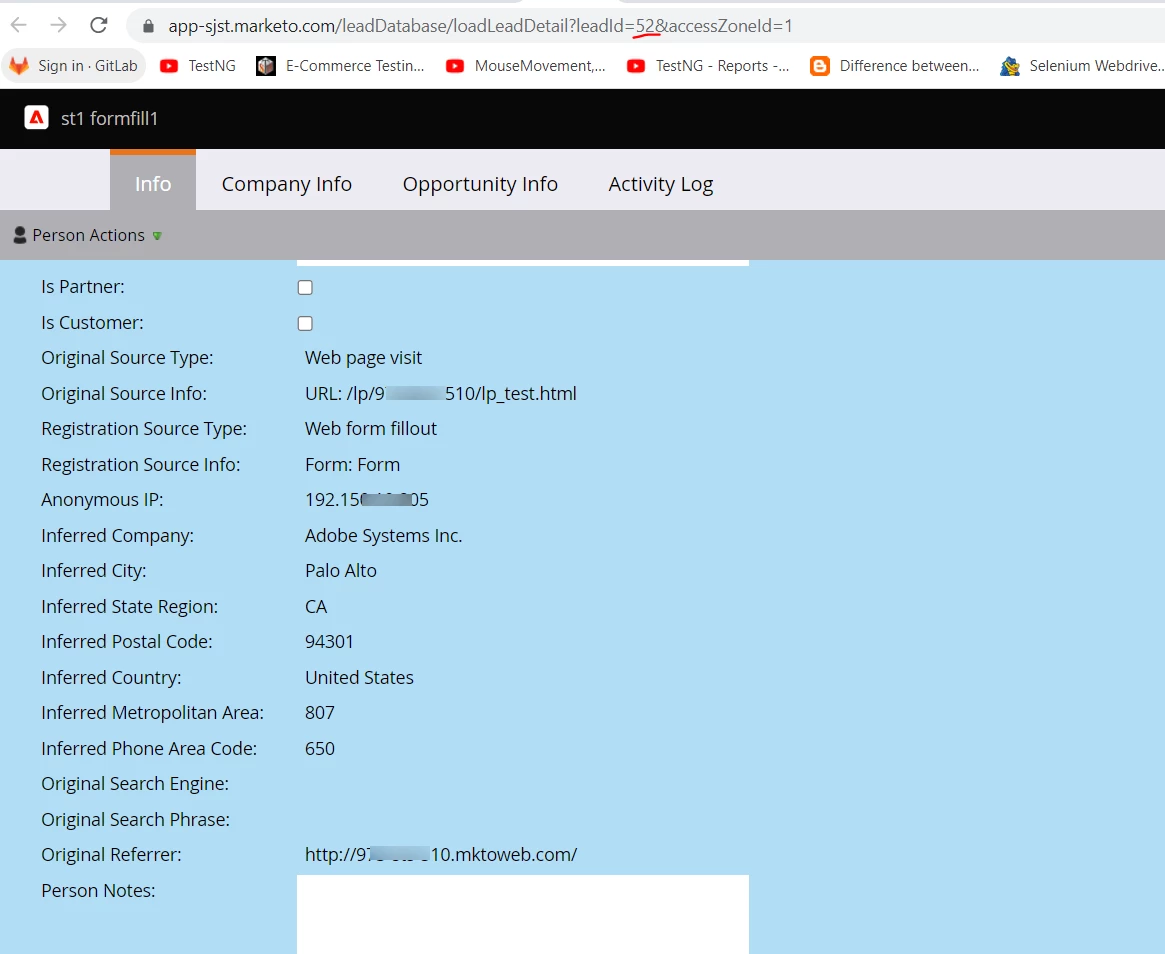
Auto-populating Inferred data
Leads generated through the chatbot will be automatically synced with your Marketo Engage instance in near-real-time. In addition, inferred visitor data based on their IP will now be auto-populated into the appropriate inferred attributes, allowing for more efficient and accurate lead capture.
Goto any card from the Dialogue preview
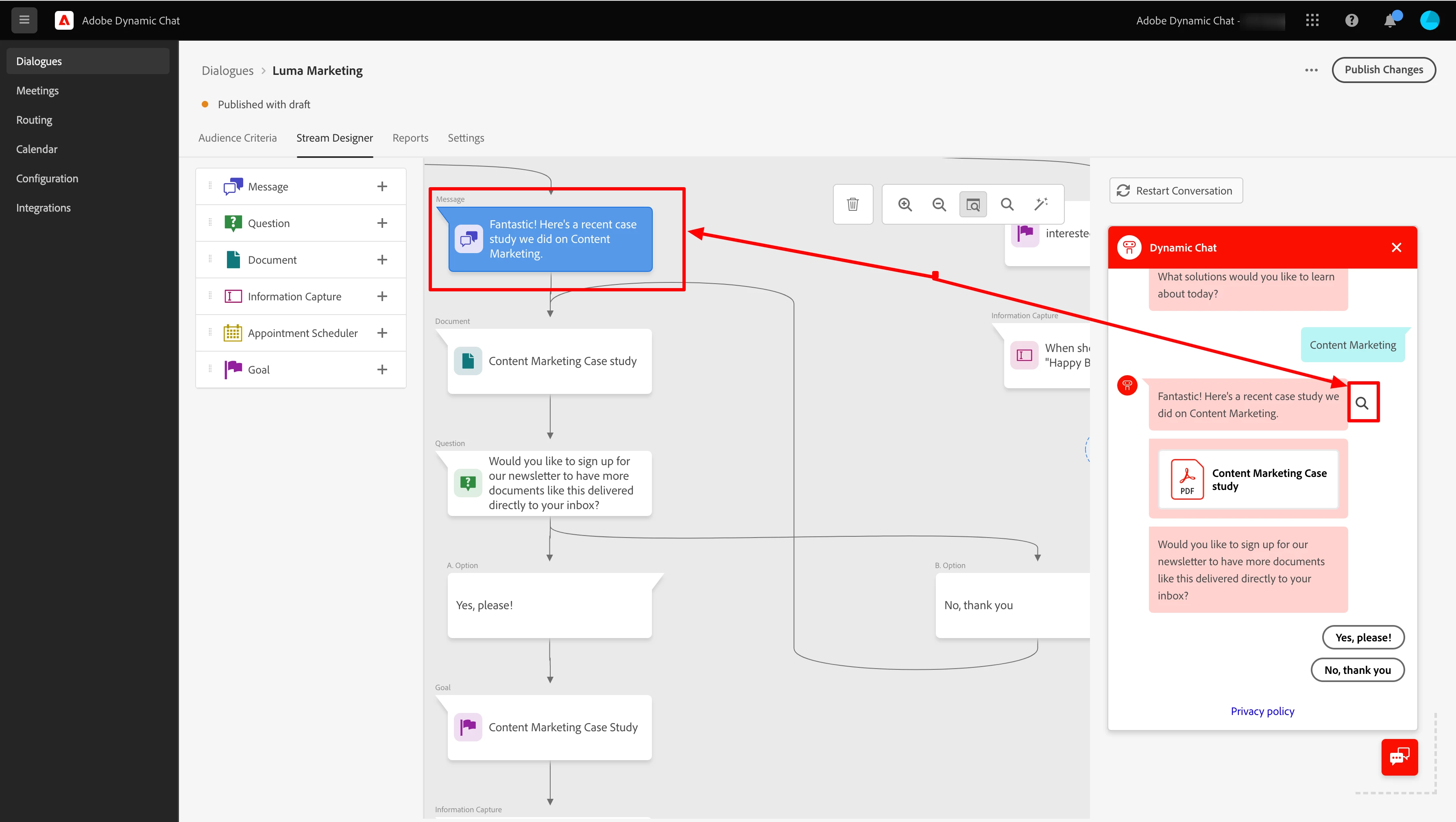
Are you enjoying using Dialogue Preview? We are excited to share that the experience has been further enhanced. As you preview your dialogue, you can now easily identify and correct any errors by clicking on the corresponding icon within the response field. This new feature allows you to seamlessly navigate to the relevant card on your canvas, streamlining the editing process and improving overall efficiency.