Need help formatting text for mobile | Community
Skip to main content
Level 6
July 6, 2021
Solved

Need help formatting text for mobile

  • July 6, 2021
  • 2 replies
  • 5235 views

Hello Community,


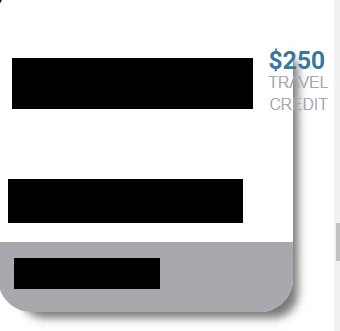
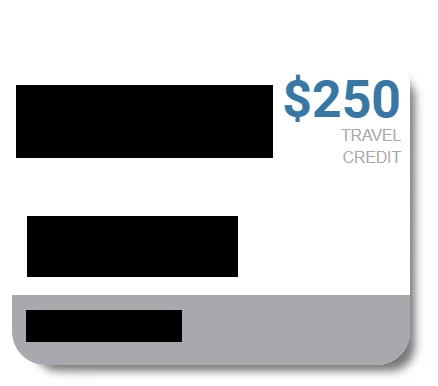
I am working on a Marketo landing page and have an issue where the text is coming off of an "image" built using CSS.

I have researched and tried different methods to format the text, such as using flex-wrap, etc., but am not getting anywhere.

Any help would be much appreciated. Please see screenshots below and a link to the lp here: http://promos.ovstravel.com/IM---Operational-Testing-Program_SMS-Test-Landing-Page.html


In desktop view:

In mobile view:


This post is no longer active and is closed to new replies. Need help? Start a new post to ask your question.
Best answer by Dave_Roberts

Hey LK,


Thanks for getting the page approved so I could have a quick look. On my end, everything seems to be showing as-expected in Chrome on a PC. Were you using a different browser when you experienced this issue? I've attached a screenshot below to show you what Im seeing on my end when I pull up the page and resize it down to mobile:
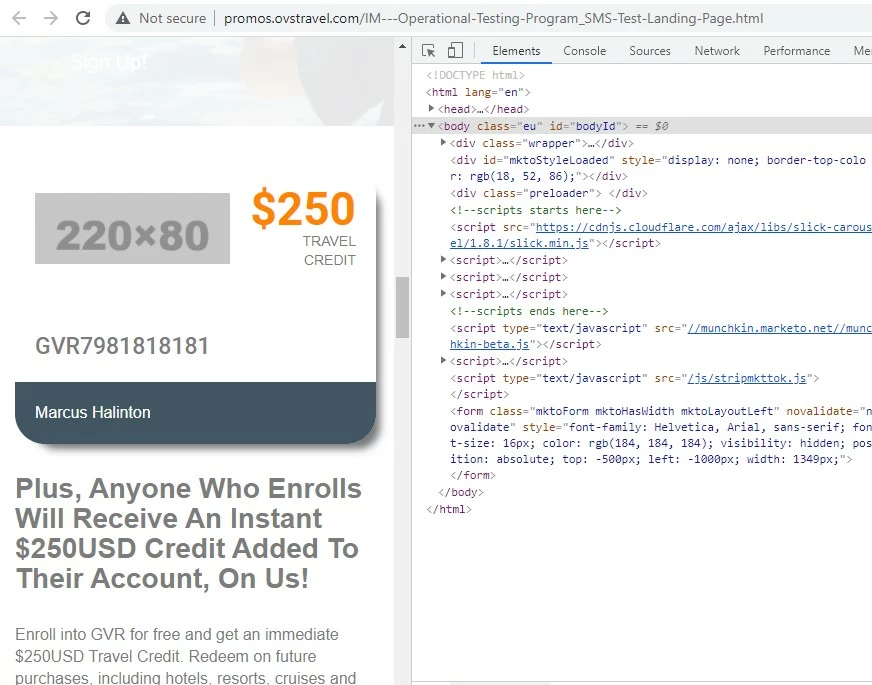
*note: There seems to be an error w/ the image URL so nothing is displaying in the image box when I load the page. I've added a placeholder in the inspector tools for example here.


I added a few styles into the dev console in the browser to try and see if we could stack the elements in there for mobile instead of having them shrink and stay in the same row. I was able to accomplish this using the flex-direction property and changing it from "column" (for mobile, stacked) to "row" (for mobile+, horizontal) as you go from mobile to tablet and up. There's a few other adjustments in the CSS to deal with the spacing of the element in the different orientations, let me know if you've got questions about anything here. 

/* mobile styles first ( <480px) */ /* display flex container as a column to stack items and center justify them */ .eu .sec4_inner_left { flex-direction:column; justify-content: center; margin-bottom:20px; } /* center align image and add some spacing top/bottom */ .eu .sec4_left_logo { padding:0px !important; text-align:center; margin:20px 0; } /* mobile (landscape) and up styles next (480px+) */ @media screen and (min-width:480px) { /* adjust flex container orientation (row instead of column = horizontal display) */ .eu .sec4_inner_left { flex-direction:row; justify-content: normal; } /* add padding back around logo image */ .eu .sec4_left_logo { padding:20px !important; } /* justify $250 credit text to right */ #sec4_credit_text { margin-left:auto; } }

 ... and here's what Im seeing in mobile view with these styles added to the page:
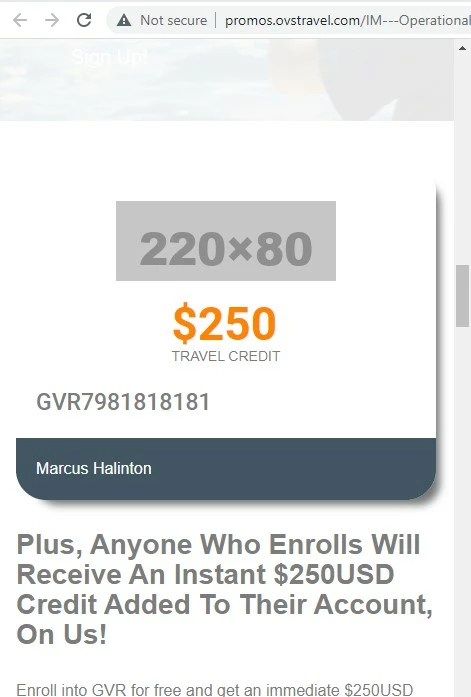
 

In terms of implementing this, it'd be best to modify the stylesheet (arr_style.css) at the source of these styles. You'll notice there's an "!important" flag on the logo padding to work around the existing padding set on the arr_style file. 

Next best thing would be to dump them into a <style> tag inside the Edit Page Metatags menu under Custom HEAD HTML to populate them at the page level. That'd end up looking something like this:

<style> /* remove this line and replace it with the CSS above */ </style>


1) Let me know if you're using a different browser when you're seeing things get pushed out of the container on mobile

2) or if you've got any questions/issues with putting the code above into play or testing it out.


Thanks again,

Dave
2 replies

Level 6
July 6, 2021

Some of the logos are also getting knocked off of the image now ☹.


Dave_Roberts
Level 10
July 6, 2021

Hey Guitarrista82,

It looks like the link you posted is pushing me to a login page rather than a page with a price offer on it (https://www.icerewardslifestyle.com/login-page/?utm_source=mkto-fallback


I'd be happy to help out here if you're able to host this in such a way that I don't need to login or send me some login creds in a Direct Message here in the community to get started looking at it.


Usually with stuff like this that floats over something else on the page, the css uses some kind of positioning (absolute/relative) to make it happen and based on the mobile screenshot you shared w/ the content popping out of the box, I suspect that might be a part of the issue here. In any case - if I can get into the a live view of the page and into the inspector I can probably help you get to the bottom of this one.


Thanks,
Dave

Level 6
July 7, 2021

Hi Dave!


The link should work now...I just needed to approve the page: http://promos.ovstravel.com/IM---Operational-Testing-Program_SMS-Test-Landing-Page.html


One note is that I did resize the logo on the image, but it's not ideal. It looks really small now so wondering if there's another option, like having the $250 Travel Credit text move down below the logo?


Thank you,


LK

Dave_Roberts
Dave_RobertsAccepted solution
Level 10
July 7, 2021

Hey LK,


Thanks for getting the page approved so I could have a quick look. On my end, everything seems to be showing as-expected in Chrome on a PC. Were you using a different browser when you experienced this issue? I've attached a screenshot below to show you what Im seeing on my end when I pull up the page and resize it down to mobile:

*note: There seems to be an error w/ the image URL so nothing is displaying in the image box when I load the page. I've added a placeholder in the inspector tools for example here.


I added a few styles into the dev console in the browser to try and see if we could stack the elements in there for mobile instead of having them shrink and stay in the same row. I was able to accomplish this using the flex-direction property and changing it from "column" (for mobile, stacked) to "row" (for mobile+, horizontal) as you go from mobile to tablet and up. There's a few other adjustments in the CSS to deal with the spacing of the element in the different orientations, let me know if you've got questions about anything here. 

/* mobile styles first ( <480px) */ /* display flex container as a column to stack items and center justify them */ .eu .sec4_inner_left { flex-direction:column; justify-content: center; margin-bottom:20px; } /* center align image and add some spacing top/bottom */ .eu .sec4_left_logo { padding:0px !important; text-align:center; margin:20px 0; } /* mobile (landscape) and up styles next (480px+) */ @media screen and (min-width:480px) { /* adjust flex container orientation (row instead of column = horizontal display) */ .eu .sec4_inner_left { flex-direction:row; justify-content: normal; } /* add padding back around logo image */ .eu .sec4_left_logo { padding:20px !important; } /* justify $250 credit text to right */ #sec4_credit_text { margin-left:auto; } }

 ... and here's what Im seeing in mobile view with these styles added to the page:


In terms of implementing this, it'd be best to modify the stylesheet (arr_style.css) at the source of these styles. You'll notice there's an "!important" flag on the logo padding to work around the existing padding set on the arr_style file. 

Next best thing would be to dump them into a <style> tag inside the Edit Page Metatags menu under Custom HEAD HTML to populate them at the page level. That'd end up looking something like this:

<style> /* remove this line and replace it with the CSS above */ </style>


1) Let me know if you're using a different browser when you're seeing things get pushed out of the container on mobile

2) or if you've got any questions/issues with putting the code above into play or testing it out.


Thanks again,

Dave