Multi-Select Checkboxes | Community
Skip to main content
March 8, 2016
Question

Multi-Select Checkboxes

  • March 8, 2016
  • 1 reply
  • 5648 views

Hello friends,

I was wondering if anyone knew of a solution for transforming a multi-select picklist into a multi-select checkbox dropdown (sorry for the mouthful).

So I'd like to move away from this:
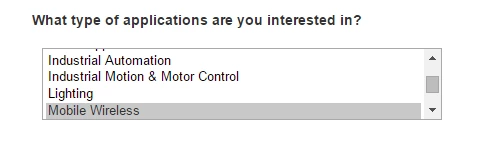
and move toward this:
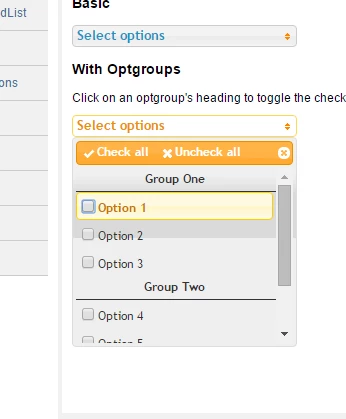
If people were able to select more than one option on their mobile device with the first example then I wouldn't fret over this so much, but I don't think there's a Ctrl or Command click equivalent on mobile.

Any advice would be greatly appreciated. Thanks in advanced!

This post is no longer active and is closed to new replies. Need help? Start a new post to ask your question.

1 reply

Grégoire_Miche2
Level 10
March 9, 2016

Hi Danny,

have you considered using dependent fields ? It would take 2 fields but might a better answer. Visitor would first select the group, and based on the group selected, the detail checkboxes would appear.

This uses the visibility rules and can be seen here: Dynamically Toggle Visibility of a Form Field - Marketo Docs - Product Docs

-Greg

March 9, 2016

Hey Gregoire,

Yeah, we've thought about doing this, but it wouldn't achieve the functionality we're looking for exactly. I did however find a pretty simple solution.

If you put the checkboxes you want into a fieldset, you can use some custom CSS to put them into a scrolling list.

From the Field Details section in the form editor:

Put this code in the CSS editor:

.mktoFormRow fieldset {

     border:2px solid #ccc; width:400px; height: 150px; overflow-y: scroll; }

Result:

We're still working out some visual kinks, but this would work on the fly if need be.

Grégoire_Miche2
Level 10
March 9, 2016

Nice one.

-Greg