
MKTO + AdWords - UTMS, Query Strings, and Multiple Forms
Hi all,
My team recently launched our first Adwords campaign. We created specific landing pages per ad group, and used a new Adwords-specific form thinking that people will land, fill that form out, and we'd be able to attribute lead source to AdWords. Easy, right?! That thinking turned out to be too good to be true...
In reality, we are finding that people land on the landing page, don't fill out the Adwords specific form, browse around, then fill out our "general" site wide form on the site...which makes sense!
The problem with this is that the UTM params are not carrying over from the page they initially land on over to the "general" form they end up filling out.
My solution was the following: I added a constraint to the general form, with the constraint being query string = to our UTM code, then in the Flow, inserting a change data value where if UTM Source = Adwords then attribute lead source to Adwords.
I know there are many posts on this, and many ways to achieve this but am wanting to know if this is 1. a feasible way to attribute lead source and 2. if there are any reccos on how to do this differently and or better.
Below our some screenshots:
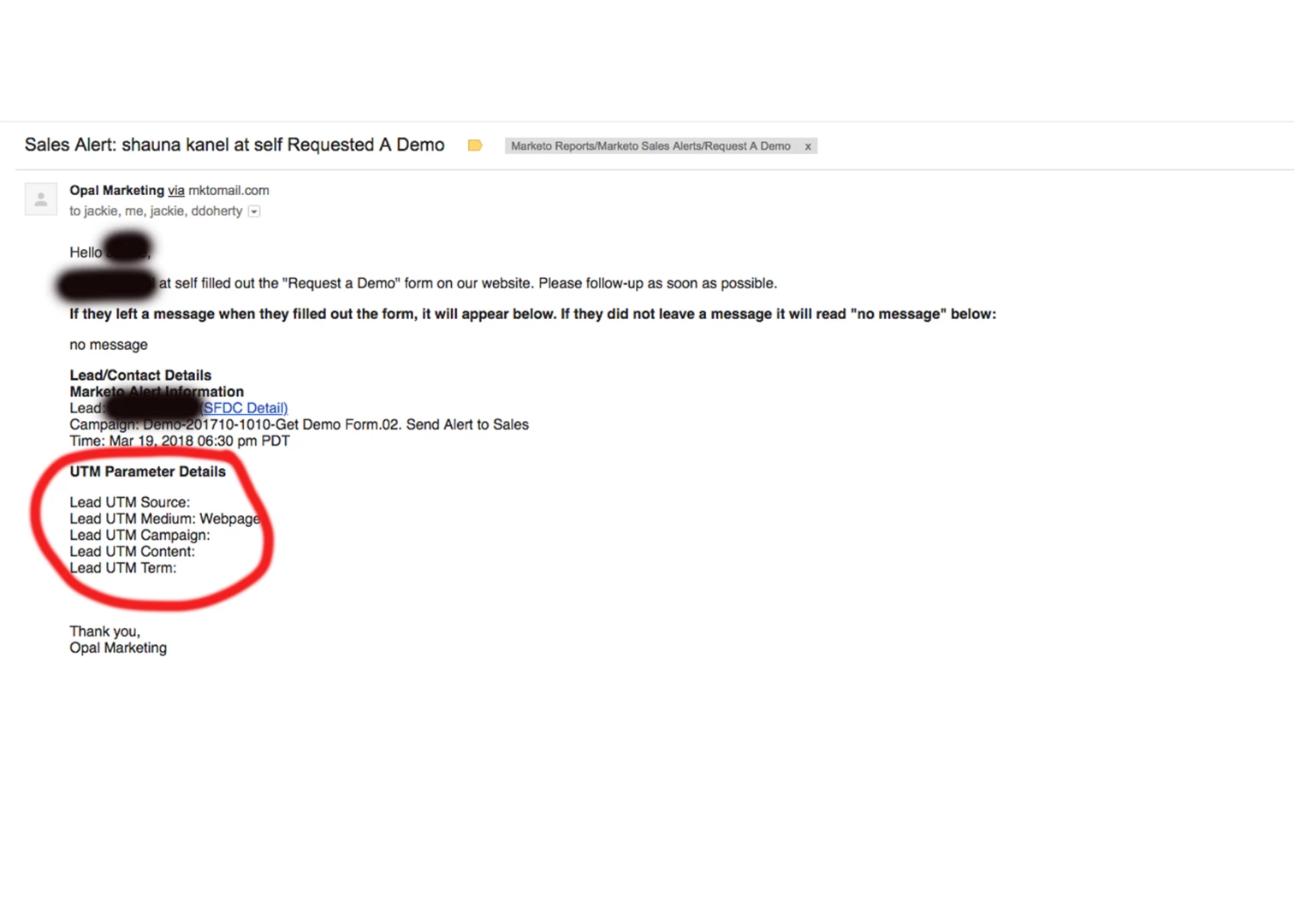
1. Our sales alert with the UTM params section of the email empty - sad but not really surprising. I believe this is because the UTMs were "lost" when this person left the Adwords landing page, then went to to our general form. Please correct me if that is not the case.
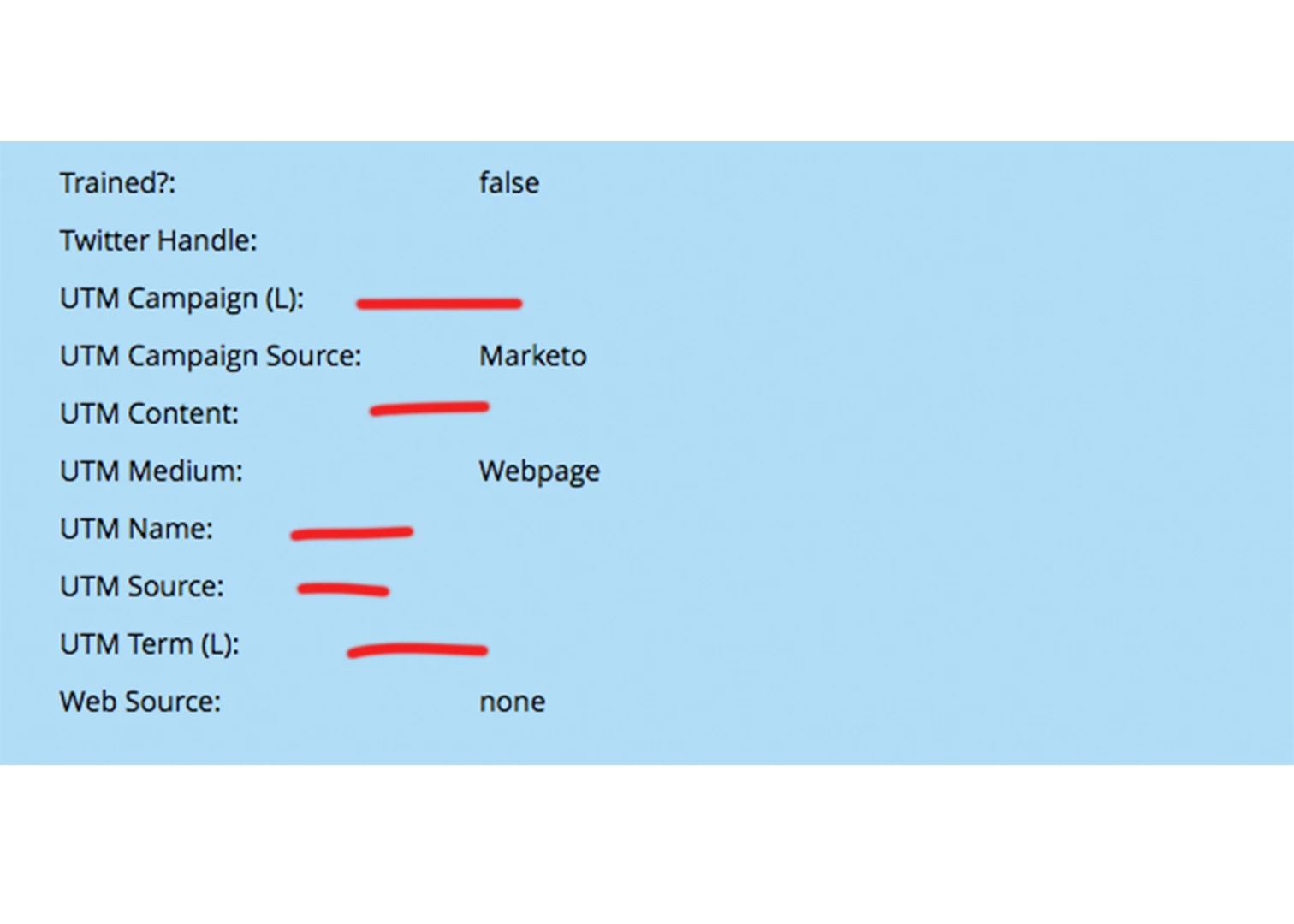
2. Lead details: Same thing - UTMs not populated due to the fact that they did not transfer across our URLs. The default sources populated.
3. Activity log, first activity of "Visit Web Page": UTMs fully tracked in Query Params!
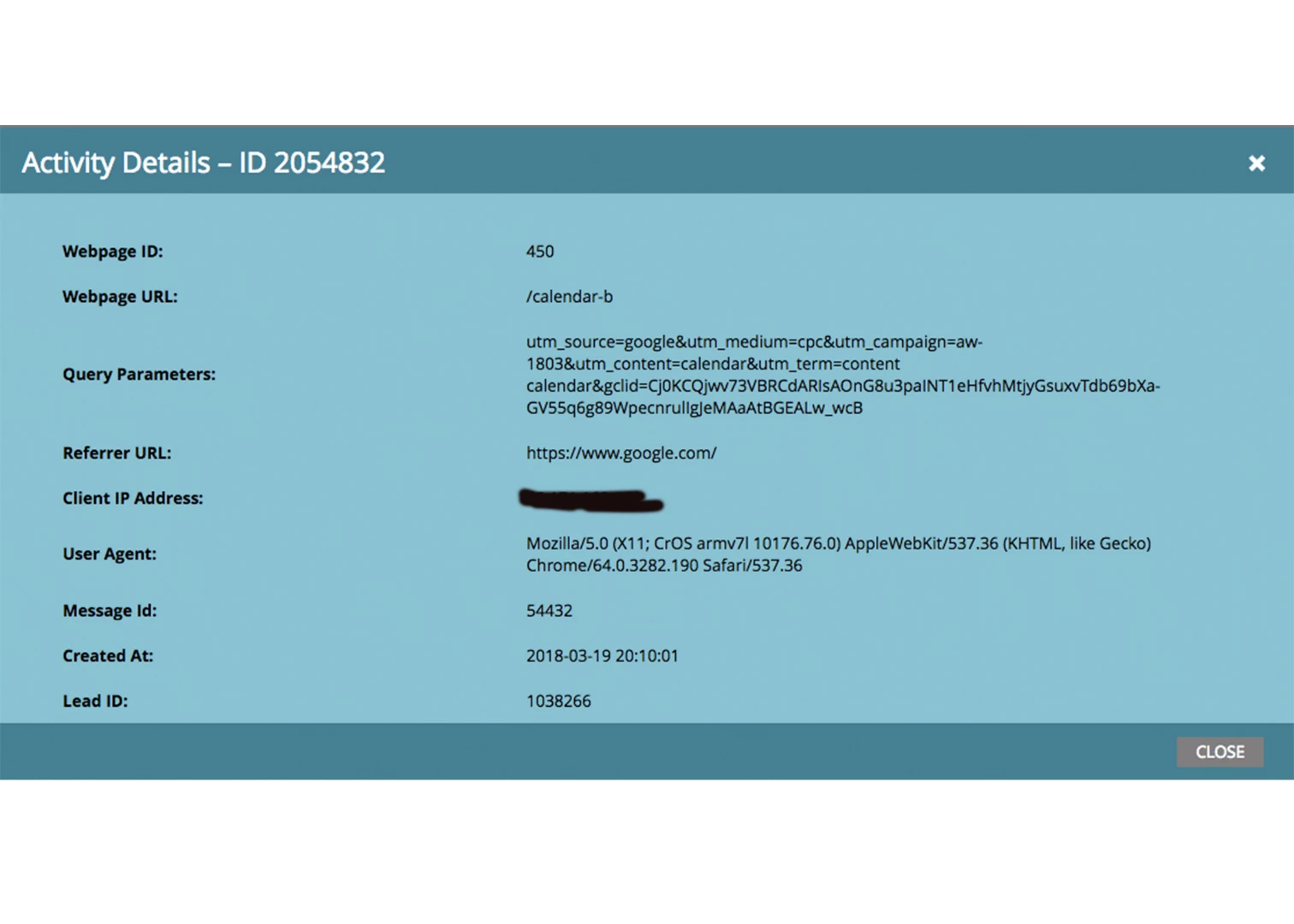
Why would the UTM params be full tracked in the Query Parameter section but not captured by my hidden UTM fields on the general form - is it because of what I think it is: The UTMs don't carry from one URL to another so the general from doesn't populate them? How would I go about capturing UTM regardless of which page the land on?
Secondly, is my solution of adding the restraint of query string to the general form and changing data value of lead source to Adwords based on query param the right way to go about this?
Thank you!