Question
Marketo Sales Insight - Email Tab
Hey fellow Marketoers,
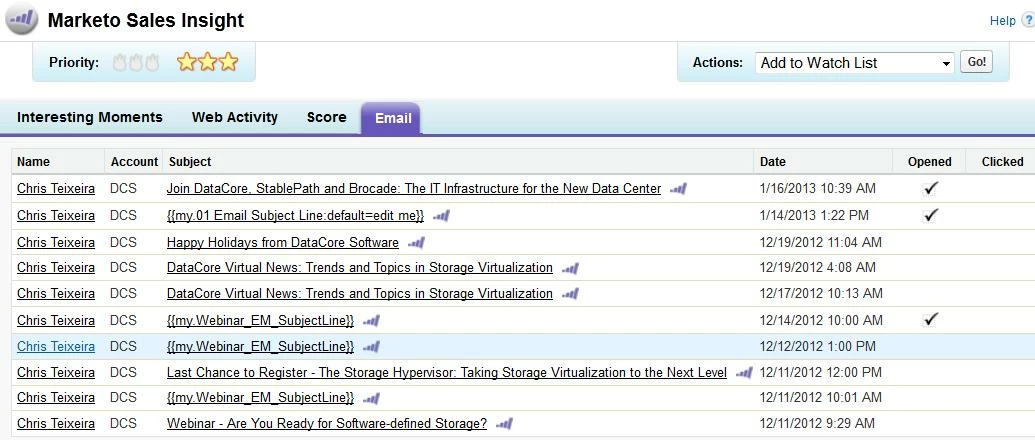
So I've been having an issue in Sales Insight and on IM's when it comes to the Email Subject Line. In the Sales Insight tab of Salesforce, whenever we send an email with a token in the subject, it just sticks in the Token Name as the email subject - the same goes for last interesting moments. Is there a way to fix this without ditching the token? Is it a timing issue?
Thanks,
Chris
So I've been having an issue in Sales Insight and on IM's when it comes to the Email Subject Line. In the Sales Insight tab of Salesforce, whenever we send an email with a token in the subject, it just sticks in the Token Name as the email subject - the same goes for last interesting moments. Is there a way to fix this without ditching the token? Is it a timing issue?
Thanks,
Chris