Marketo Landing Page | Community
Skip to main content
Nimisha_Garg
Level 4
March 11, 2019
Solved

Marketo Landing Page

  • March 11, 2019
  • 4 replies
  • 8394 views

Hello Marketo Team,

I need to remove this white space in between "logo" and the header image / banner image.

DO you need HTML code pasted here? Which part of the code will you need?

Thanks,

Best answer by Corey_Bethel

Sure, approved now...

go.ocwenlending.com/MLS.html


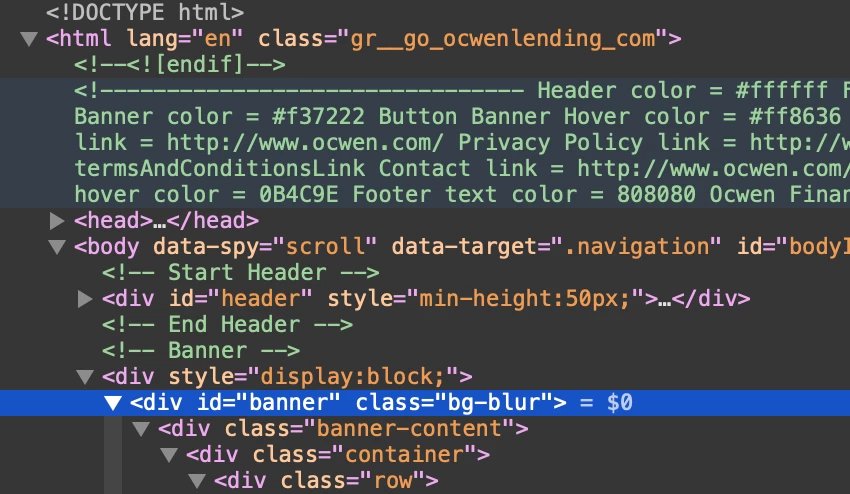
You need to add it to the <div> highlighted in blue. Line 289.
4 replies

Josh_Hill13
Level 10
March 11, 2019

You should ask your web dev for help.

Jay_Jiang
Level 10
March 11, 2019

DO you need HTML code pasted here? Which part of the code will you need?


Just post a link to the landing page

Nimisha_Garg
Level 4
March 14, 2019

Jay Jiang here is the link to the landing page:

PAGE

Corey_Bethel
Level 4
March 14, 2019

Hi Nimisha,

You have a minimum height of 95px on the <div> with id=header. Try reducing that and see if that works.

Corey BethelConsultant | Etumos
Nimisha_Garg
Level 4
March 14, 2019

This is a guided landing page...make change in that?

Corey_Bethel
Level 4
March 14, 2019

You'll need to make the change in the HTML of the template.

Corey BethelConsultant | Etumos
Nimisha_Garg
Level 4
March 20, 2019

Corey's help has been one of the best experiences in Marketo Nation.