Solved
Marketo form on Safari
Hello everyone,
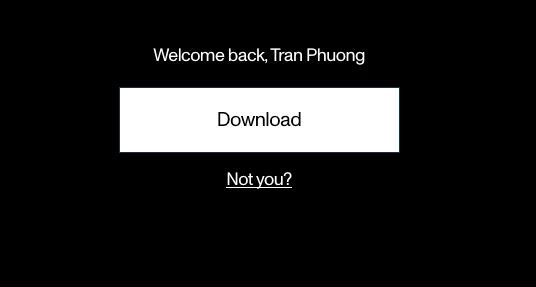
I'm encountering an issue with the Marketo form on Safari. After submitting the form, when I reload the page and try to submit a new form, the browser displays a "Welcome back" box (see the attached image below). However, clicking the "Not you?" link doesn't work as expected; it simply reloads the page without displaying a new form. This problem only occurs on Safari, while everything functions correctly on Chrome and Firefox. Does anyone have any ideas or solutions for this issue?
I would greatly appreciate any insights or solutions you might have regarding this problem. Thank you all for your help, and I look forward to receiving further information on how to resolve this issue.
ToanVu.