Thanks for sharing a link to your page with the form, it made it much easier to troubleshoot this one.
In the big picture here, the issue you're running into with width has to do with the width settings in the the inline styles of the form elements on the page. These are set to fixed widths within the inline styles and those need to be updated to be fluid widths (100%) to respond as you'd want them to.
Here's a look into the inspector to highlight a few of the bits that are giving you issues with the form blowing out the right side of the container:
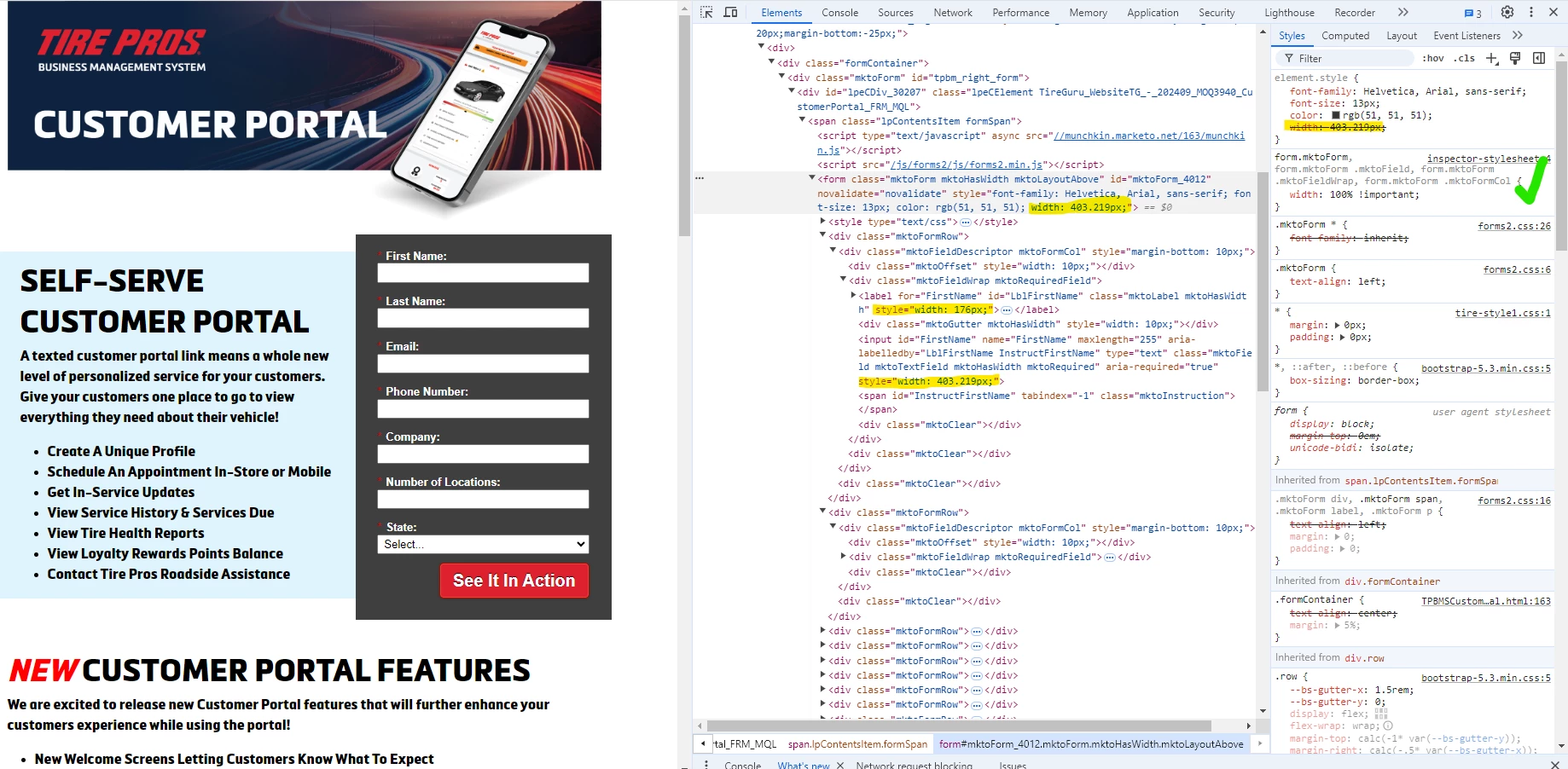
Here's a bit of CSS that I've commented up that should help you to see something more like the screenshot above:
/* fluid width for form elements */
form.mktoForm,
form.mktoForm .mktoField,
form.mktoForm .mktoFieldWrap,
form.mktoForm .mktoFormCol {
    width: 100% !important;
}
/* hide vertical gaps between rows */
form.mktoForm .mktoOffset {
    display: none !important;
}
/* adjust button row to fluid width */
form.mktoForm .mktoButtonRow {
    width:  100% !important;
}
/* remove default margin from button wrap and set it up to be easy to position the button using text-align instead */
form.mktoForm .mktoButtonWrap {
    margin-left: auto !important;
    width: 100% !important;
    display: inline-block;
    text-align: right; /* align button position */
}
/* style button w/ !important tags here */
form.mktoForm button.mktoButton[class] {
    width: auto !important;
    padding: 10px 15px !important;
}
Let me know if you have any questions about the styling here or if this does or doesn't work for ya, I'd be happy to help you get this one across the finish line here.
Thanks,
Dave